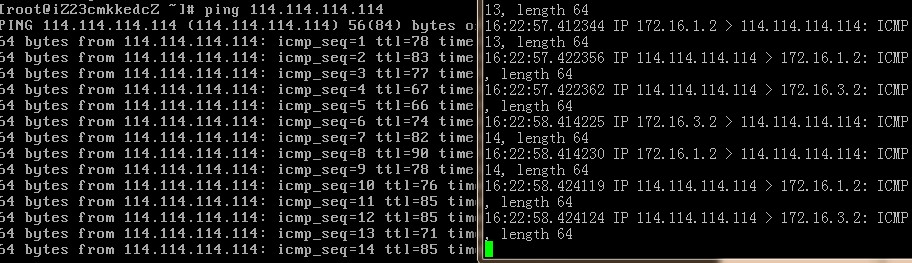
Many cloud servers, including those from Alibaba Cloud, do not support SNAT by default. Fortunately, I obtained test permissions for Alibaba Cloud VPC and verified that SNAT is supported in this virtual private network mode. Below is a summary of the operational process.
Use one virtual router and two vSwitches to connect the internal LAN and the LAN where external-facing machines reside. Deploy two ECS:
One instance is purely for internal use, and the other is bound with an EIP to act as the NAT gateway, as shown below:
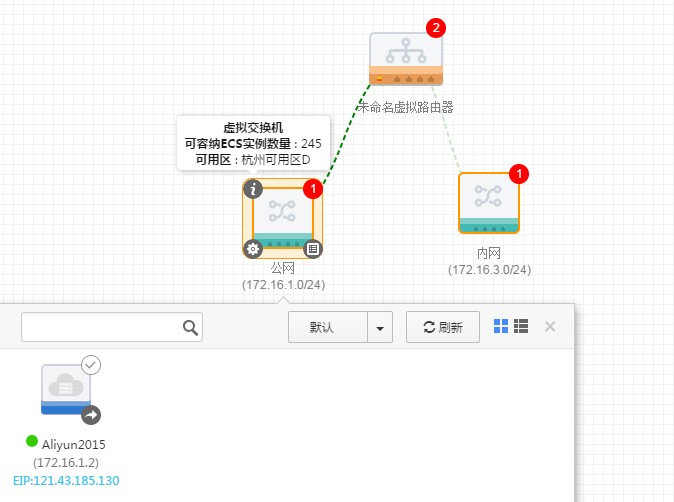
Configure routing on the virtual router.To allow internal servers to access the public internet via the EIP, set the next hop for all destination addresses (0.0.0.0/0) to forward traffic to the ECS instance bound with the public IP. Note that searching for the next-hop ECS instance is not supported here, which can be cumbersome.
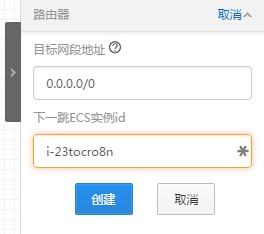
After configuration, log in to the external-facing machine to configure SNAT.1 |
iptables -t nat -I POSTROUTING -s 172.16.3.0/24 -j SNAT --to-source 172.16.1.2 |
Here, the 172.16.3.0/24 subnet represents the internal LAN, and 172.16.1.2 is the self-assigned IP of the ECS instance bound with the EIP, used to complete source address translation.
Next, modify kernel parameters to enable IP forwarding:1 |
sed -i 's/net.ipv4.ip_forward = 0/net.ipv4.ip_forward = 1/g' /etc/sysctl.conf;sysctl -p |
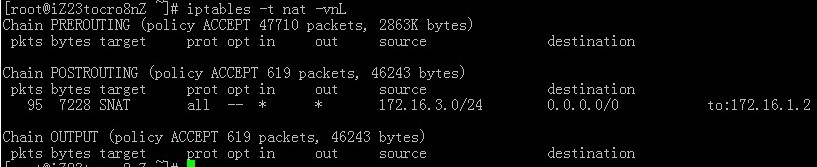
After completion, testing confirms that internal servers can now access the external network: