
When purchasing Amazon Reserved Instances (RIs), there is no need to stop your currently running EC2 or RDS instances. Buying a Reserved Instance is similar to purchasing a discount coupon; it applies a price reduction to the fees of your existing EC2 and RDS usage. For long-term AWS services, purchasing Reserved Instances can significantly reduce costs.
Process for Purchasing Reserved Instances
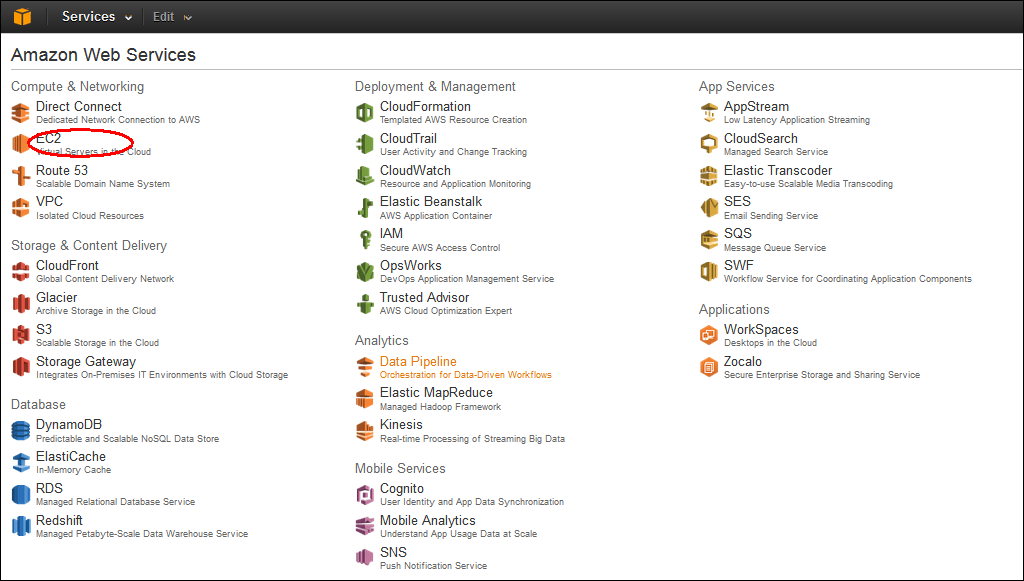
1. After logging into the AWS Management Console, click on EC2.
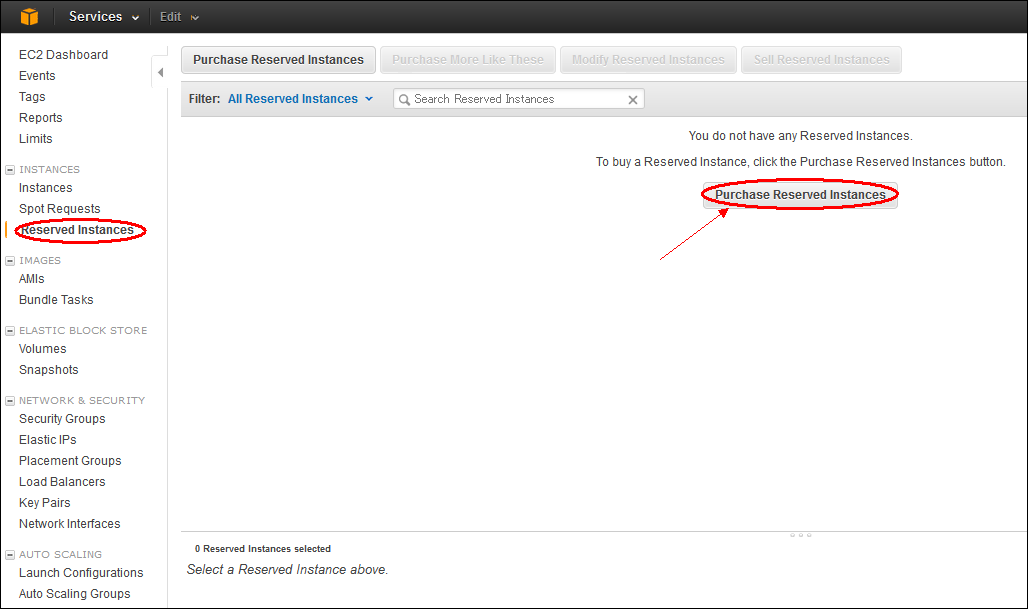
 2. Click on “Reserved Instances,” then select “Purchase Reserved Instances.”
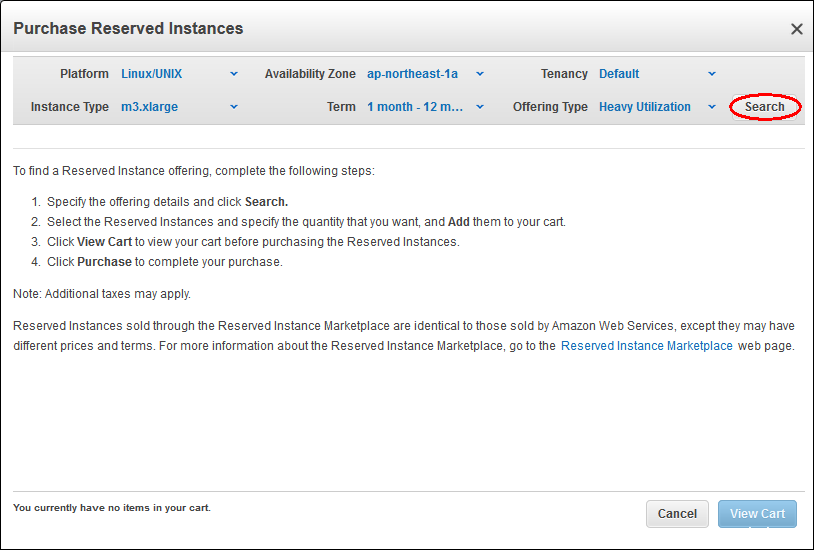
 3. Perform a search.
Before searching, you need to select the following information. Please choose carefully.
- Platform: Linux/Unix
- Instance Type: m3.xlarge
- Availability Zone: ap-northeast-1a
- Term: 1 month – 12 months
- Tenancy: Default
- Offering Type: Heavy Utilization
 4. Add to cart.
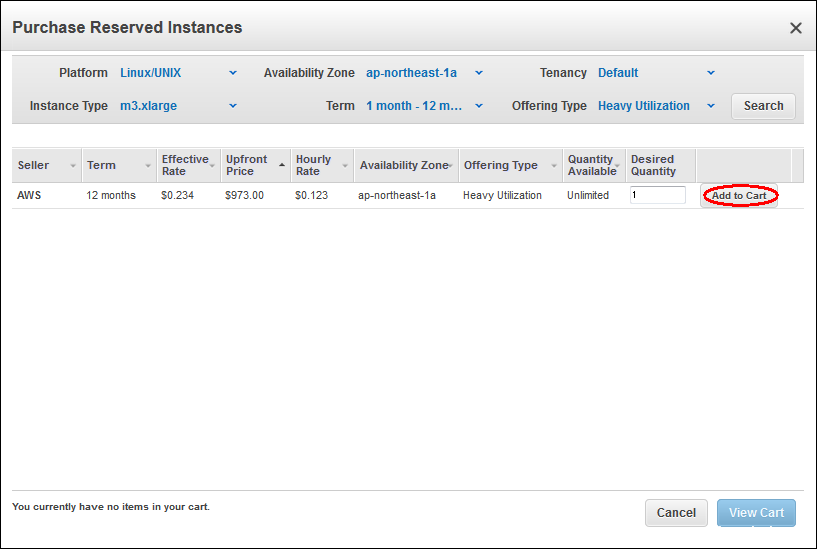 5. After selecting the Reserved Instance to purchase, click Buy.
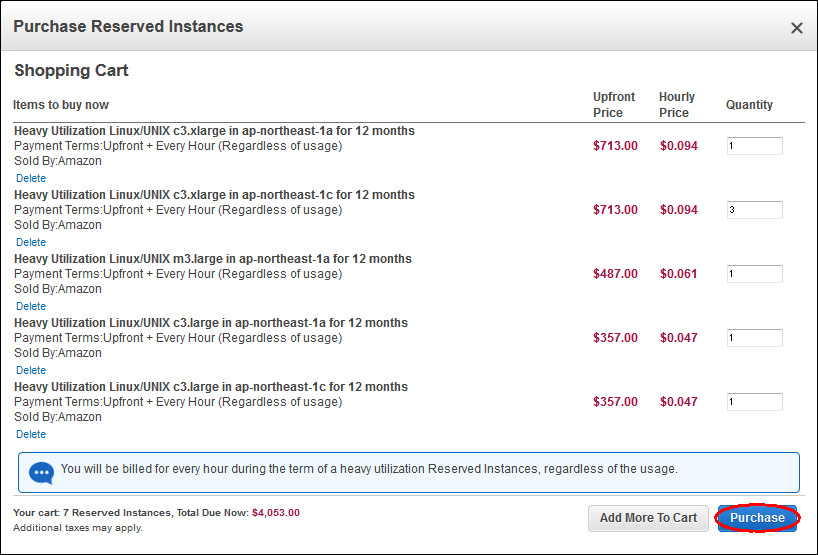 Once the credit card payment is processed, the purchase of the Reserved Instance is complete.