To better comply with industry compliance requirements and build a secure IT environment, enterprise security teams generally select relevant security frameworks and use corresponding risk assessment methods to develop security models that align with their business characteristics, under clearly defined security/management boundaries. Based on these security models, various management policies are typically standardized and abstracted into documentation, which may include the following common contents:
- User permission policies
- Access control policies
- Server security policies
- Application access policies
- Network segmentation policies
- Data transmission policies
- Data storage policies
- Backup and archiving policies
- Logging policies
- Audit management policies
……….
In practical application scenarios, standard policies may be dynamically adjusted due to changes in business or management approaches. How can you continuously evaluate and audit whether the configuration compliance of resources in the AWS cloud aligns with corporate planning? How can you help users better implement change management, security analysis, and even automatic remediation of non-compliant configurations in the cloud? In such scenarios, consider using the AWS Config service for assistance.
I. What is AWS Config?
AWS Config is a managed service that enables you to inventory your AWS resources, view configuration changes and relationships between AWS resources, and delve into detailed resource configuration history. Using Config, you can also define required resource configurations, internal best practices, and guidelines through custom rules, and evaluate your recorded configurations against these rules.
Main Application Features of AWS Config:
- Evaluate whether your AWS resource configurations have the required settings.
- Obtain current configuration snapshots of supported resources associated with your AWS account.
- Retrieve one or more resource configurations from your account.
- Retrieve historical configurations for one or more resources.
- Receive notifications when resources are created, modified, or deleted.
- View relationships between different resources. For example, you might want to find all resources using a specific security group.
AWS Config Working Principle
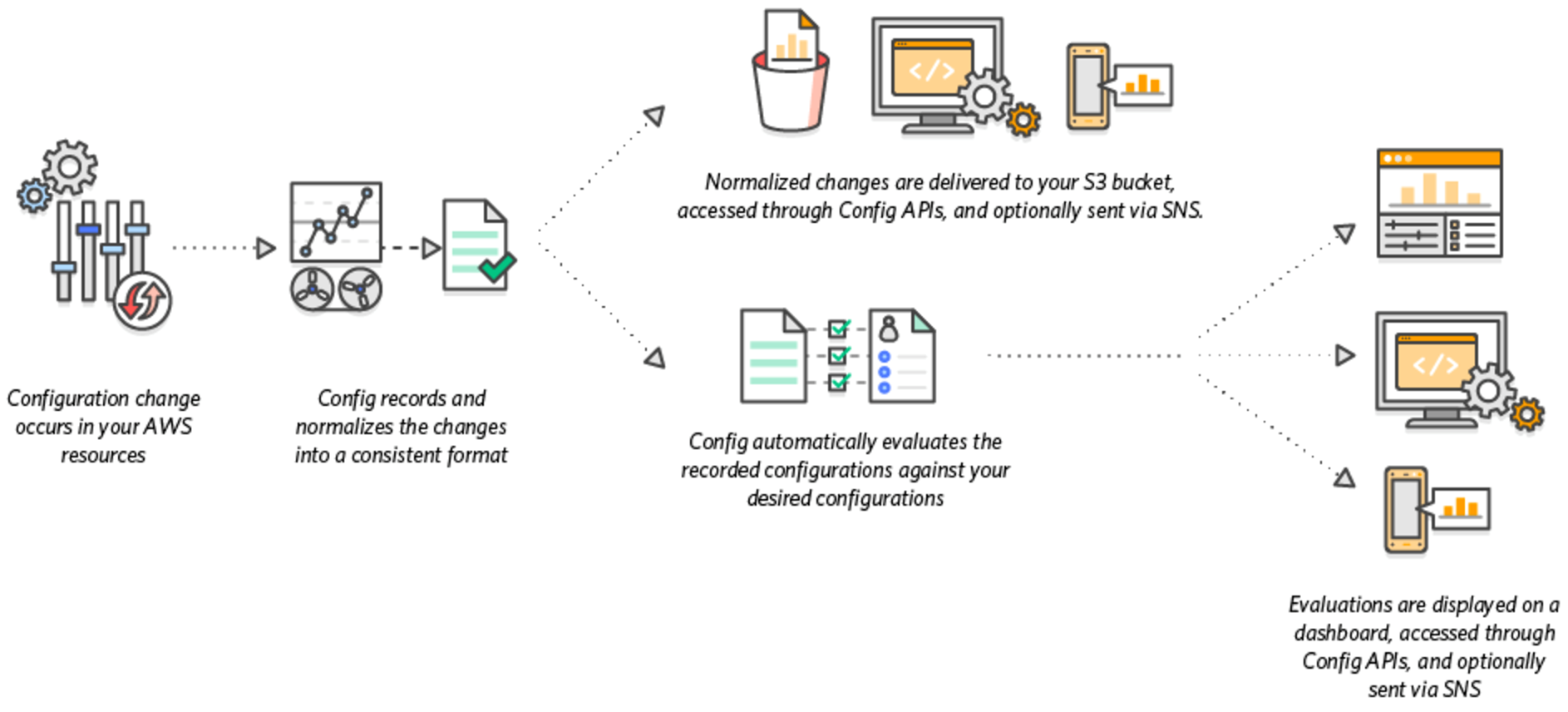
For more information on AWS Config, please refer to https://aws.amazon.com/cn/config/
II. AWS Config Configuration Test
To better understand the working process of AWS Config, we will conduct a brief test using the configuration monitoring of an AWS Security Group as an example.
1. Test Scenario:
- A security group configured for a web server, where the policy only allows HTTP and HTTPS ports to be open to the Internet;
- Configure an AWS Config rule so that when other ports are added to this security group’s configuration rules, AWS Config automatically records them and triggers a remediation mechanism to automatically delete the newly added non-compliant configurations.
2. Configuration Process
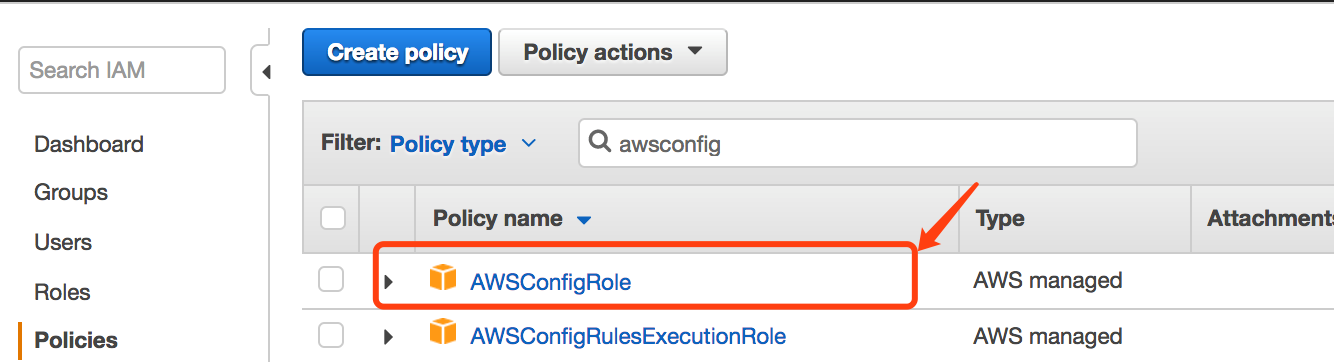
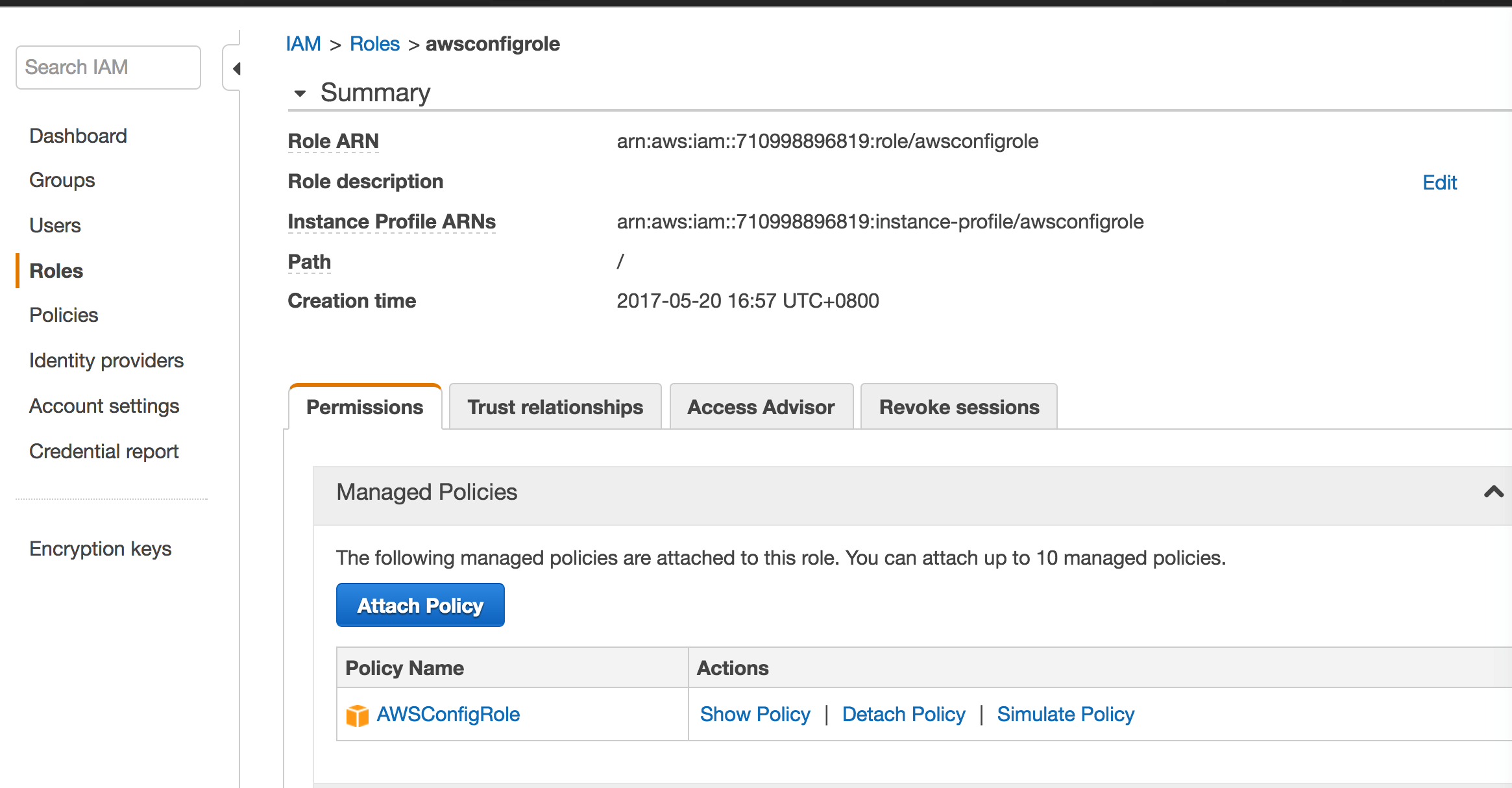
a. Permission Preparation.To successfully configure AWS Config rules, you need to create an IAM role, grant AWS Config permissions, allowing it to access Amazon S3 buckets, Amazon SNS topics, and retrieve detailed configuration information for supported AWS resources. IAM has a built-in managed policy called AWSConfigRole.
Create a new IAM Role named awsconfigrole and directly attach this policy:
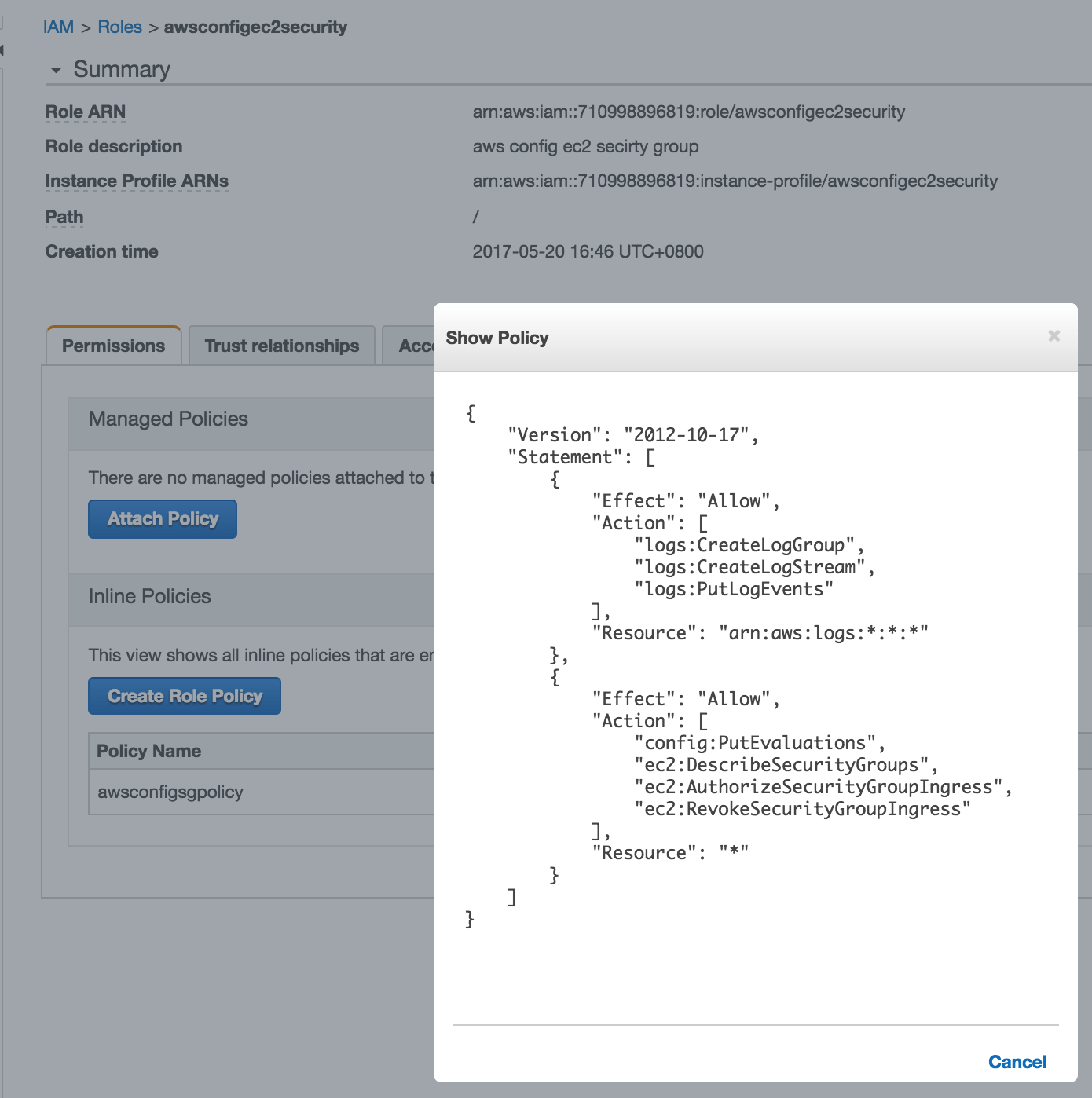
 Additionally, during the test, Lambda will be used to automatically perform security group operations and CloudWatch log operations. You also need to establish the corresponding IAM roles and edit policies to grant the necessary permissions. In this test, the IAM role is:
awsoncifgec2security
{
"Version": "2012-10-17",
"Statement": [
{
"Effect": "Allow",
"Action": [
"logs:CreateLogGroup",
"logs:CreateLogStream",
"logs:PutLogEvents"
],
"Resource": "arn:aws:logs:*:*:*"
},
{
"Effect": "Allow",
"Action": [
"config:PutEvaluations",
"ec2:DescribeSecurityGroups",
"ec2:AuthorizeSecurityGroupIngress",
"ec2:RevokeSecurityGroupIngress"
],
"Resource": "*"
}
]
}
b. Configure AWS Config Settings.In the AWS Console, open AWS Config. For the specific process, please refer to: http://docs.aws.amazon.com/zh_cn/config/latest/developerguide/gs-console.html
In this test process, we selected the resource type as SecurityGroup:
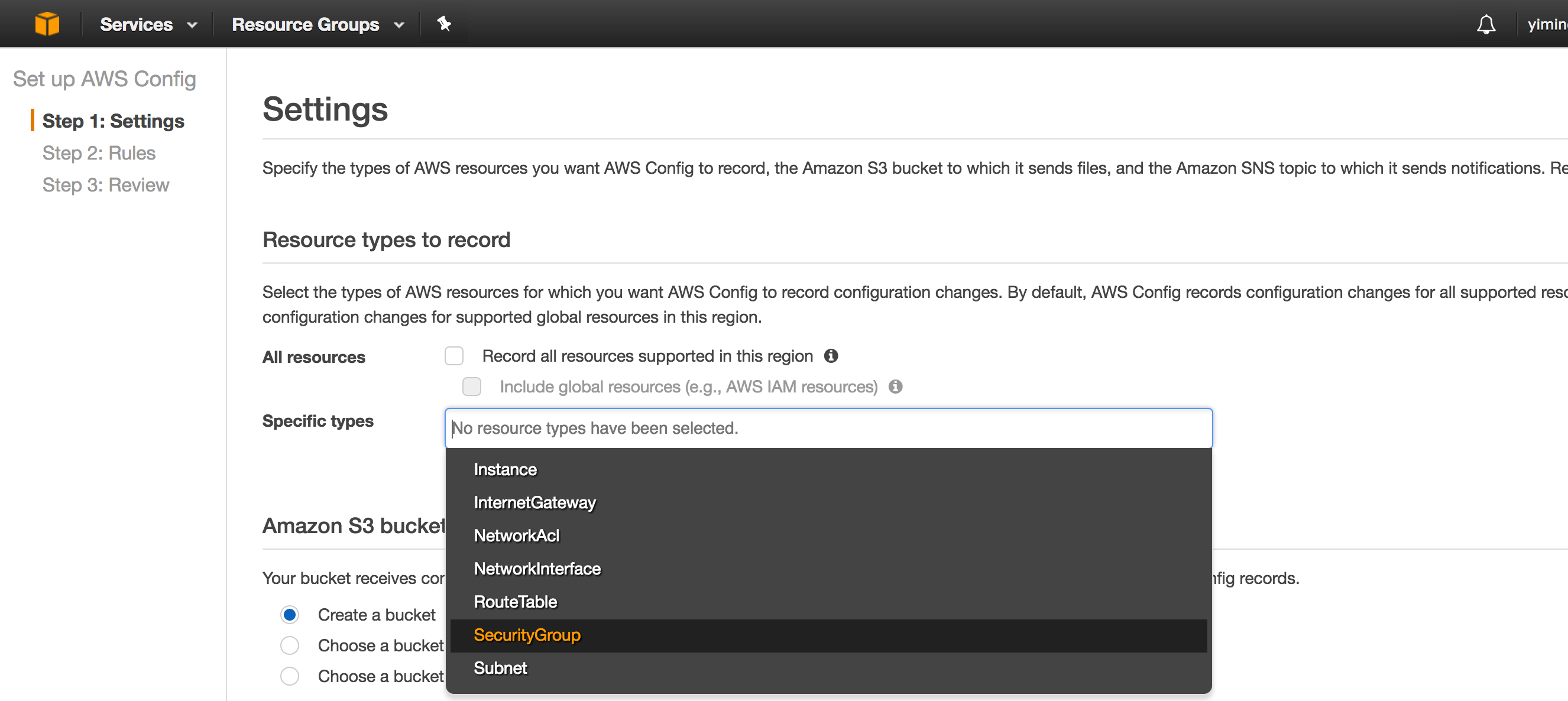
During configuration, specify a bucket to save logs and designate the pre-created IAM Role for AWS Config. Of course, you can also choose to create a new role at this step:
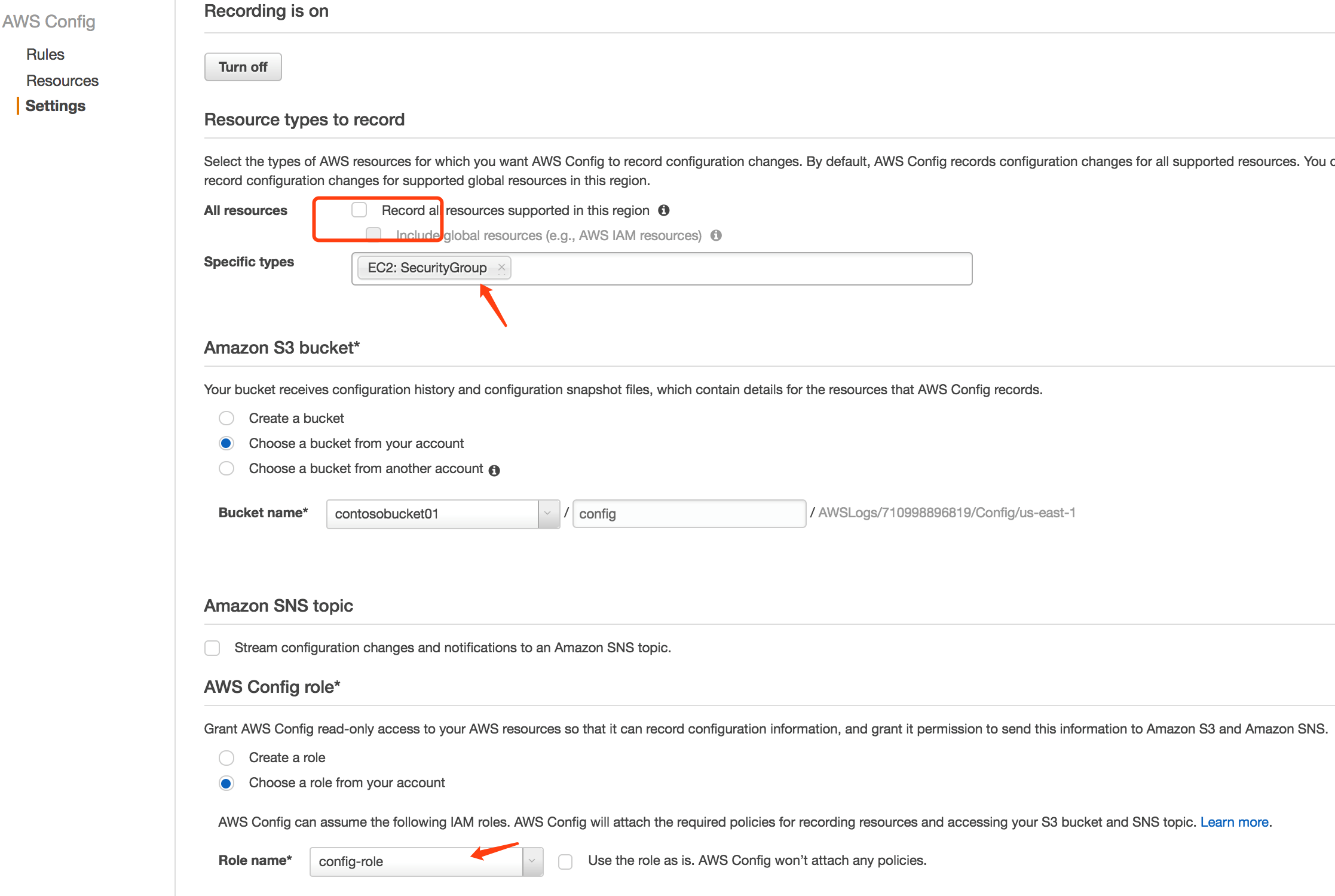
On the above page, you can choose whether to enable notifications via SNS to stream information to an Amazon SNS topic, sending notifications for configuration history delivery, configuration snapshot delivery, and compliance.
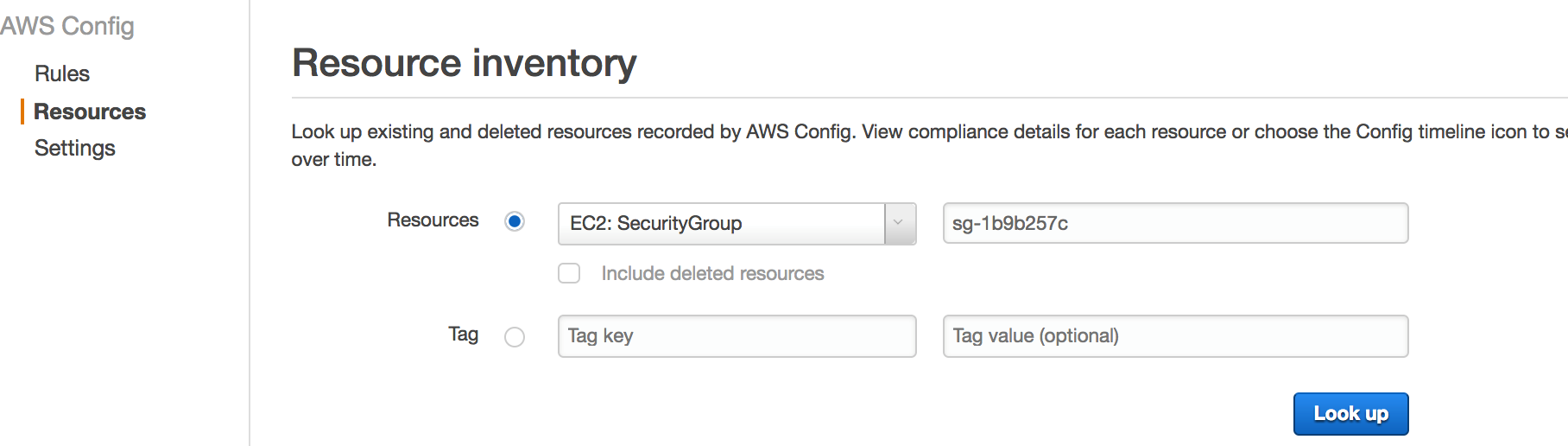
On the Resources page, verify if the objects to be evaluated can be filtered correctly. In this example, we are searching for the test security group:
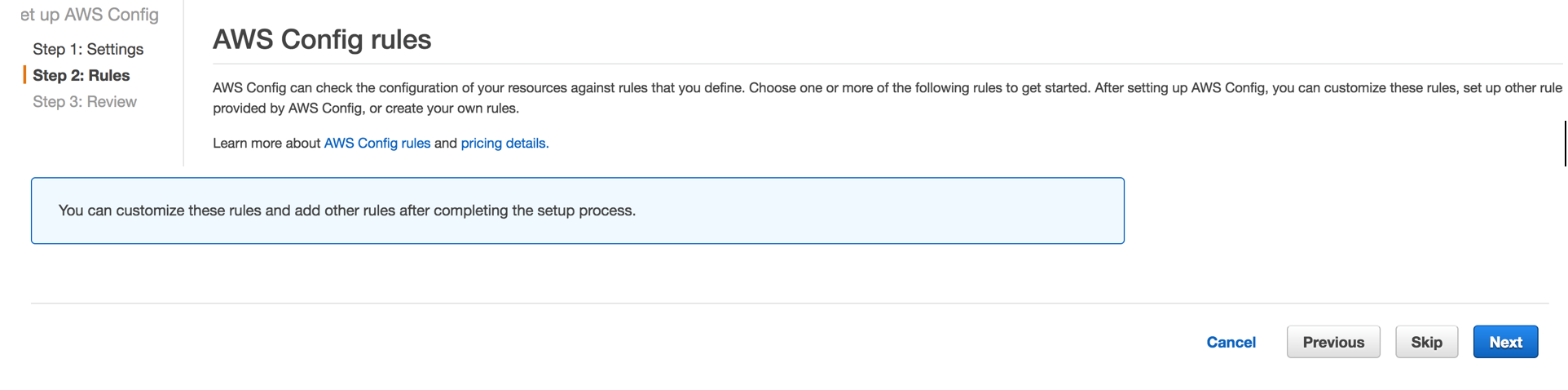
c. AWS Config Rule Configuration.AWS Config provides some built-in rules and also supports the creation of custom rules. In the background mentioned earlier for testing, an automated mechanism is needed to ensure that security group rules comply with set compliance configurations. We will complete this step using Lambda. During rule creation, follow the wizard to set the rule name and click the button to create a new Lambda function:
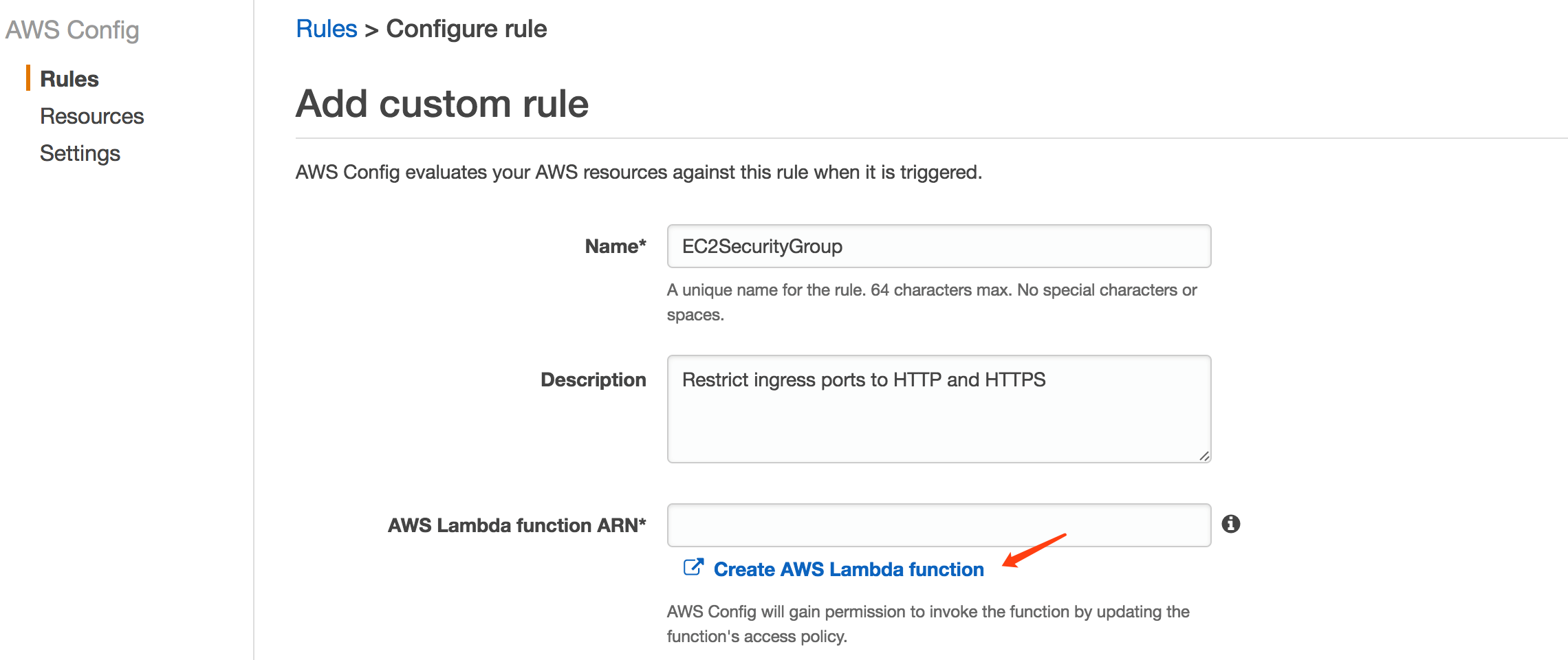
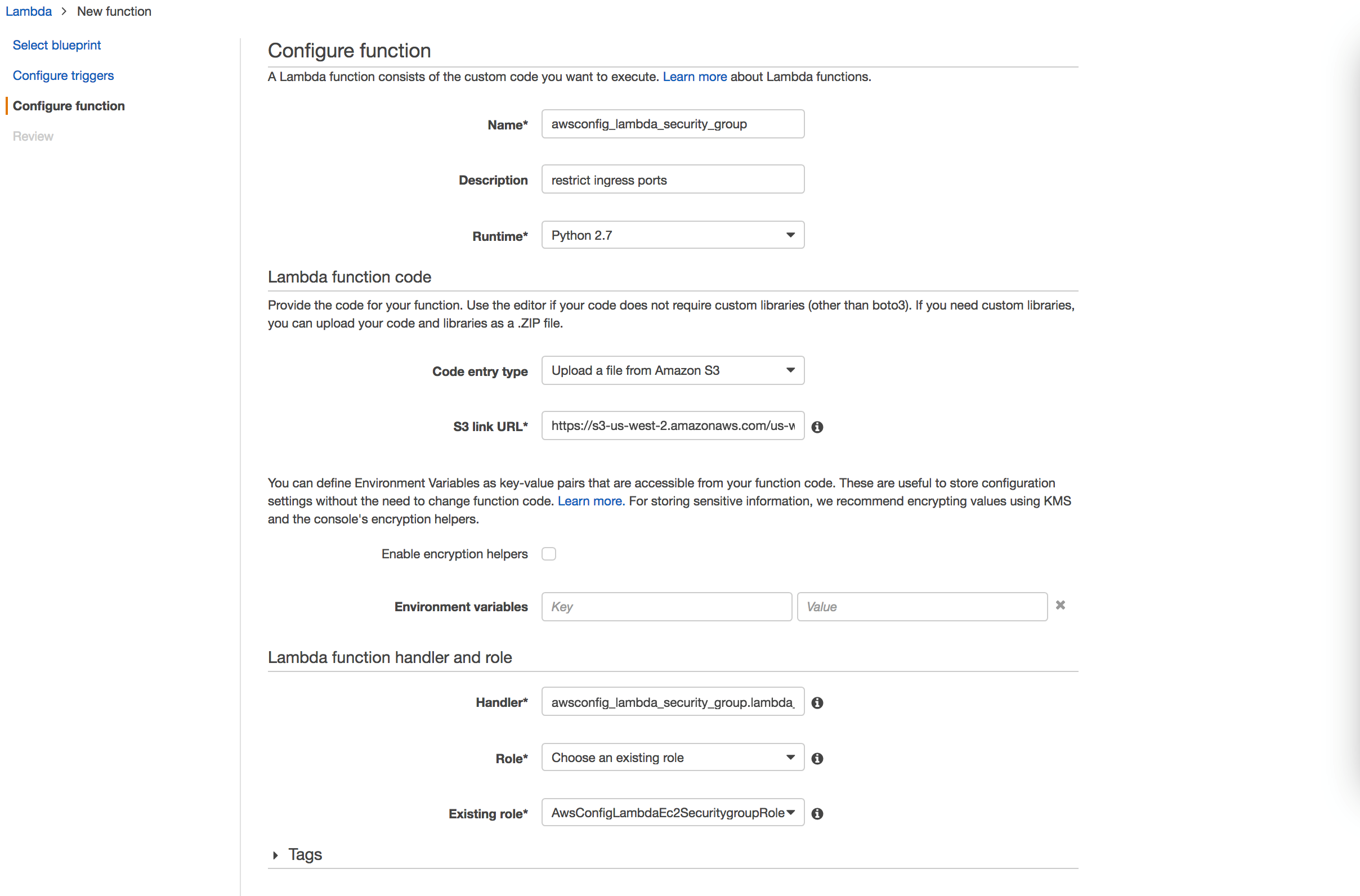
During Lambda creation, select a blank blueprint and set the runtime for the function to Python 2.7. Save the prepared code in S3 (you can find related code references on GitHub, such as https://github.com/awslabs/aws-config-rules) and upload it.
The Lambda function mainly performs the following tasks:
- The Lambda function only enables TCP port 80 and TCP port 443 as required;
- If other ports are added to the configuration rules, they will be deleted, ultimately ensuring that only configurations related to TCP 80 and TCP 443 remain in the security group’s configuration rule entries;
- Related operations will be recorded in CloudWatch Logs.
During creation, assign the corresponding IAM Role to the Lambda function.
After Lambda creation is complete, you need to specify the Lambda ARN on the AWS Config Rules page and configure the trigger. In this example, evaluation of the security group is triggered whenever its configuration changes; you can also configure periodic evaluation objects. Additionally, to record evaluation details, enable debug-level logging for the rule.
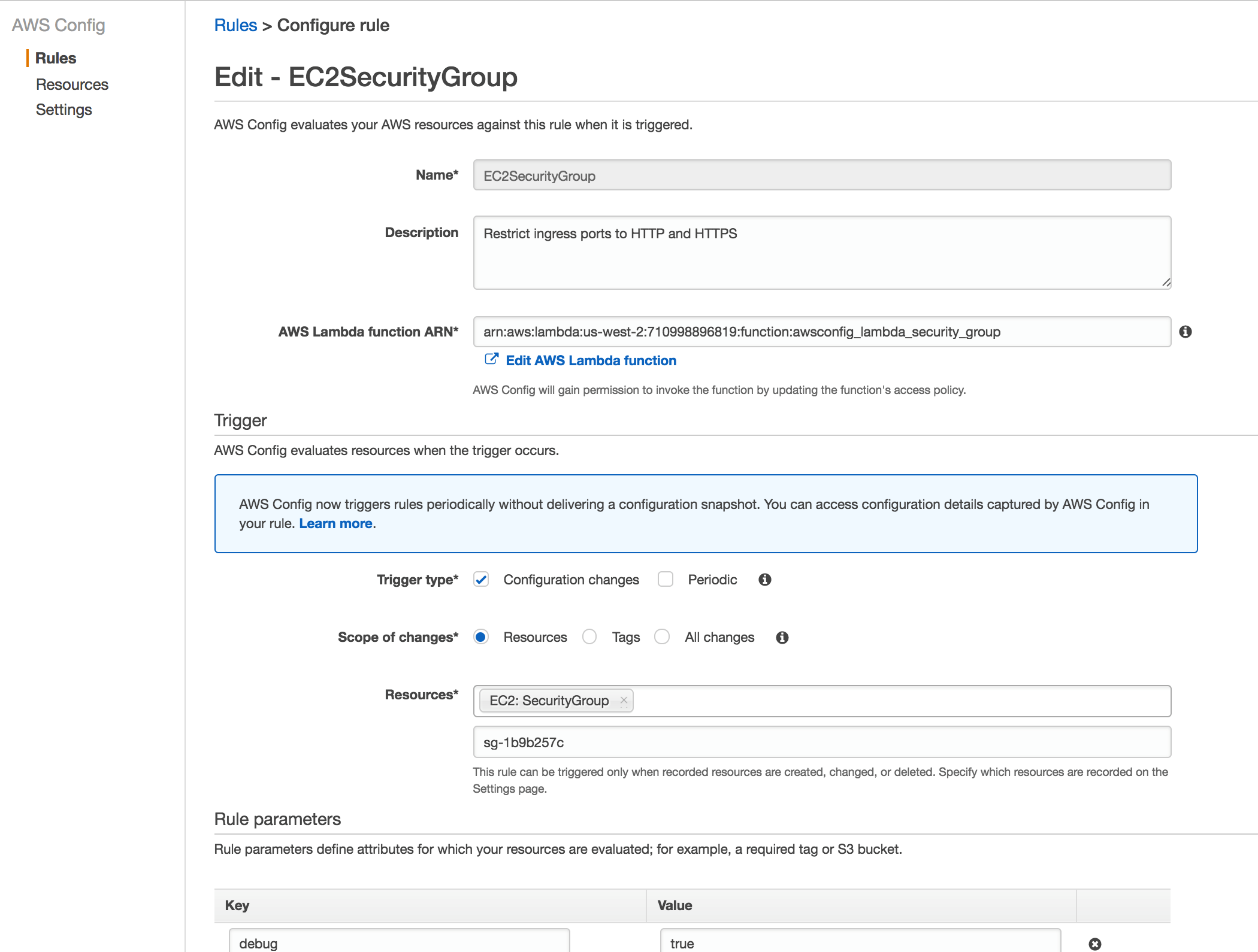
After configuring the AWS Config rule, the current security group configuration will be automatically evaluated.

d. Verification.To trigger AWS Config to evaluate the security group, we additionally added TCP port 445 to the corresponding security group rules, besides TCP 80 and TCP 443. A log group was created in CloudWatch Logs, allowing you to view relevant logs:
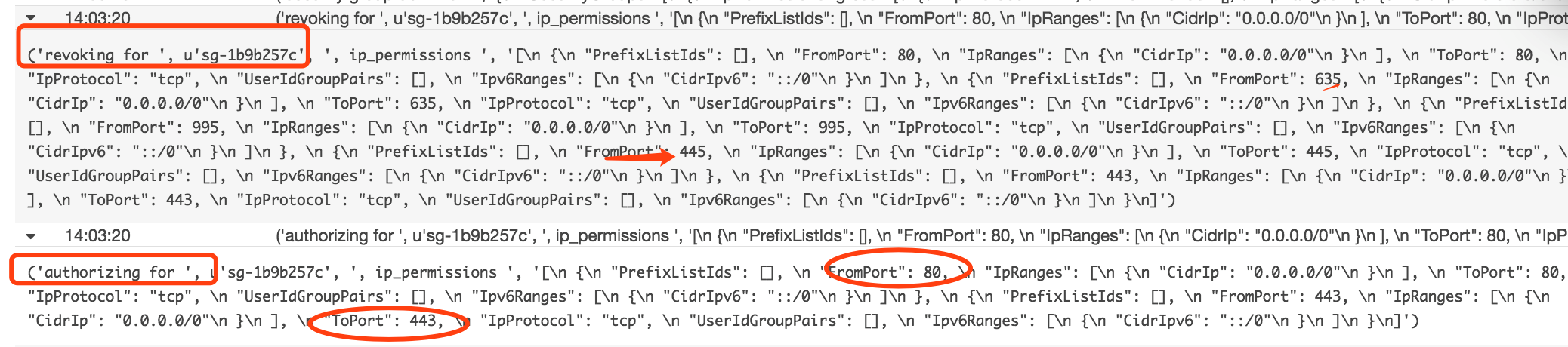
The logs clearly show a revoking action on the security group. The port operated on was the additionally added TCP 445, and ultimately, the security group only had TCP 80 and TCP 443 ports enabled.
III. Further Discussion
Through the above test process, you can roughly understand the working mechanism and configuration flow of AWS Config. Below, we further explain application scenarios for certain situations.
Asset Discovery
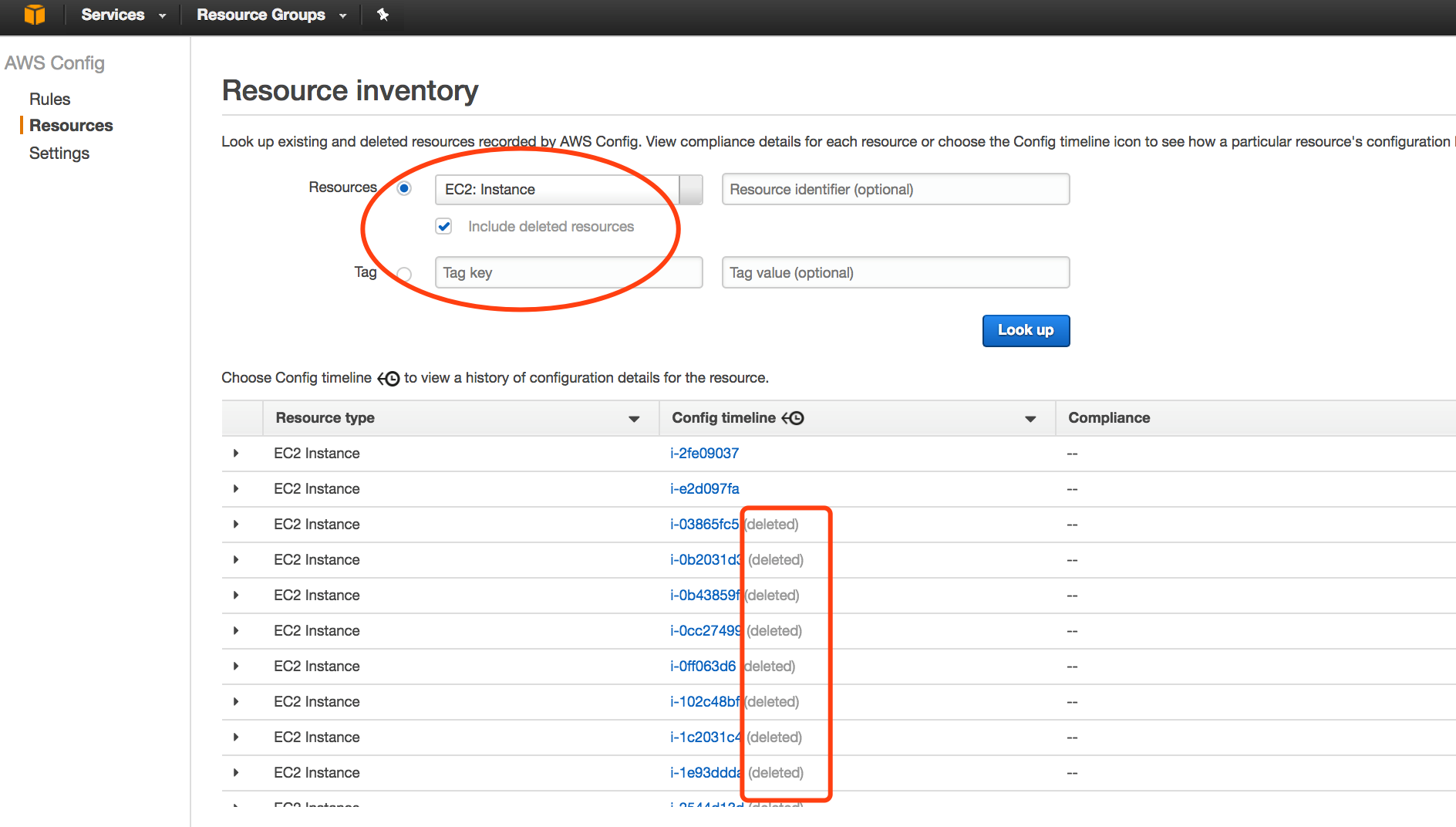
AWS Config not only discovers resources in your account, records their current configurations, and captures any changes made to these configurations, but Config also retains detailed configuration information for deleted resources. A complete snapshot of all resources and their configuration attributes provides a comprehensive resource library within your account.
Continuous Security Analysis
The data provided by AWS Config allows you to continuously monitor your resource configurations and assess whether these configurations have potential security weaknesses. Making changes to your resource configurations triggers the system to send Amazon Simple Notification Service (SNS) notifications. These notifications can be sent to your security team so they can review the alerts and take appropriate action. After a potential security incident occurs, you can use Config to view the resource’s configuration history and inspect your security posture.
As demonstrated in the test, enterprise IT teams only need to clearly formulate relevant policies and configure AWS Config rules. AWS Config provides managed rules and custom rules, capable of meeting various needs for continuous monitoring of security standard compliance. With AWS Config, compliance requirements are codified into custom rules using AWS Lambda. These codes define internal best practices and guidelines for resource configurations. You can use Config to automatically evaluate your resource configurations and changes, thereby ensuring continuous compliance and autonomous governance across the entire AWS infrastructure. This mechanism provides a viable option for enterprise security automation.
Change Management
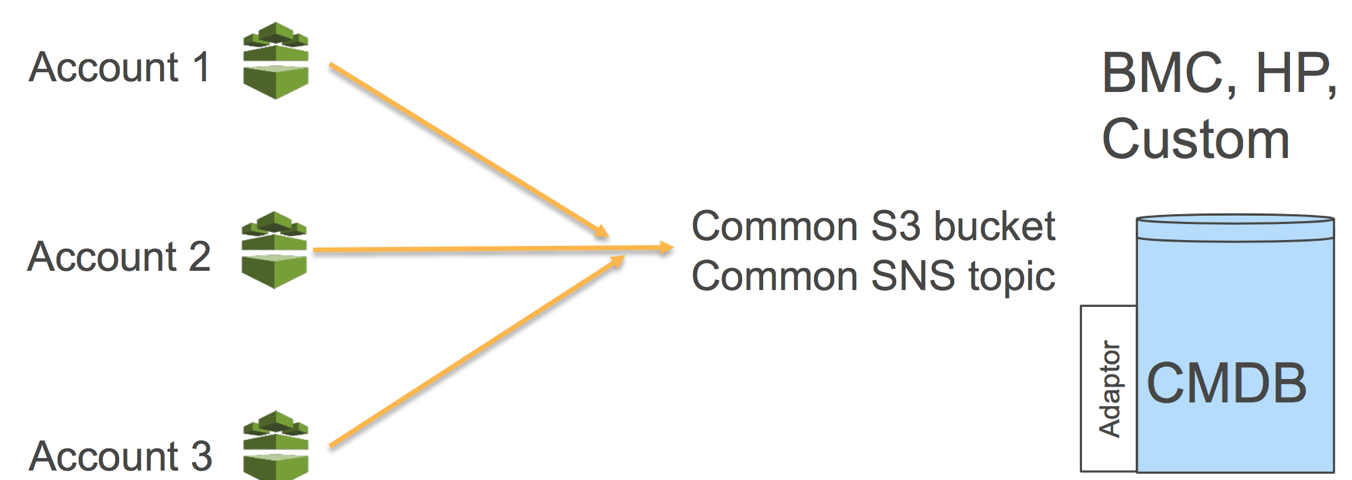
When resources are created, updated, or deleted, AWS Config streams these configuration changes to Amazon Simple Notification Service (SNS), ensuring you receive notifications for all configuration changes. Based on the notification mechanism, you can consider introducing event-triggered mechanisms to further integrate various management processes.
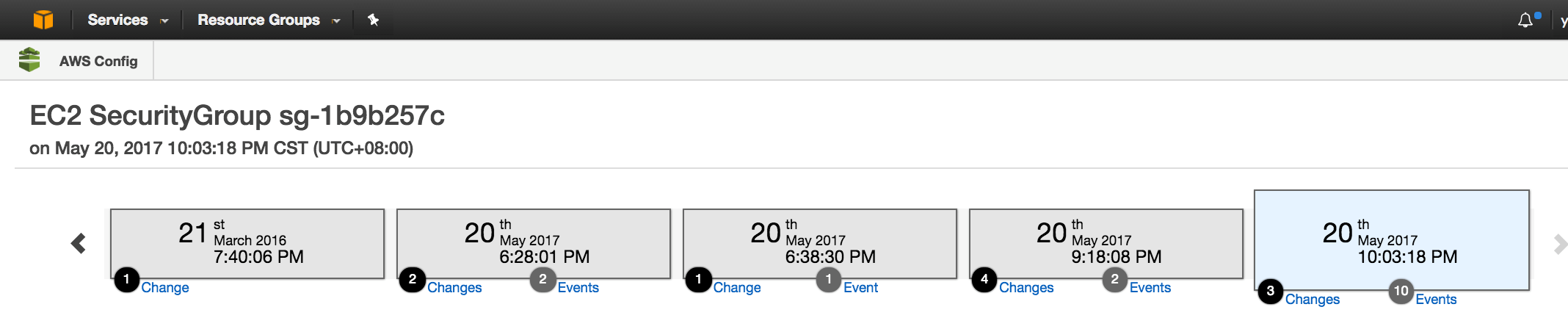
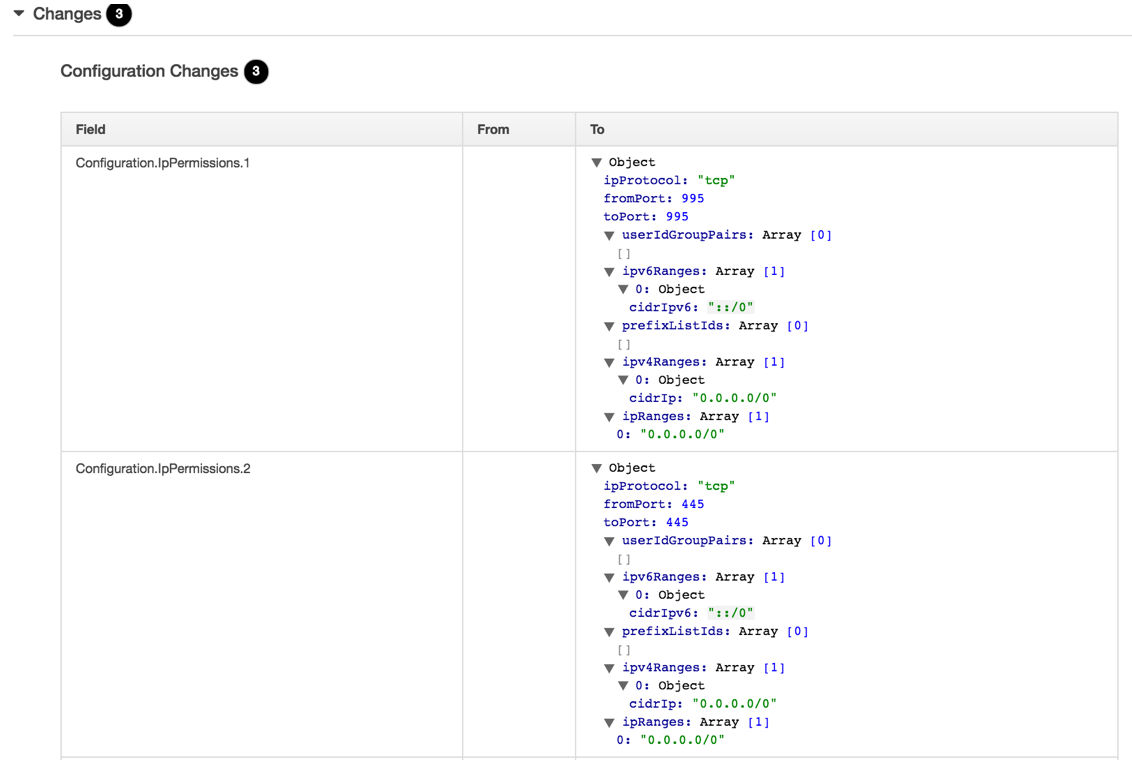
After AWS Config completes evaluation according to established rules, you can view specific change event records in the rule details:
Auditing
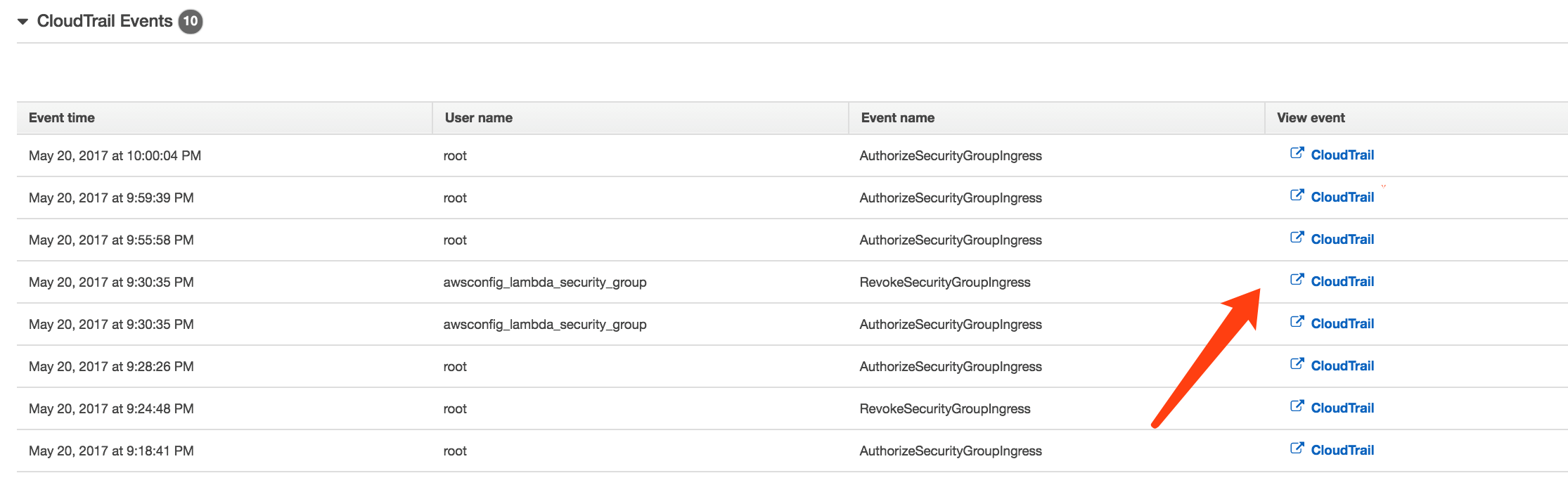
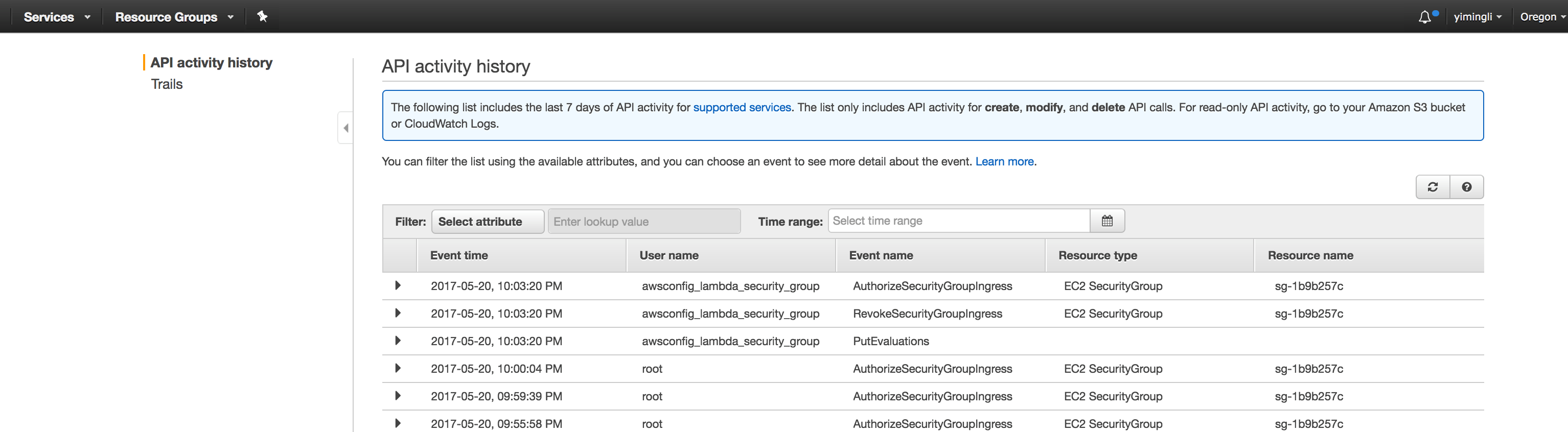
AWS CloudTrail records user API activity on your account, saving complete details about API operations, such as the identity of the initiator, the time of the API call, request parameters, and AWS service responses. AWS Config integrates with AWS CloudTrail to answer questions like “Who made the API call that modified this resource?” As shown in the figure below, using integrated AWS CloudTrail information, you can identify which user misconfigured the security group.
Based on the above discussion, enterprise internal asset management teams can clearly identify current digital assets in the AWS cloud. Security teams can continuously automate the execution of strictly formulated security systems in the cloud. Any related changes and configuration management can be recorded in detail, facilitating subsequent auditing.
For more FAQs regarding AWS Config, please refer to: https://aws.amazon.com/cn/config/faq/