Alibaba Cloud’s VPC differs from other OpenStack-based IaaS platforms. Its routers only handle inter-subnet routing and do not provide outbound internet routing by default. Therefore, instances within a VPC cannot access the public internet unless they are bound to an Elastic IP (EIP). According to customer support, this can be achieved by adding a route on the virtual router to forward traffic through an instance with a bound EIP, using NAT and iptables.
VPC Architecture Diagram
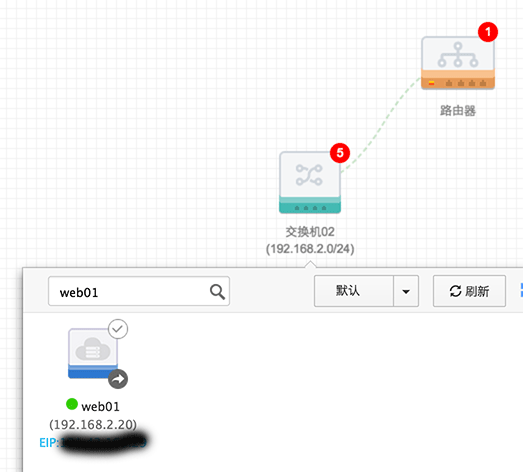
Virtual Router Configuration
Add Route
To allow internal servers to access the internet via an EIP, configure all routes targeting 0.0.0.0/0 to forward to the ECS instance bound with the public IP. Note that the next-hop ECS instance does not support search; you must record its name in advance:
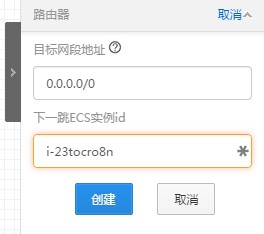
Configuration of the Instance Bound with EIP
Add SNAT Rules via iptables
iptables -t nat -I POSTROUTING -s 192.168.2.0/24 -j SNAT --to-source 192.168.2.20
|
Note: On Ubuntu 14.04, you need to install the
iptables-persistentpackage to save iptables settings. Useservice iptables-persistent saveto save the configuration. After installation, the service starts automatically with the system and applies the saved configuration.
Enable IP Forwarding
echo "net.ipv4.ip_forward=1" >> /etc/sysctl.conf && sysctl -p
|