Today, I encountered a client whose production environment is on Alibaba Cloud, using Alibaba Cloud’s SLB. However, the client wants to build their own load balancer. This article attempts to explain the principles of SLB using HAProxy.
The purpose of explaining HAProxy is to introduce load balancing algorithms to facilitate understanding of SLB, and finally provide a node-slb solution.
Currently Popular Options
Currently, widely used hardware load balancers in production environments include F5 BIG-IP, while software options include LVS, Nginx, and HAProxy. High-availability software includes Heartbeat and Keepalived.
Mature architectures include:
- LVS + Keepalived
- Nginx + Keepalived
- HAProxy + Keepalived
- DRBD + Heartbeat
HAProxy
Advantages:
- HAProxy supports virtual hosts and can operate at Layer 4 and Layer 7 (supporting multiple network segments);
- It can supplement some shortcomings of Nginx, such as maintaining Sessions and guiding Cookies;
- Supports URL-based health checks for backend servers;
- Like LVS, it is purely a load balancing software. In terms of efficiency, HAProxy offers superior load balancing speed compared to Nginx and handles concurrency better;
- HAProxy can balance loads for MySQL read operations, detecting and balancing loads across backend MySQL nodes. However, when the number of backend MySQL slaves exceeds 10, its performance is inferior to LVS;
- HAProxy supports many algorithms, up to 8 types;
Official Website http://www.haproxy.org/ (requires proxy)
I consider it the simplest and most user-friendly load balancing software. Its configuration file is even simpler than Nginx’s, and it includes a monitoring page.
Download the latest version http://www.haproxy.org/download/1.5/src/haproxy-1.5.12.tar.gz
Extract:
tar -zxvf haproxy-1.5.12.tar.gzNavigate to the directory:
cd haproxy-1.5.12 Check the README to see how to install:
make TARGET=linux26
sudo make install
Create a Configuration File
# Simple configuration for an HTTP proxy listening on port 80 on all
# interfaces and forwarding requests to a single backend "servers" with a
# single server "server1" listening on 127.0.0.1:8000
global
    daemon
    maxconn 256

defaults
    mode http
    timeout connect 5000ms
    timeout client 50000ms
    timeout server 50000ms

frontend http-in
    bind *:80
    default_backend servers

backend servers
    server server1 127.0.0.1:8000 maxconn 32


# The same configuration defined with a single listen block. Shorter but
# less expressive, especially in HTTP mode.
global
    daemon
    maxconn 256

defaults
    mode http
    timeout connect 5000ms
    timeout client 50000ms
    timeout server 50000ms

listen http-in
    bind *:80
    server server1 127.0.0.1:8000 maxconn 32
Start
haproxy -f test.cfgCheck Status
Remember to add the following to your configuration file:
listen admin_stats
    bind 0.0.0.0:8888
    stats refresh 30s
    stats uri /stats
    stats realm Haproxy Manager
    stats auth admin:admin
#stats hide-versionLoad Balancing – Scheduling Algorithms
HAProxy has the following 8 algorithms:
- roundrobin: Simple round-robin scheduling. This is a basic feature of most load balancers;
- static-rr: Weighted round-robin. Recommended;
- leastconn: Connects to the server with the fewest connections first. Recommended;
- source: Hashes based on the request source IP. Recommended;
- uri: Based on the requested URI;
- url_param: Based on the URL parameter (‘balance url_param’ requires an URL parameter name);
- hdr(name): Locks each HTTP request based on the HTTP header;
- rdp-cookie(name): Locks and hashes each TCP request based on the cookie.
What is SLB?
Server Load Balancer (SLB) is a load balancing service that distributes traffic across multiple cloud servers. SLB expands the external service capabilities of application systems through traffic distribution and improves availability by eliminating single points of failure.
How is SLB Implemented?
It is implemented using Tengine.
Tengine is a Web server project initiated by Taobao. Based on Nginx, it adds many advanced features and characteristics tailored for high-traffic websites.
See http://tengine.taobao.org/
Using SLB
Create an SLB instance:
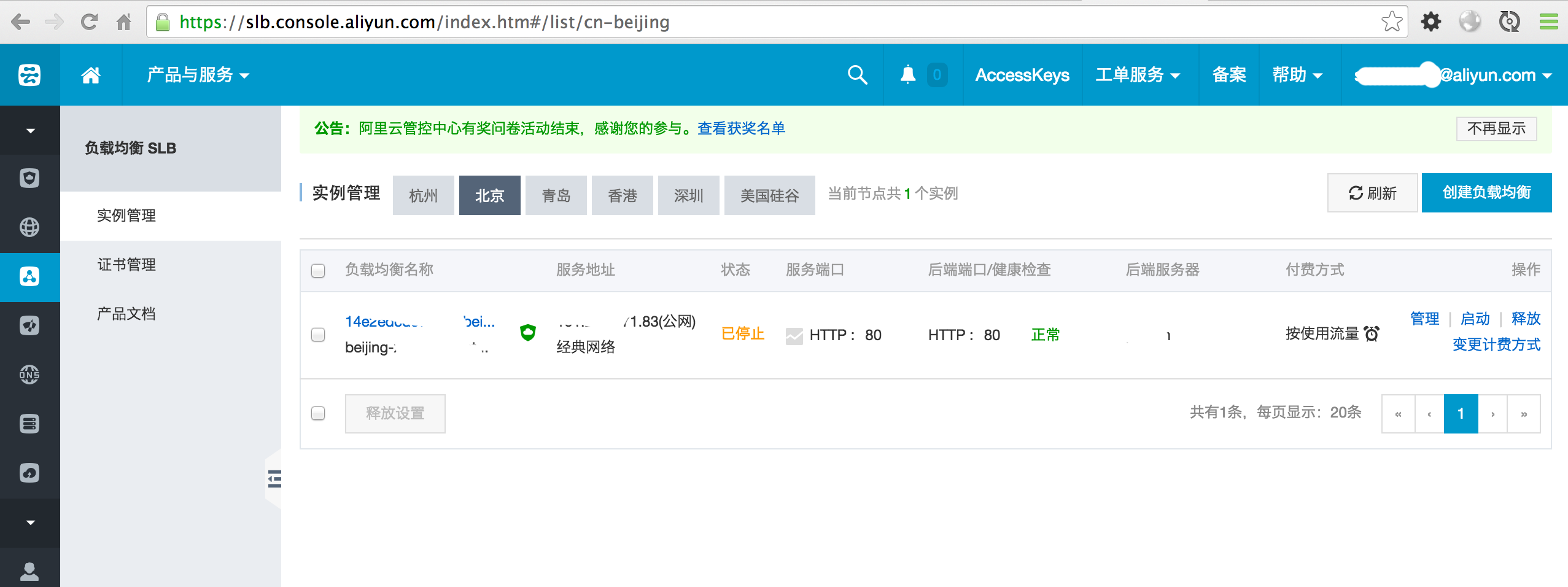
Click the ‘Manage’ button to enter the instance details:
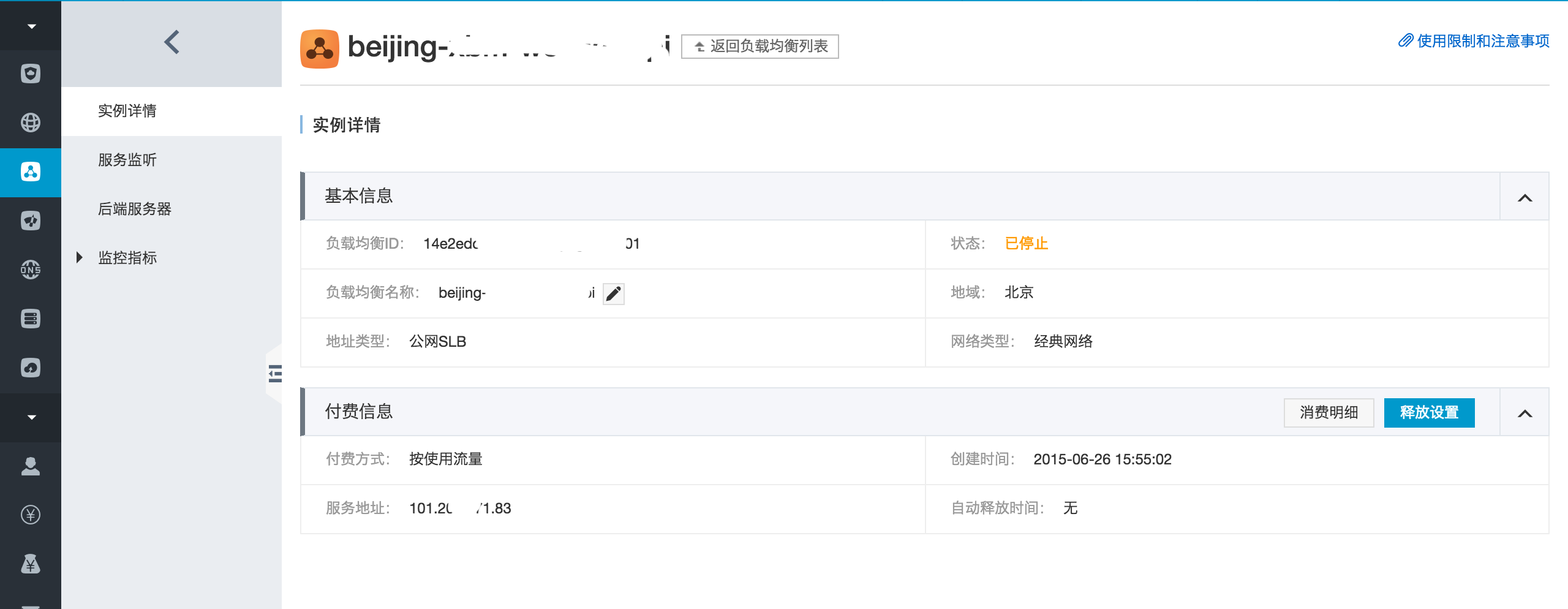
There isn’t much to change here. Let’s look directly at the listener configuration to see how to configure SLB:
- Port configuration
- Forwarding rules
- Bandwidth
- Health checks, etc.
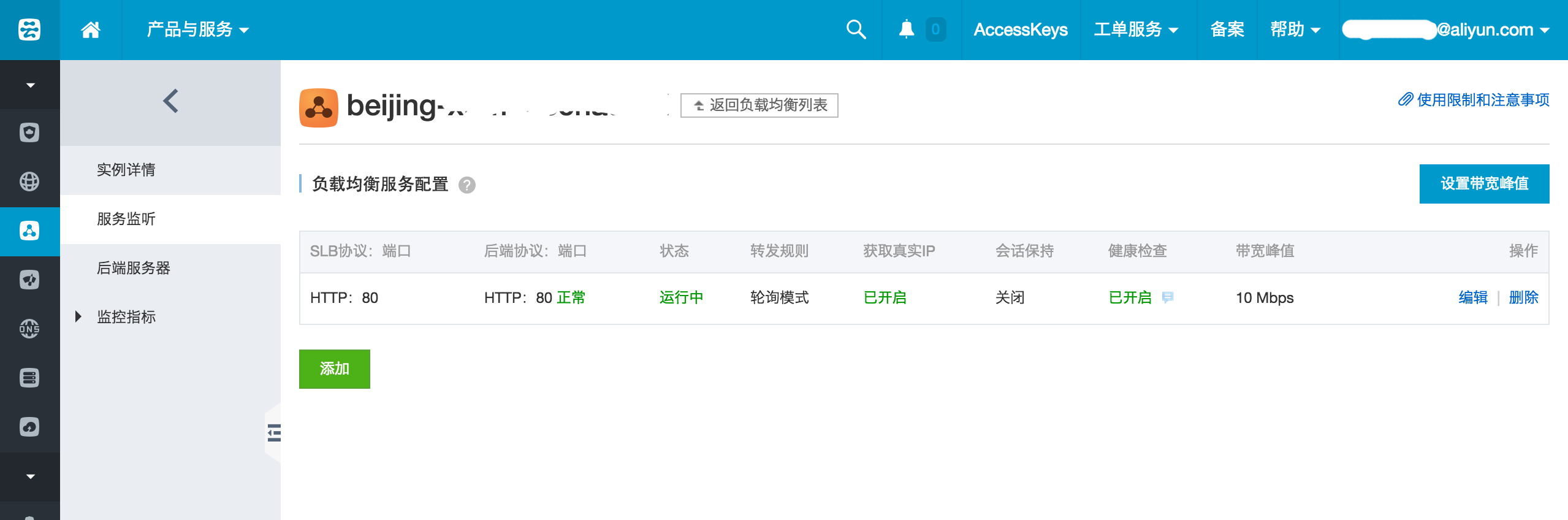
Click the ‘Edit’ button to view the specific configuration page:
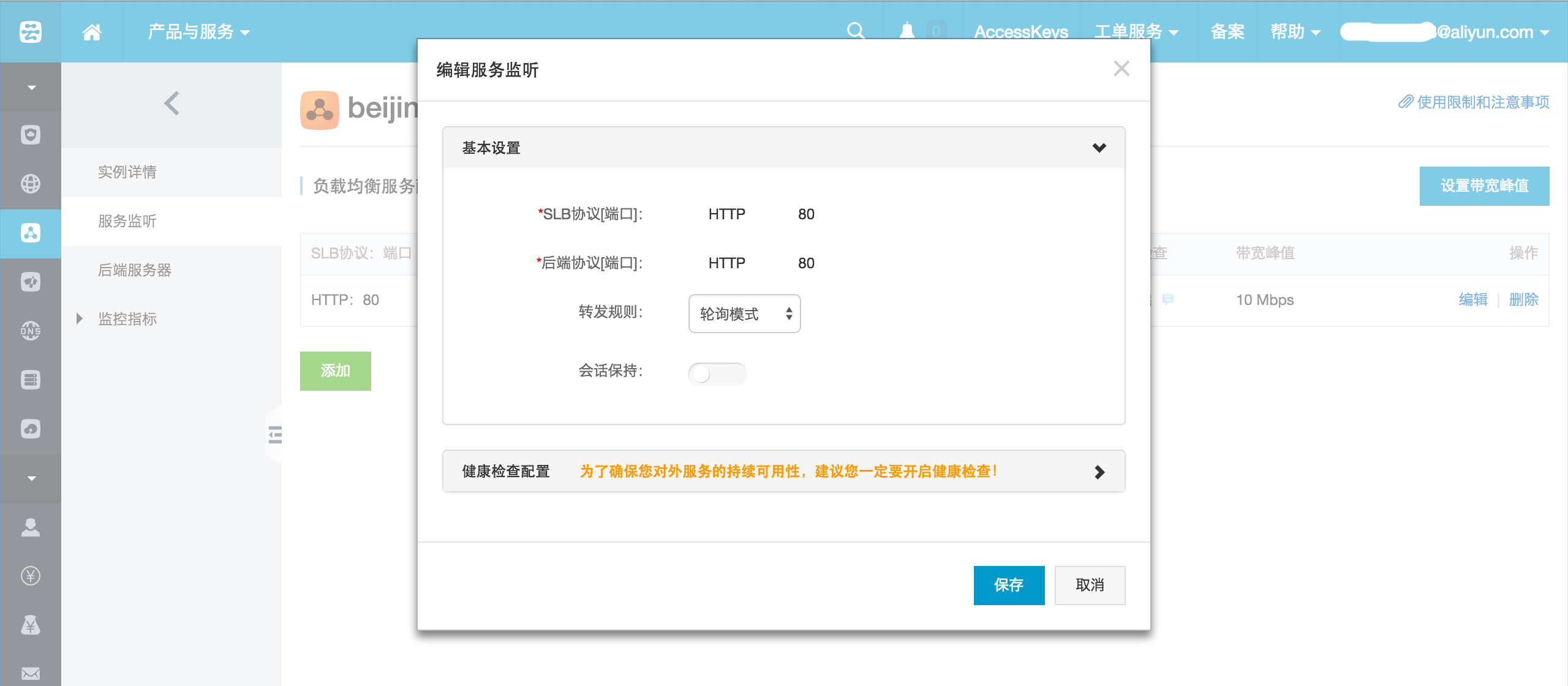
Currently, SLB supports two forwarding rules:
- Round Robin
- Least Connections
Round robin is similar to HAProxy’s roundrobin algorithm, representing simple round-robin scheduling.
For Least Connections, SLB automatically determines whether to forward traffic based on the current established connections of the ECS instances.
After configuring the SLB server, the next step is to specify which machines should receive the forwarded requests. This is actually the core configuration.
Alibaba Cloud makes this process extremely simple.
Assume I already have one ECS server added:
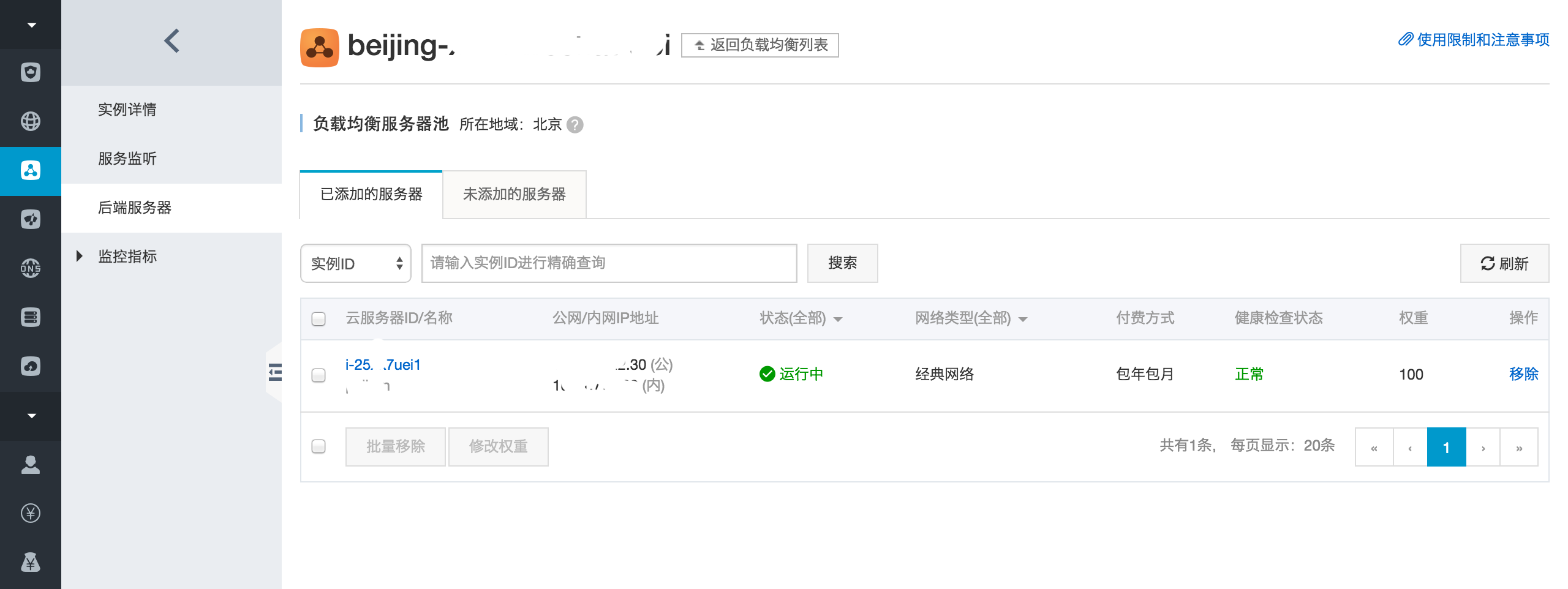
Click on [Servers Not Added], which lists ECS servers not yet part of the load balancing pool:
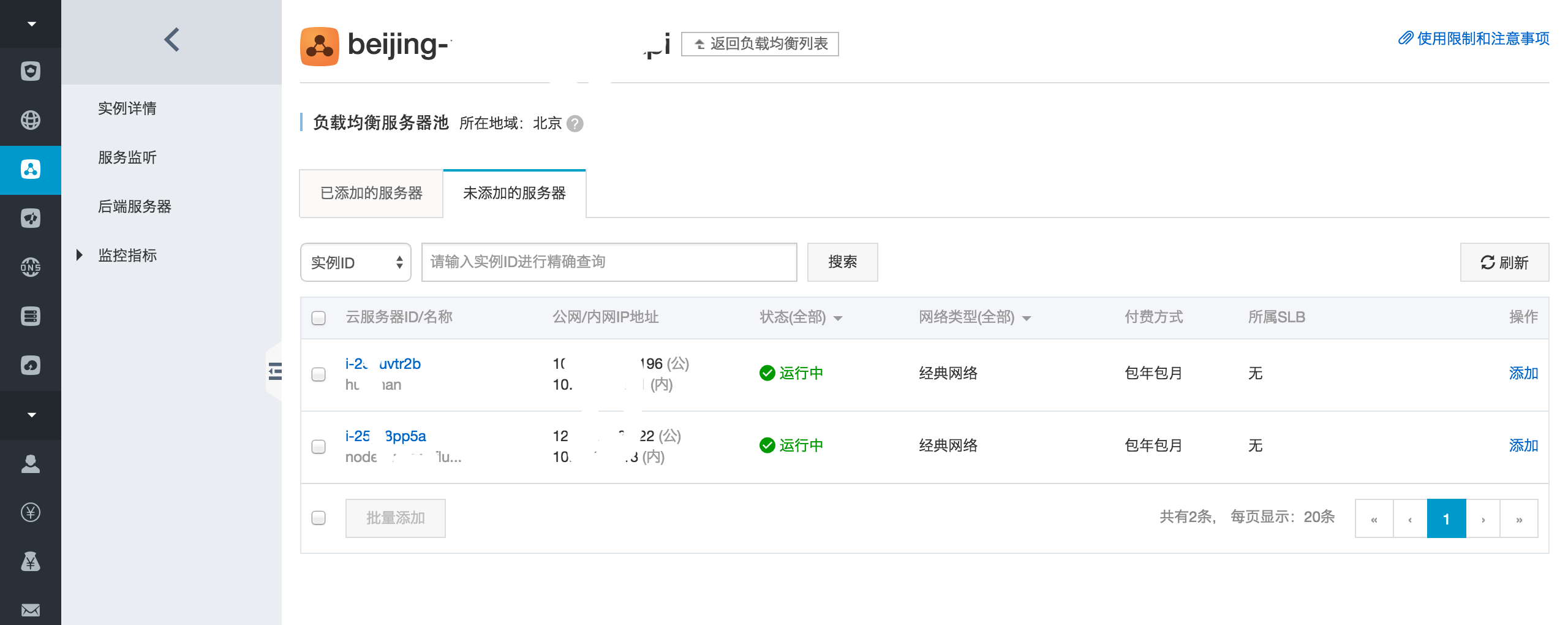
Select a server:
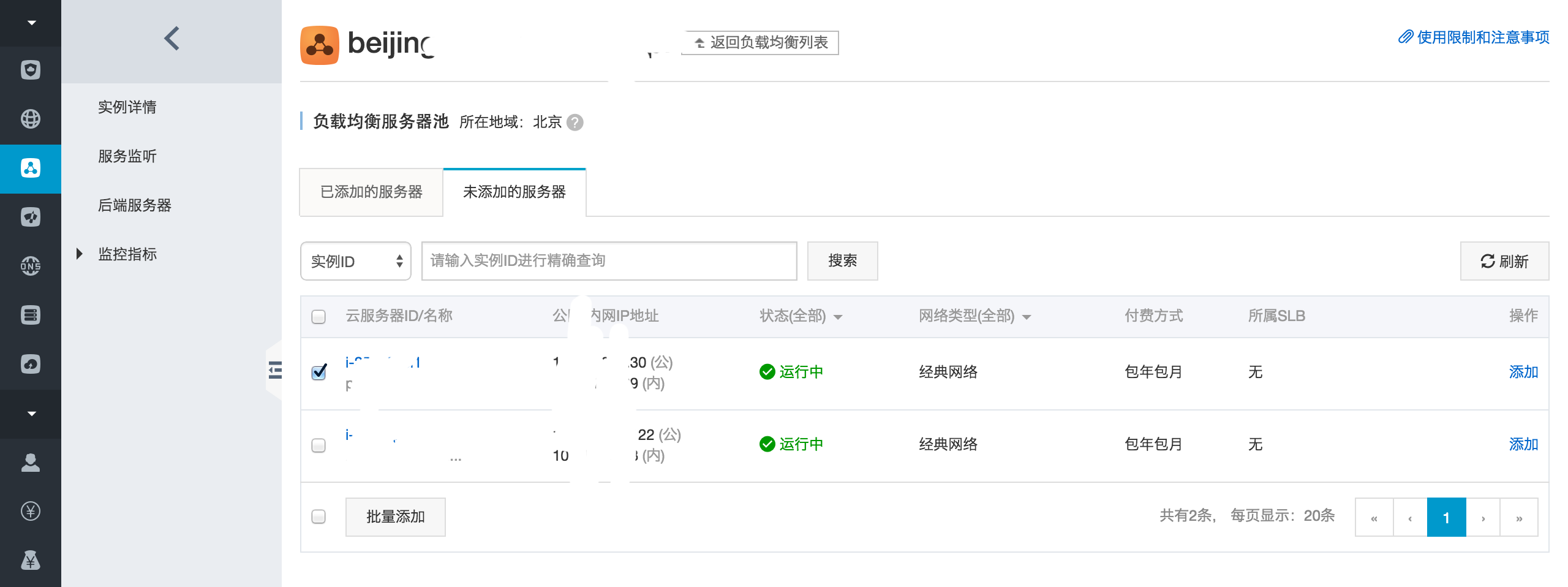
Click Batch Add:
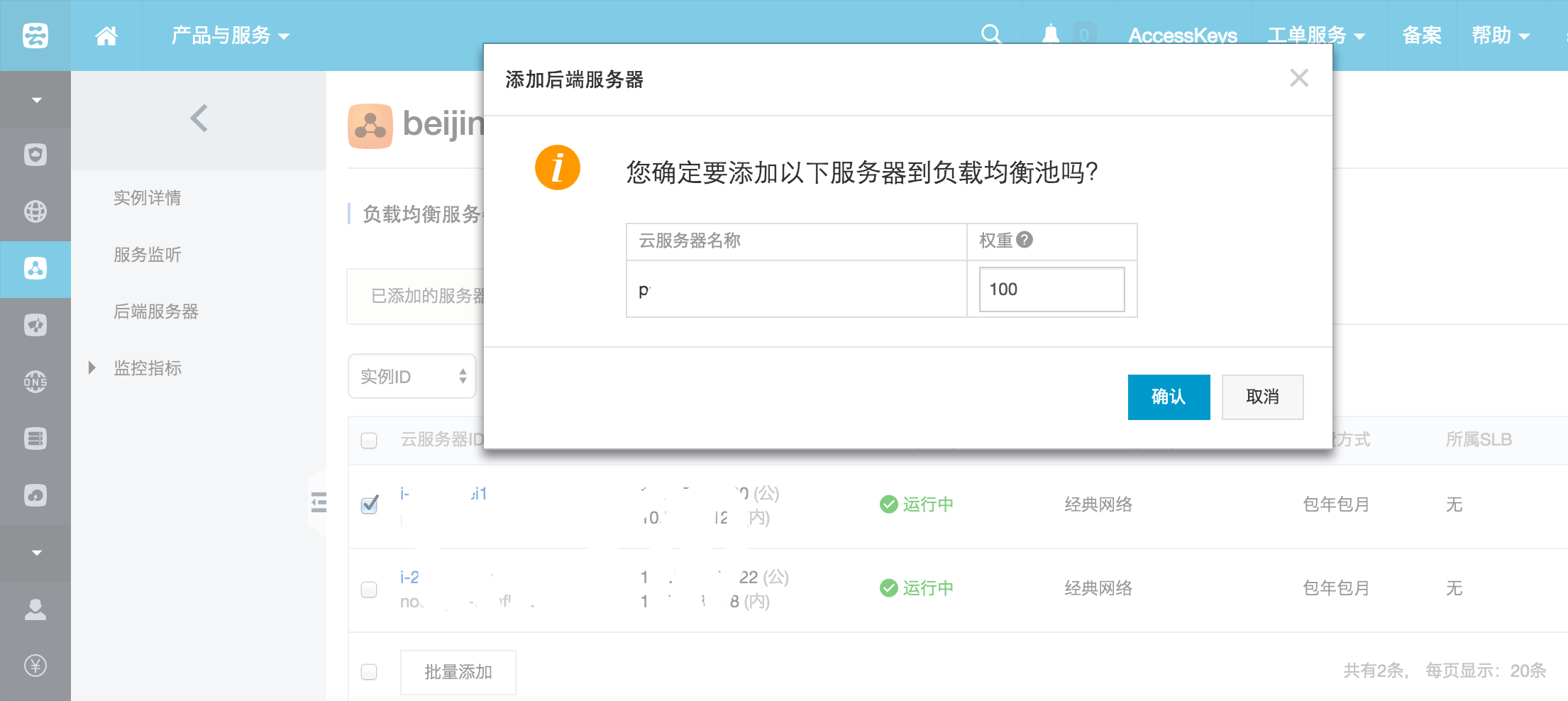
Configure weights. If machine performance is identical, set equal weights; better performance warrants higher weights.
Optional values are [0 – 100].
After completing the configuration, there will be 2 servers in the ‘Added Servers’ list:
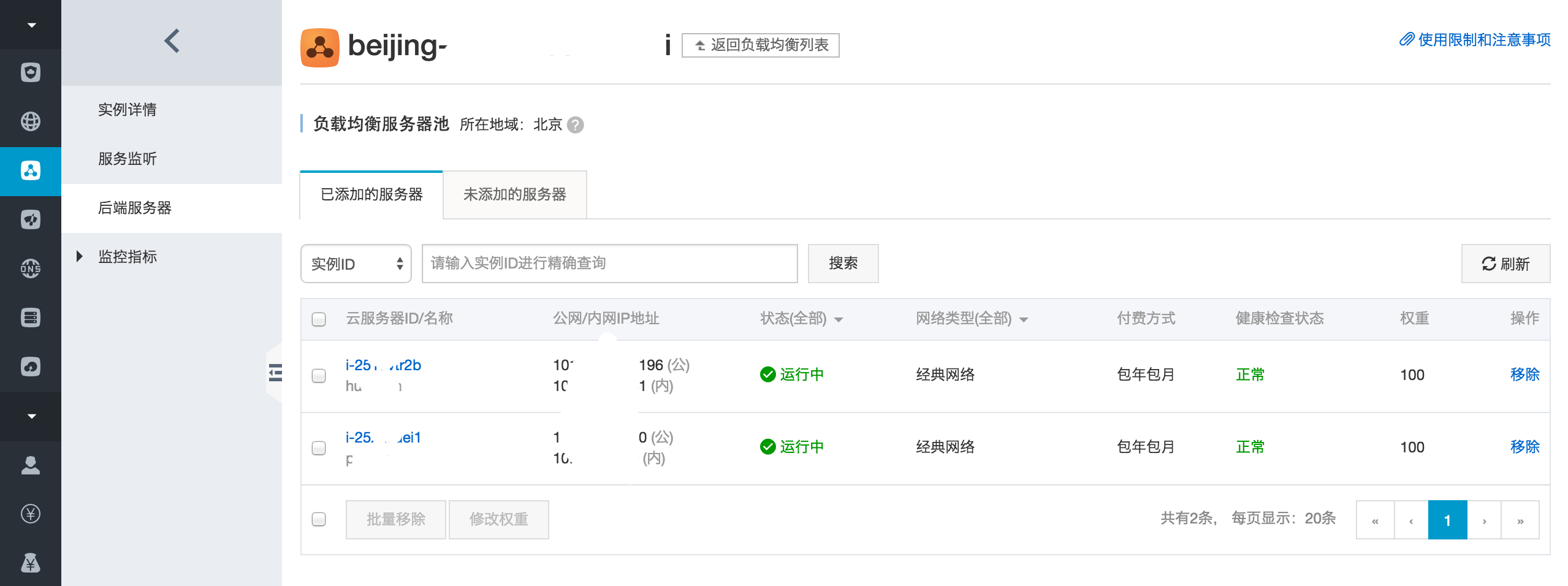
Ensure your servers are running, for example, ensuring port 80 is accessible on both servers.
At this point, you need to resolve your domain name to the IP address of the SLB instance.
node-slb
An Express.js middleware for Alibaba Cloud SLB.
Origin
http://bbs.aliyun.com/read/188736.html?page=1
2) What kind of request does the health check send? HEAD or GET? It sends a HEAD request.
If the Express routes do not handle HEAD requests, it may trigger other routes, potentially causing a redirect loop.
Principle
var debug = require('debug')('slb');

module.exports = function (req, res, next) {
  if(req.method.toLowerCase() == 'head'){
    debug('[ALIYUN.COM LOG]: SLB health checking....OK...');
    return res.sendStatus(200);
  }

  next();
};
The principle is very simple: As a middleware, it intercepts requests where req.method is HEAD and terminates the request immediately.
Installation
npm install --save node-slbUsage
var slb = require('node-slb');

var app = express();
app.use(slb);
Testing
First, start the demo service:
➜  node-slb git:(master) ✗ npm start

> node-slb@1.0.0 start /Users/sang/workspace/github/node-slb
> cd demo && npm install && npm start


> url@0.0.0 start /Users/sang/workspace/github/node-slb/demo
> node ./bin/www
Execute the test command to test the request:
➜  node-slb git:(master) ✗ npm test

> node-slb@1.0.0 test /Users/sang/workspace/github/node-slb
> curl -i -X HEAD http://127.0.0.1:3000

HTTP/1.1 200 OK
X-Powered-By: Express
Content-Type: text/plain; charset=utf-8
Content-Length: 2
ETag: W/"2-d736d92d"
Date: Mon, 29 Jun 2015 03:46:49 GMT
Connection: keep-alive
At this point, observe the server logs:
➜  node-slb git:(master) ✗ npm start

> node-slb@1.0.0 start /Users/sang/workspace/github/node-slb
> cd demo && npm install && npm start


> url@0.0.0 start /Users/sang/workspace/github/node-slb/demo
> DEBUG=slb node ./bin/www

[ALIYUN.COM LOG]: SLB health checking....OK...
If you see [ALIYUN.COM LOG]: SLB health checking....OK..., it indicates normal operation.
To print logs, set DEBUG=slb. By default, no logs are printed.
Summary
- Introduced HAProxy and load balancing algorithms
- Explained Alibaba Cloud SLB usage
- Provided node-slb, an Express middleware