The main purpose of this article is to share the issues encountered by the author while using RDS’s DTS (Data Transmission Service). After multiple communications with Alibaba Cloud engineers via tickets, reading this article before use may help you avoid some detours and save time. I will mark the encountered issues at the corresponding locations in this help document.
This article is reprinted from the Alibaba Cloud RDS Migration Document. View Original
- Migrating Oracle to RDS
- Introduction to Migration Types
- Migration Restrictions
- Migration Permission Requirements
- Migration Steps
- Creating Database on RDS Instance
- Creating Migration Account
- Formal Migration
Migrating Oracle to RDS
Use DTS (http://dts.aliyun.com) to migrate local Oracle databases to RDS for PPAS instances. This supports structure definition migration and full data migration. The migration process does not affect the local Oracle database.
Introduction to Migration Types
- Structure Migration
DTS migrates the structure definitions of migration objects to the target instance. Currently, DTS supports structure migration for the following objects: tables, views, synonyms, triggers, stored procedures, stored functions, packages, and custom types. - Full Data Migration
DTS migrates all existing data of the source database migration objects to the target instance. If there is data writing to the local Oracle database during the migration, these incremental data may not be migrated to PPAS. Therefore, to ensure data consistency, it is recommended to perform full data migration during off-peak business hours.
Migration Restrictions
- DDL operations are not supported during migration.
- Migration of materialized views is not supported.
- During structure migration, reverse indexes are migrated as regular indexes.
- During structure migration, bitmap indexes are migrated as regular indexes.
- During structure migration, partitioned indexes are migrated by creating separate indexes on each partition.
Migration Permission Requirements
When using DTS for Oracle migration, the permission requirements for the migration accounts on the source and target databases vary depending on the migration type:
| Migration Type | Structure Migration | Full Data Migration |
|---|---|---|
| Local Oracle Instance | create session select any directory |
create session select any directory select any table |
| Target RDS for PPAS Instance | create connect |
Owner of the schema |
##The description here is not clear enough. For this structure migration, the author mistakenly believed that the local Oracle instance user (source database) only needed the above two permissions to complete the migration. A new independent read-only account was created specifically for this DTS task, but it failed. Finally, a ticket was raised, and the engineer suggested that it is best to use the table owner for migration. Readers please note.
Migration Steps
The following details the process for users to migrate local Oracle databases to RDS for PPAS using DTS.
Creating Database on RDS Instance
Before formal migration, confirm whether the database to be migrated into has already been created in the target RDS instance. If not, create the database in the target PPAS instance first.
Creating Migration Account
Before formal migration, create migration accounts in both the local Oracle database and the cloud PPAS instance, and grant the relevant permissions for the databases and tables to be migrated to the created accounts.
Formal Migration
Once all the above prerequisites are configured, you can start the formal data migration. The specific migration steps are detailed below.
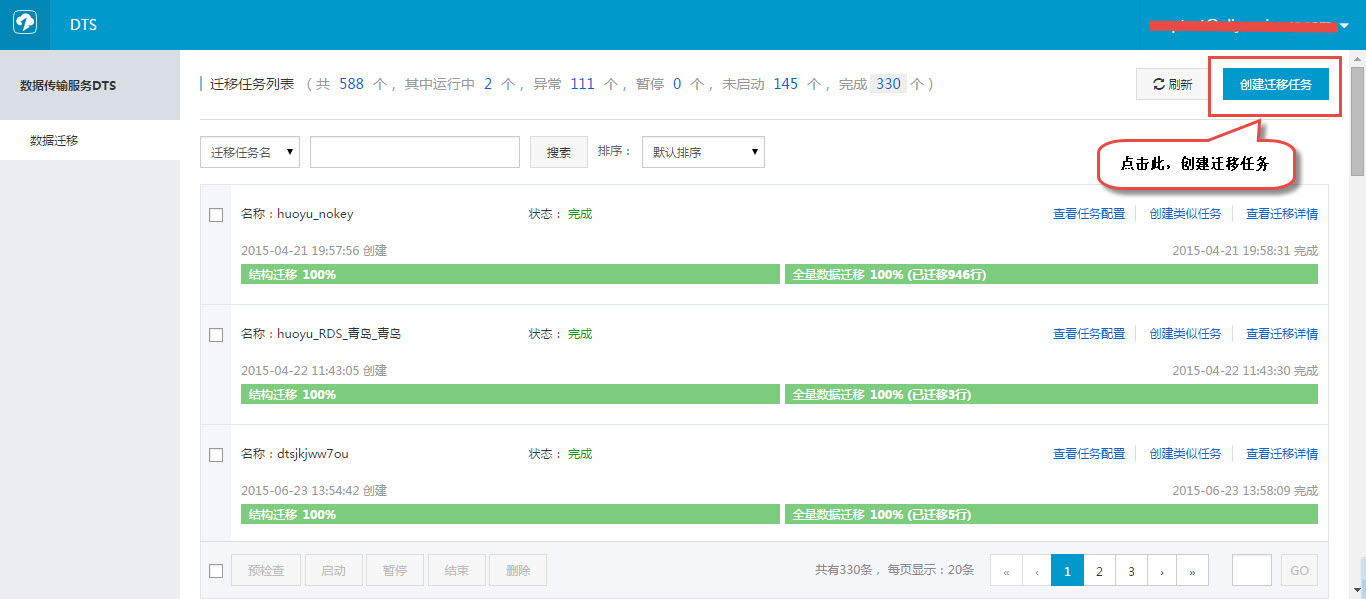
1) Go to the DTS Console, click “Create Migration Task” to officially start the task creation.
2) Fill in the connection information for the local Oracle and target RDS instances.
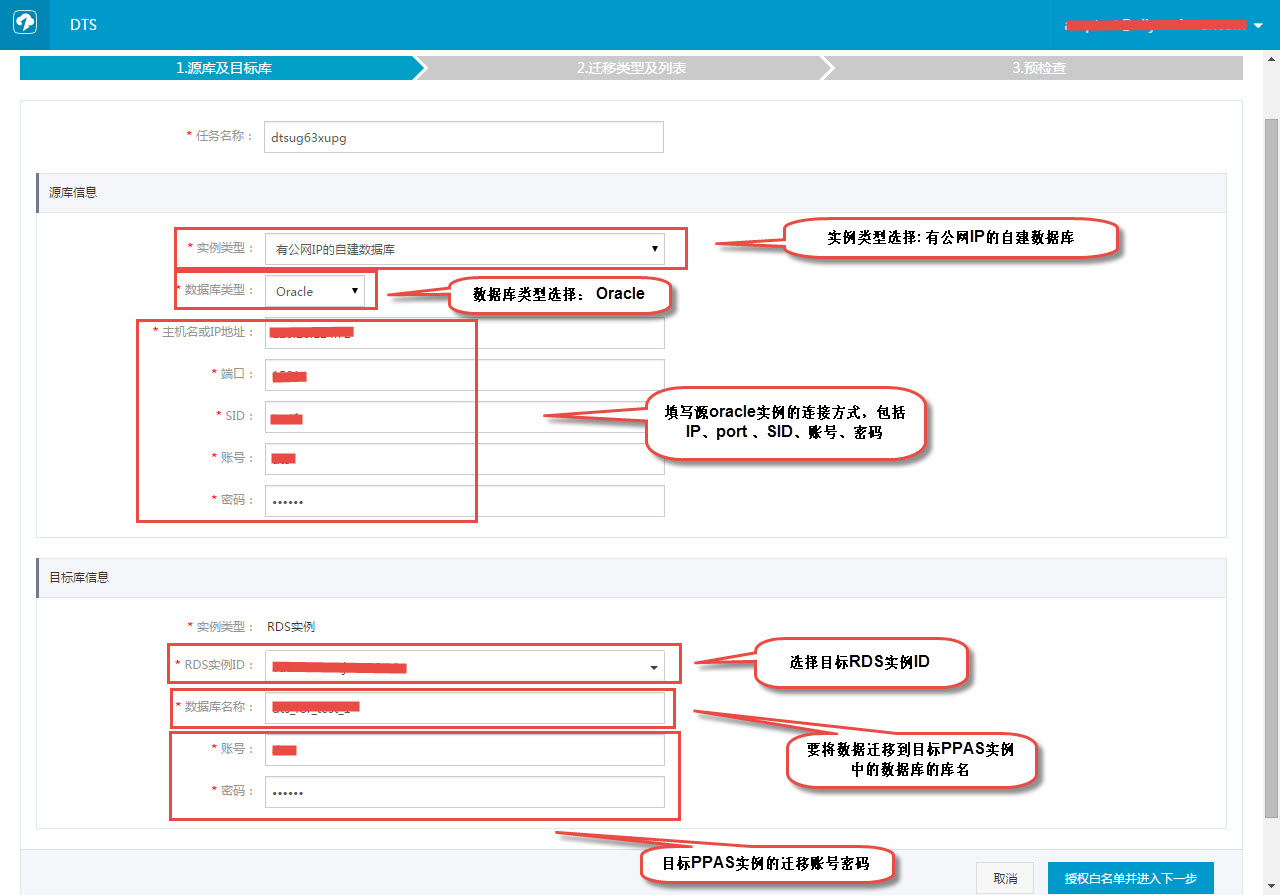
In this step, for the source instance type, select “Self-managed Database with Public IP”.
3) Select migration objects and migration types.
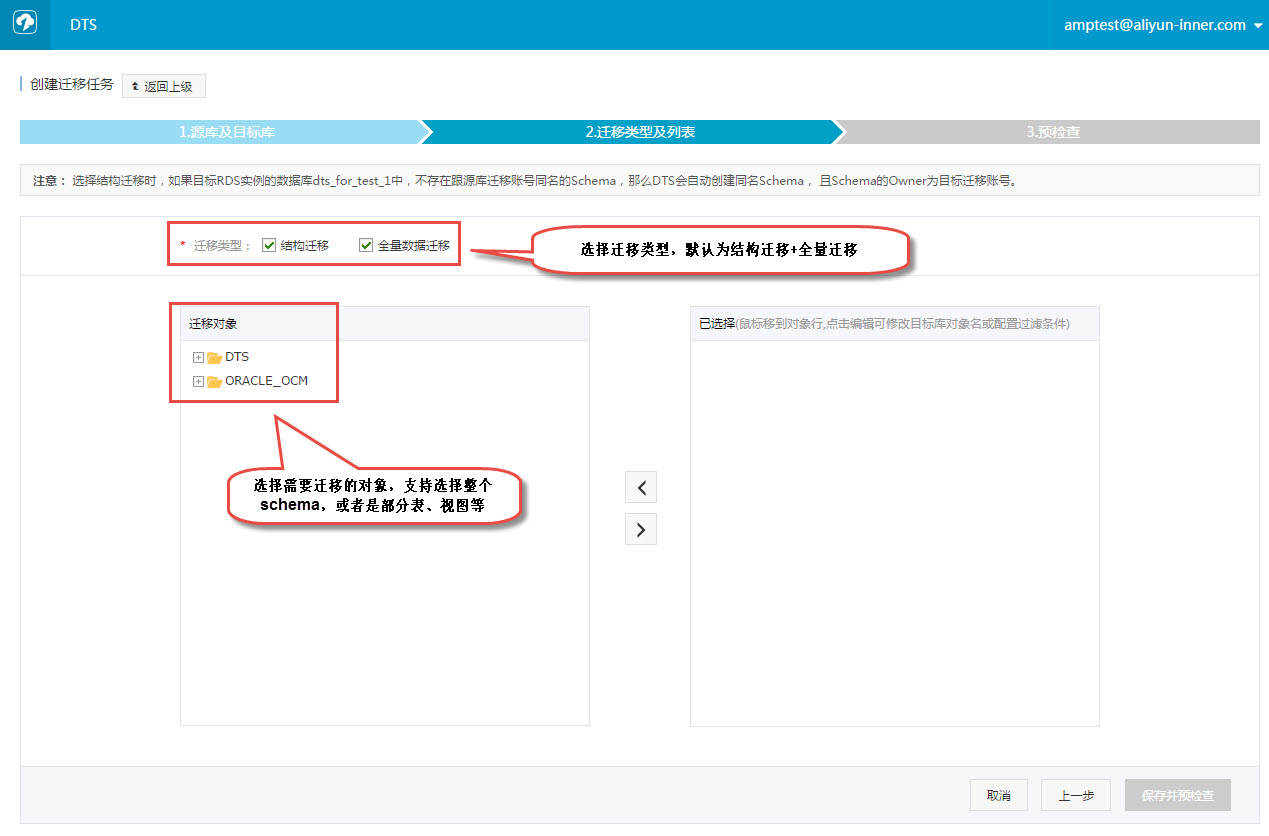
By default, after migration objects are migrated to the target database, their names remain consistent with the source database. If users want to modify the object names in the target database, they can directly modify the selected object names.
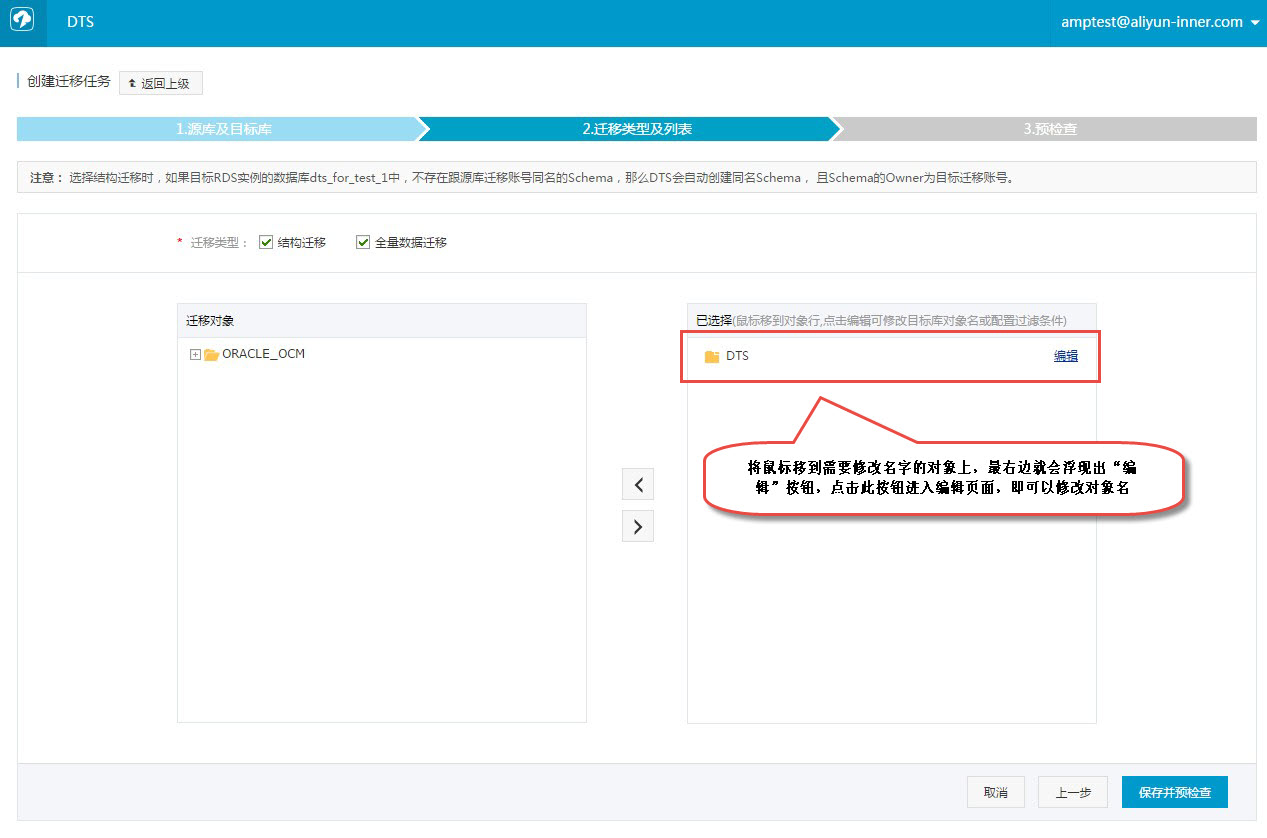
After clicking Edit, you enter the object name modification page:
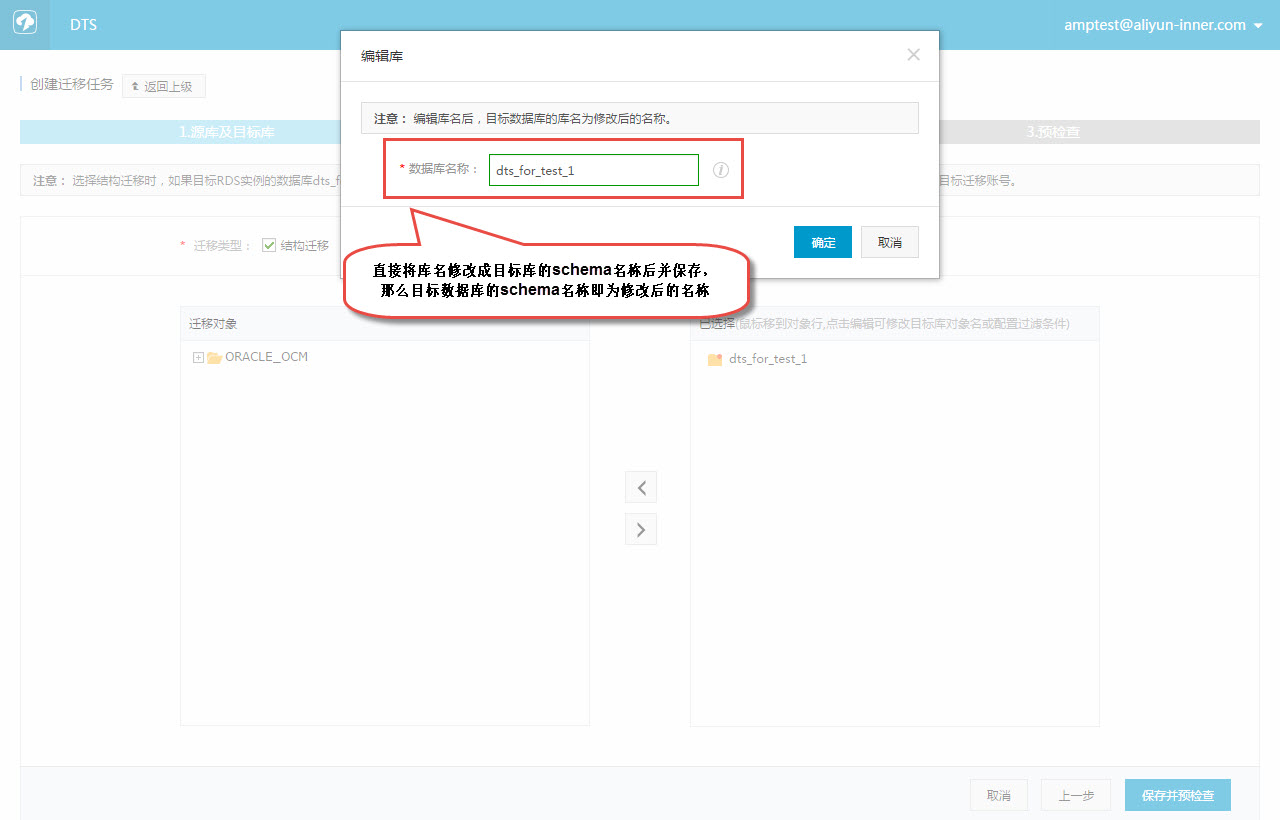
After modifying the object name, the object name in the target instance will be the modified name.
4) Start Pre-check
Before formal data migration, a basic pre-check is performed. Only after passing the pre-check can the migration be started.
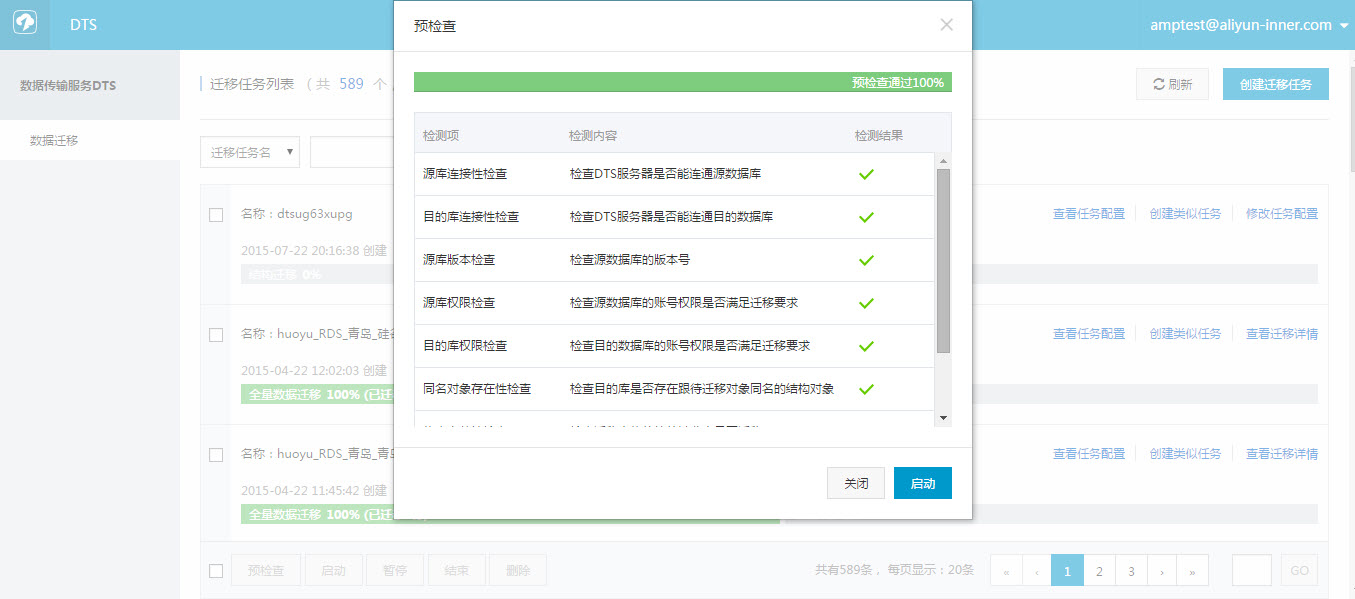
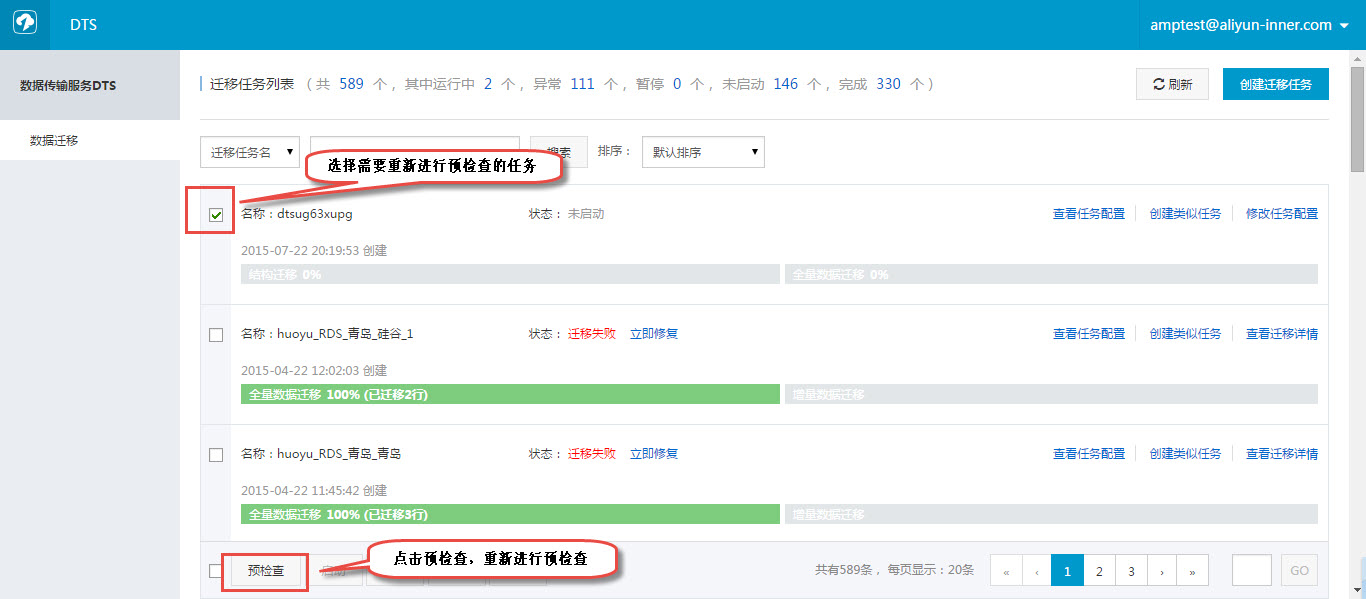
If the pre-check fails, you can view the specific failure details. After fixing the issue based on the reason, re-run the pre-check.
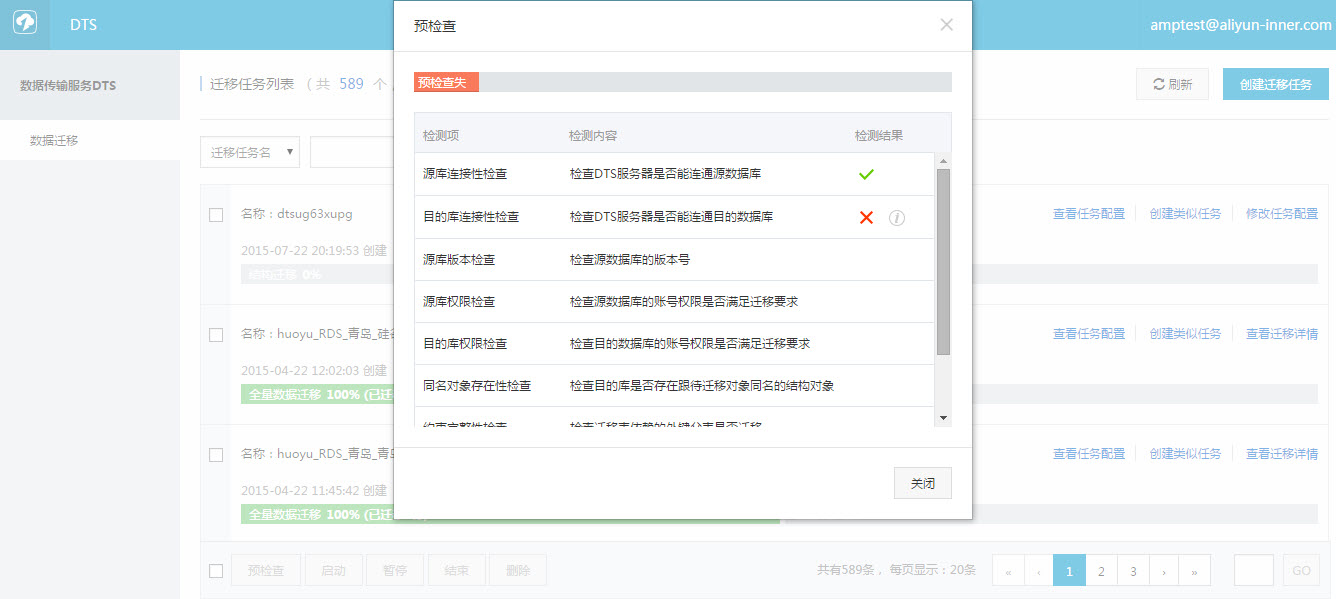
After clicking View Details, you can see the specific reasons for the pre-check failure:
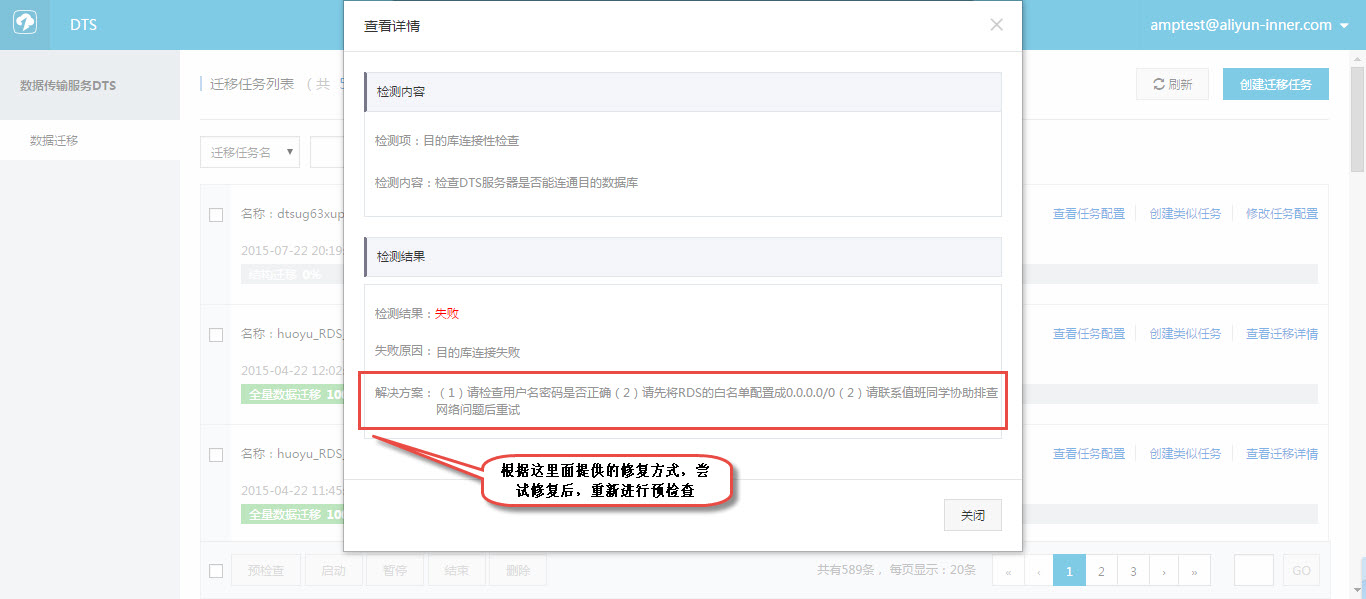
After fixing the issues, select this task in the task list and restart the pre-check.
5) Start Migration Task
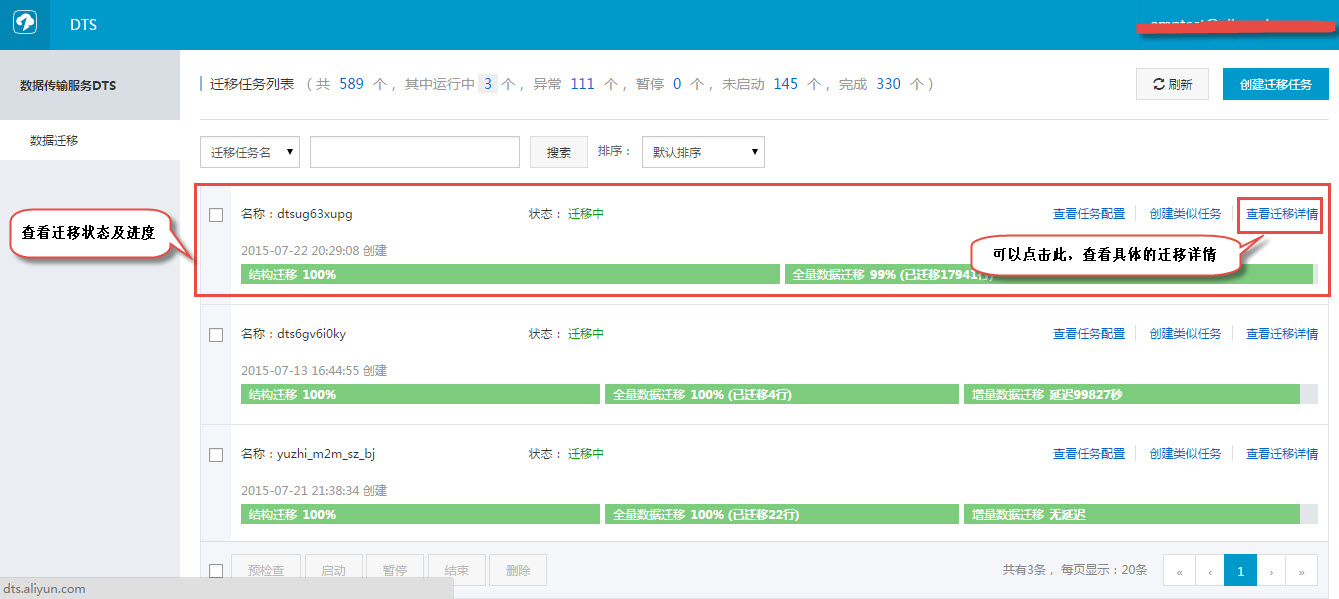
Once the pre-check passes, you can start the migration task. After the task starts, you can view the specific migration status and progress in the task list.
At this point, the data migration work of migrating the local Oracle database to the RDS for PPAS instance is completed.
##Summary after 2 days of intense troubleshooting with Alibaba Cloud Engineers:
1. Engineers suggested using the object owner account for DTS migration source databases. The documentation stating that only 2 permissions are required is incorrect.
2. Passing the pre-check does not guarantee successful migration. The author encountered an issue where Oracle’s sys_guid did not exist in PPAS. This was resolved manually by an engineer via the backend ticket system by creating a function named sys_guid based on UUID functionality. Official documentation: http://www.postgresql.org/docs/9.4/static/uuid-ossp.html. This part took considerable time, likely due to coordination between the engineer and the backend DBA.
3. Source databases containing DBLINKs cannot be migrated.
4. The column name xmax is a system column name in PPAS databases and causes conflicts. If used, it is recommended to rename the column in advance.
5. Before planning migration, it is best to understand or have mastered PostgreSQL database usage skills to avoid inconvenience and trouble during use.