Problem Background
Alibaba Cloud’s VPC differs from other OpenStack-based IaaS platforms. Its routing functionality is limited to inter-subnet routing and does not provide outbound internet routing by default. Consequently, instances within a VPC cannot access the public internet unless they are assigned an Elastic IP (EIP). According to customer support, this can be resolved by adding a route on the Virtual Router to forward traffic through an instance bound with an EIP, using NAT and iptables rules.
VPC Architecture Diagram
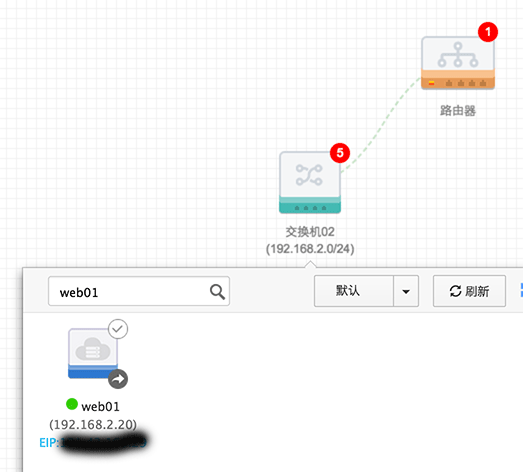
Virtual Router Configuration
Add Route
To allow internal servers to access the public internet via an EIP, configure all routes targeting 0.0.0.0/0 to forward traffic to the ECS instance bound with the public IP. Note that the next-hop ECS instance cannot be searched directly; you must record its name in advance:
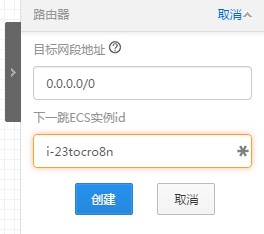
EIP-Bound Instance Configuration
Add SNAT Rule via iptables
|
iptables -t nat -I POSTROUTING -s 192.168.2.0/24 -j SNAT –to-source 192.168.2.20
|
Note: On Ubuntu 14.04, you need to install the
iptables-persistentpackage to save iptables settings. Useservice iptables-persistent saveto persist the configuration. After installation, the service starts automatically with the system and applies the saved configuration.
Enable IP Forwarding
|
echo “net.ipv4.ip_forward=1” >> /etc/sysctl.conf && sysctl -p
|