Google announced on December 18, 2015, that it would prioritize indexing HTTPS pages. When running HTTP sites or applications, SSL certificates are indispensable. This article introduces how to monitor SSL certificate validity periods using Zabbix.
(1) Verify the ExternalScripts Parameter Configuration
### Option: ExternalScripts
#       Full path to location of external scripts.
#       Default depends on compilation options.
#
# Mandatory: no
# Default:
# ExternalScripts=${datadir}/zabbix/externalscripts

ExternalScripts=/usr/lib/zabbix/externalscripts
If this directory does not exist, create it using the mkdir command.
# mkdir -p /usr/lib/zabbix/externalscripts
(2) Create ssl-cert-check.sh
In the /usr/lib/zabbix/externalscripts directory, create the ssl-cert-check.sh file with the following content.
#!/bin/sh

SERVER=$1
PORT=$2
TIMEOUT=25

PATH=/bin:/usr/bin; export PATH
basedir=`dirname $0`

$basedir/timeout $TIMEOUT $basedir/ssl-cert-check -s $SERVER -p $PORT -n | sed 's/  */ /g' | cut -f6 -d" " | sed 's/^.*=//g'
The execution of ssl-cert-check.sh requires the timeout and ssl-cert-check files. Download them using the wget command.
# cd /usr/lib/zabbix/externalscripts
# wget http://www.pixelbeat.org/scripts/timeout
# wget http://prefetch.net/code/ssl-cert-check
# chmod 755 *
(3) Execute the ssl-cert-check.sh Script to View Results
Check how many days remain until the SSL certificate for www.yunwei123.com expires.
# cd /usr/lib/zabbix/externalscripts/
# ./ssl-cert-check.sh www.yunwei123.com 443
361
There are 361 days remaining. After confirming that the script execution results are correct, proceed to configure Zabbix.
(4) Configure Zabbix
Create Host
After logging into the Zabbix management page, navigate to “Configuration” -> “Hosts” -> “Create host”.
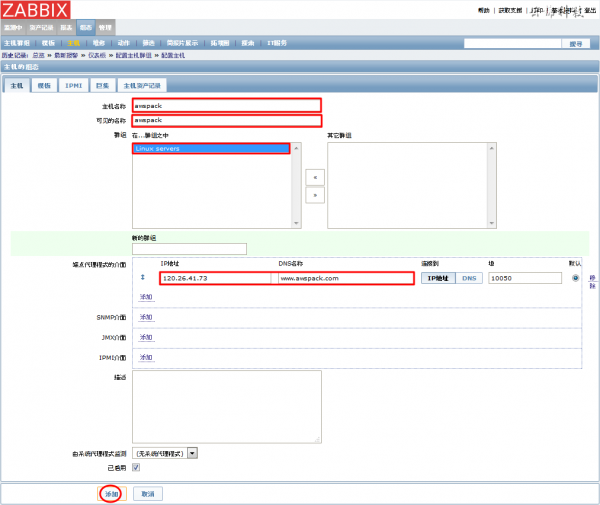
- Host name: www.yunwei123.com
- Visible name: www.yunwei123.com
- Groups: Linux servers
- Zabbix agent interfaces
IP address: 120.26.41.73
DNS name: www.yunwei123.com
Port: 10050
Fill in the above information and click “Add”.
Create Item
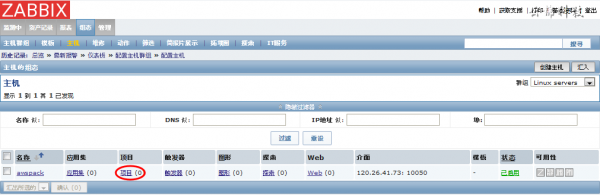
On the page for the newly created host www.yunwei123.com, click “Items”.
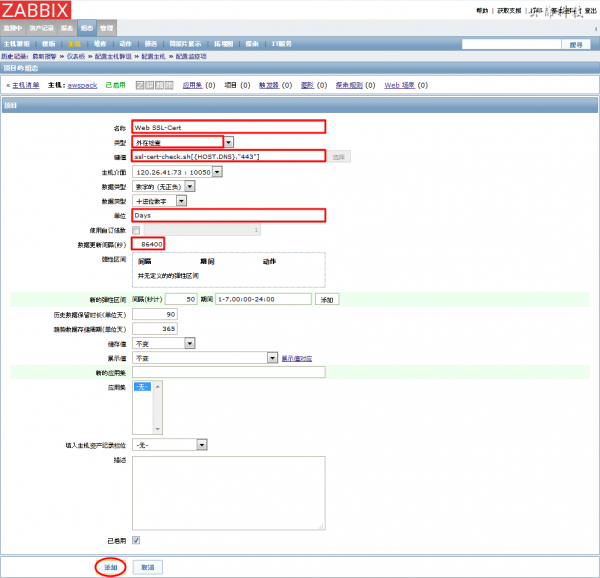
Fill in the following content and click “Add”.
- Name: Web SSL-Cert
- Type: External check
- Key: ssl-cert-check.sh[{HOST.DNS},”443″]
- Units: Days
- Update interval (seconds): 86400 (check once a day)
Create Trigger
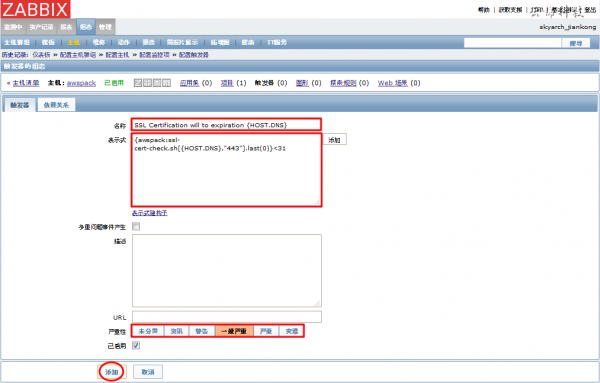
Similar to creating an item, on the host page, click “Triggers” -> “Create trigger”, fill in the following content, and click “Add”.
- Name: SSL Certification will to expiration {HOST.DNS}
- Expression: {www.yunwei123.com:ssl-cert-check.sh[{HOST.DNS},”443″].last(0)}<31
- Severity: Average
Create Graph
On the host (www.yunwei123.com) page, click “Graphs” -> “Create graph”.
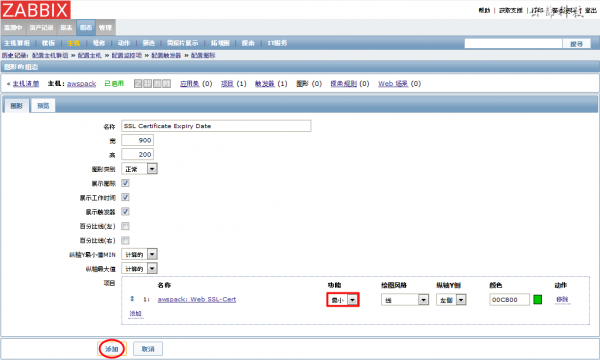
Fill in “Name: SSL Certificate Expiry Date” and click “Add”.
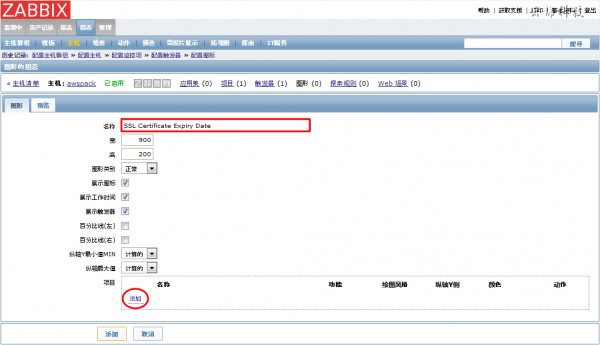
Check “Web SSL-Cert” -> “Select”.

Select function “Minimum” and click “Add”.