This page allows you to compare the costs of running your applications on physical servers versus AWS cloud instances.
Generate a basic or detailed cost comparison based on your server specifications.
Click here to enter the AWS Total Cost Calculator
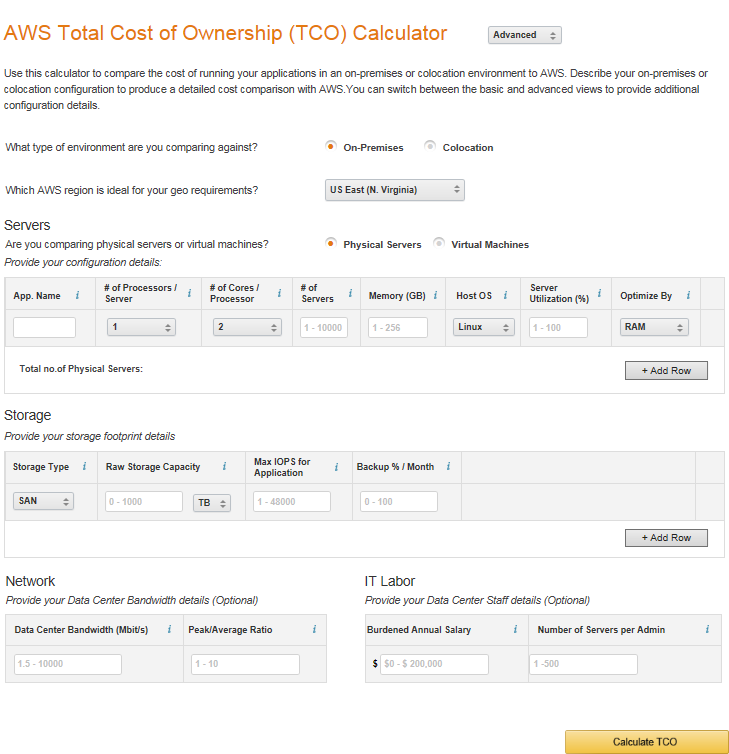
The image above illustrates the AWS Total Cost Calculator. In the upper section of this page, you can select the level of comparison: Basic or Advanced.
We will use the Advanced mode for this explanation.

This step determines whether your servers are located in-house, in a data center, or hosted via colocation.

This step allows you to select your preferred region. The region shown in the image is US East.

This step specifies whether the servers being compared are physical machines or virtual machines.

This step requires you to provide server information.
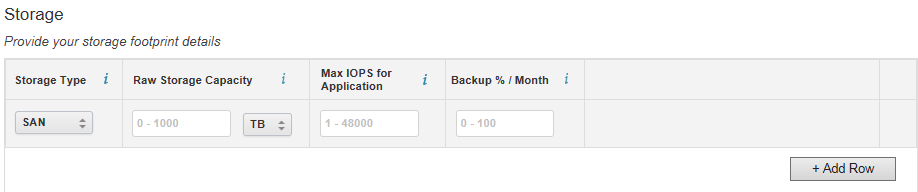
This step requires you to fill in storage information for the servers.
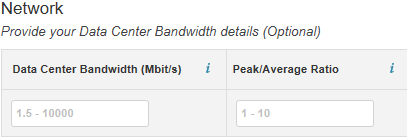
This step requires you to provide bandwidth information for the data center. (Optional)
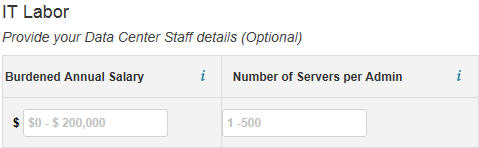
This step requires you to provide information about data center personnel. (Optional)
Once all information is entered, you can proceed with the comparison.
Below is a simple example:
Assume the physical server configuration is as follows:
| Environment : Physical | |||||||||||
| Servers | Cores | RAM (GiB) | OS | Avg.Util. | Optimize by | ||||||
| 1 | 1 | 100 | Linux | 100% | RAM | ||||||
|
||||||||||||||||||
The image below shows the total cost comparison between physical servers and migrating to AWS cloud instances.
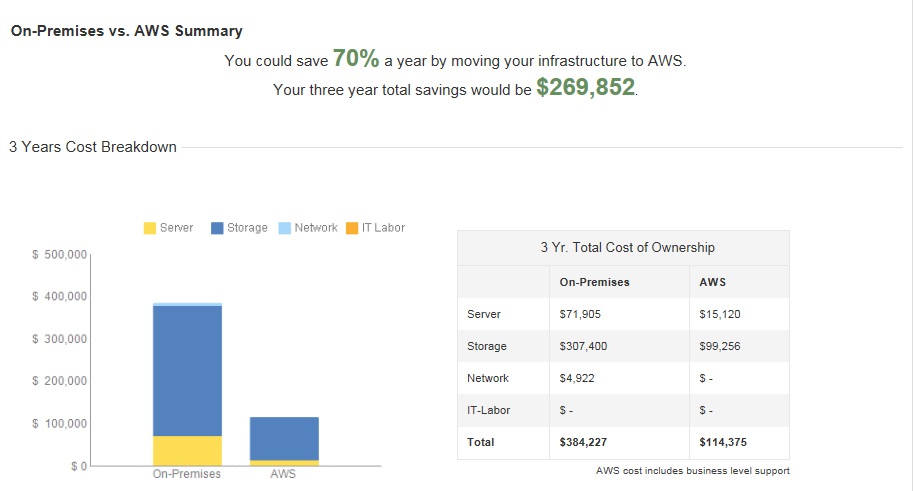
As you can see, after migrating to AWS cloud instances, you can save 70% of your expenses.
AWS also calculates the amount you could save over the next three years by using AWS cloud instances, along with a breakdown of specific service consumption on AWS.
It is evident that as you use AWS cloud instances for a longer period, your spending on AWS becomes more stable and decreases further.