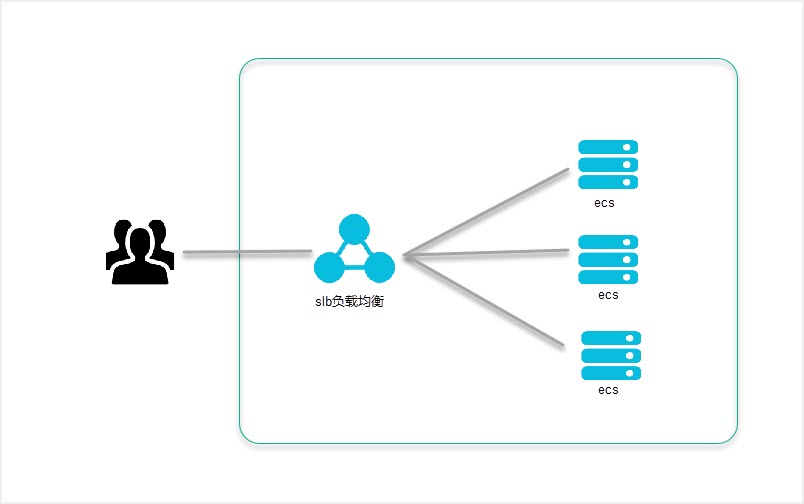
When architecting a Web system, it is a common scenario to run multiple Web servers under a load balancer, whether in physical environments or on the cloud. On Alibaba Cloud, this architecture is implemented using SLB + ECS. When SLB is placed in front of the Web system, there are some differences compared to running the Web system on a single ECS.
For example, the source IP address identified by the Web server differs. In an SLB + ECS architecture, the source IP address (client address) recognized by the Web server will be the SLB’s internal IP address. Meanwhile, the actual client source IP address will be appended to the end of the X-Forwarded-For header. Although X-Forwarded-For is not defined in RFC standards, it has become the de facto standard when using proxy or load balancing services.
Access Restriction on Apache
In Apache 2.2, access restriction for specific IP addresses can be implemented using the mod_setenvif module.
<Location />
  # Deny all clients
  Order Allow,Deny
  Allow from all
</Location>

<Location /site_b>
  SetEnvIf X-Forwarded-For "192.168.0.0.*" allowed_ip

  # Allow only specified IPs
  Order Deny,Allow
  Deny from all
  Allow from env=allowed_ip
</Location>
Next, we introduce how to implement access restrictions on Apache 2.4. Apache 2.4 uses the mod_remoteip module, which is enabled by default in the httpd24 package on Amazon Linux. The RemoteIPHeader directive provided by this module allows Apache to recognize the content of X-Forwarded-For as the source IP address (client IP). This makes implementing access restrictions straightforward.
# Set X-Forwarded-For as the source IP (client IP)
RemoteIPHeader X-Forwarded-For

<Location />
  # Allow all clients
  Require all granted
</Location>

<Location />
  # Allow only specified IP addresses
  Require ip 192.168.0.0
</Location>
Access Restriction on Nginx
On Nginx, access restriction can be performed using the ngx_http_map_module with $http_x_forwarded_for. The configuration in nginx.conf is as follows.
map $http_x_forwarded_for $allowed {
    default deny;
    ~s*192.168.0.0$ allow;
    ~s*8.8.8.*$   allow;
}

location / {
    if ( $allowed = "deny" ) { return 403; }
    alias /path/to/document_root
}
Summary
Alibaba Cloud’s SLB is a simple and easy-to-use load balancer that supports distribution methods such as “Weighted Round Robin,” “Weighted Least Connections,” and “Round Robin.”
When configuring Web servers under a load balancer, obtaining the source IP address (client IP) also relies on the X-Forwarded-For information, as documented in various guides.
For instance, when running Nginx under SLB, you need to include $http_x_forwarded_for to obtain the source IP address.
log_format  main  '$remote_addr - $remote_user [$time_local] "$request" '
                  '$status $body_bytes_sent "$http_referer" '
                  '"$http_user_agent" "$http_x_forwarded_for" $request_time';