Creating an Amazon S3 Bucket
Amazon S3 is an online storage service accessible over the internet.
Its reliability, security, and high scalability are well-known, so we won’t dwell on them here. The best way to understand its features is by using Amazon S3.
Although creating an Amazon S3 bucket is very simple, please note the following points:
- You can create a maximum of 100 buckets.
- Once created, the bucket name cannot be changed.
- The bucket name length must be between 3 and 63 characters.
- Bucket names must use a label or multiple labels connected by hyphens.
- The first and last characters of the bucket name must be lowercase letters or numbers.
- Allowed characters include lowercase letters, numbers, and hyphens (-).
Valid bucket names include:
- awsok.com
- awsok
- www.awsok.com
You cannot use periods (.) at the beginning or end of a bucket name, nor can you have more than two consecutive periods in the middle.
The following is the process for creating an Amazon S3 bucket, which takes only a few minutes.
Amazon S3 Creation Process
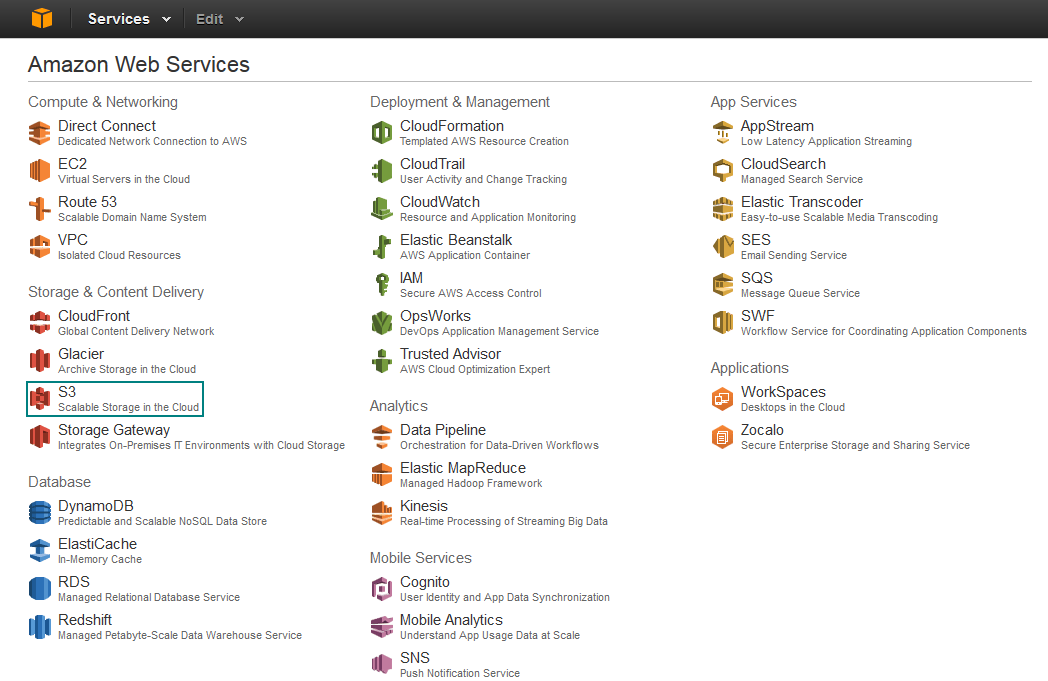
1. Select the “S3” service on the AWS Management Console
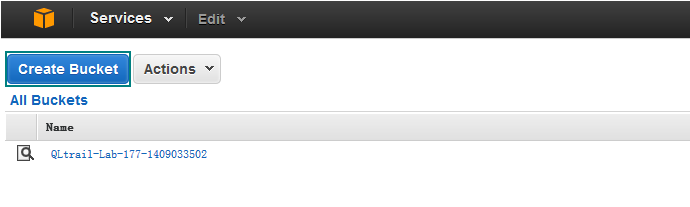
2. Click “Create Bucket”
3. Enter the “Bucket name” and select a “Region”, then click “Create”
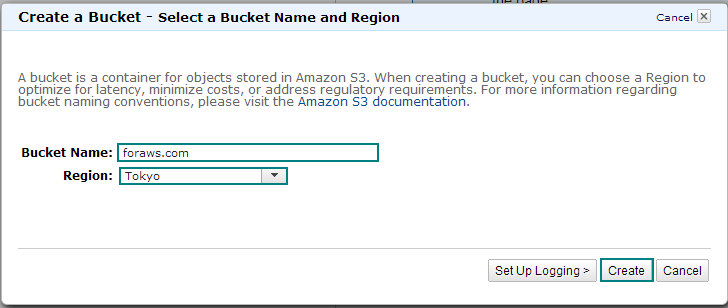
Bucket Name: Similar to table names in traditional databases, we can temporarily refer to it as a “resource table.” The attribute information for each piece of data is stored in a specific bucket (resource table).
Region: Choosing a regional data center suitable for your needs can optimize latency and reduce costs.
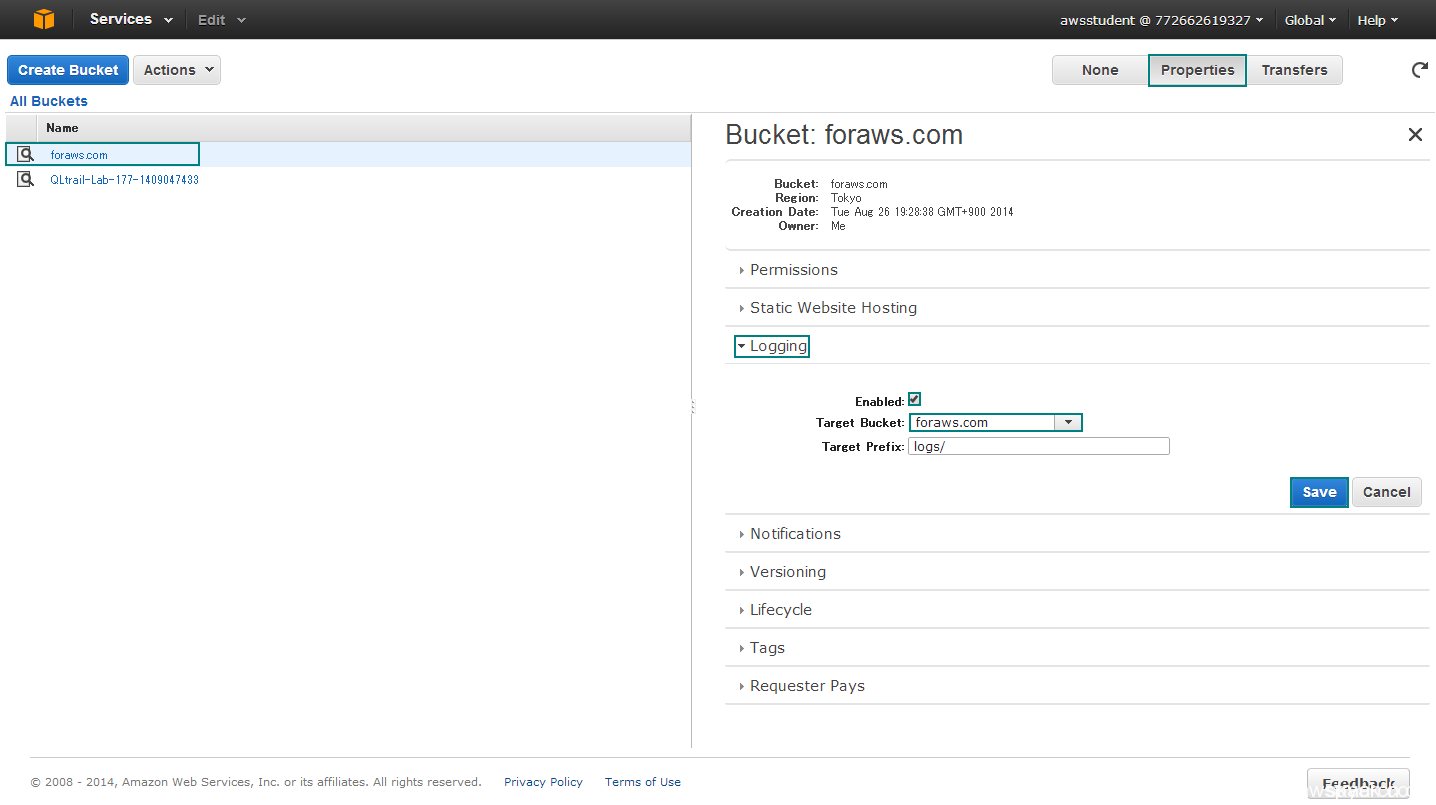
4. Select “awsok.com” — “Properties” — “Logging” — Select “Enabled” — For “Target Bucket” select “awsok.com” — “Save”
Important Tips
If you want to run a website using Amazon S3, the subdomain and the bucket name must match.
For example, if the subdomain is blog.awsok.com, the bucket name must be blog.awsok.com.
If you wish to run using the Root Domain, DNS must be managed via Amazon Web Services Route 53.
Summary
Amazon S3 is not just network storage; it can also be mounted to EC2 instances for use.
The durability of Amazon S3 is 99.999999999%, which is worth pondering.
Eleven nines means that when saving 10,000 pieces of data to S3, the probability of one piece of data being lost due to failure is such that it would occur once every 10 million years.