Alibaba Cloud Elastic Scaling Service (Elastic Scaling Service) is a management service that automatically adjusts its Elastic Compute Service (ECS) instances based on user business requirements and strategies. It can automatically increase ECS instances when business demand grows and decrease them when demand drops.
Since our customer support team is continuously testing Alibaba Cloud products, we often need to dynamically adjust the number of ECS cloud hosts during stress testing to ensure appropriate load pressure on RDS. Previously, I handled increasing or deleting ECS instances manually. Now, let’s enjoy the convenience!
Step 1: Enable the ESS service. Please visit
http://www.aliyun.com/product/ess
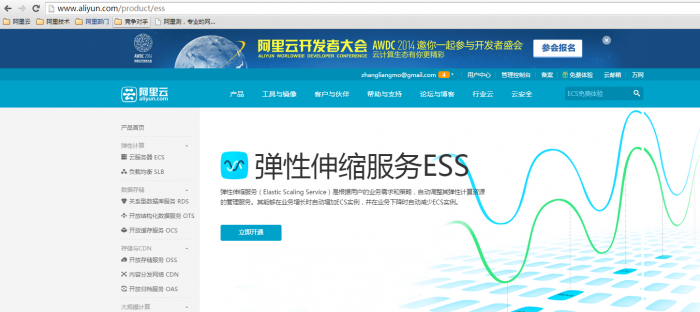
The activation was smooth, and we can now enter the ESS console.
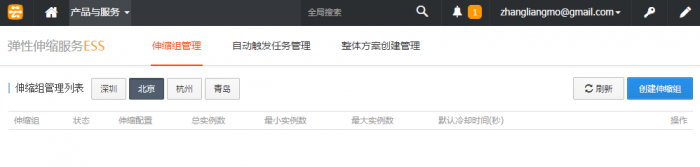
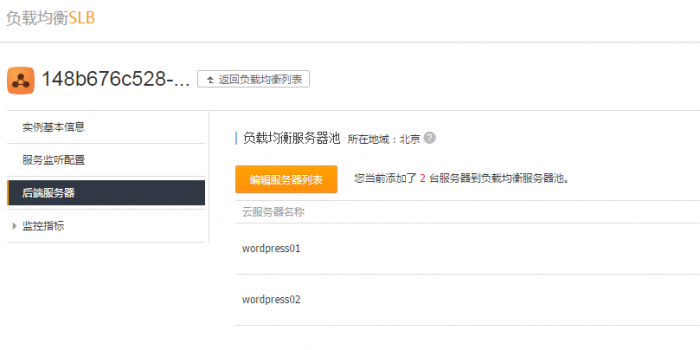
First, let me introduce the resources already activated by Yunlang that require ESS integration:
One SLB instance, which distributes HTTP requests to backend ECS servers using session persistence.
Two ECS instances with WordPress installed.
One RDS instance providing shared database services for multiple WordPress application servers.
The deployment location of the entire test system is shown within the red dashed line below.
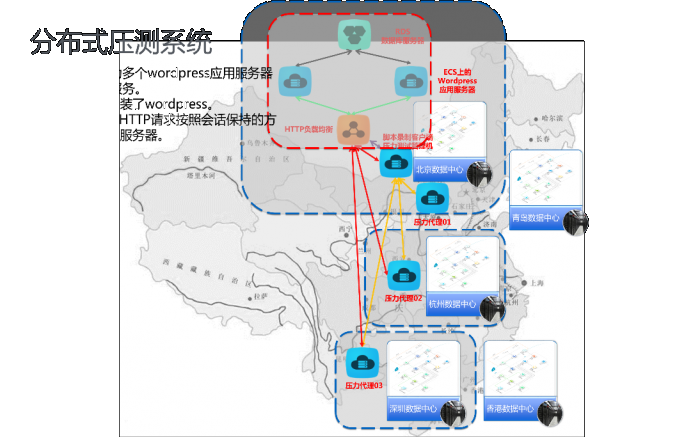
Resources outside the red dashed line constitute the stress generation system, primarily distributed across Alibaba Cloud data centers in Beijing, Hangzhou, and Shenzhen.
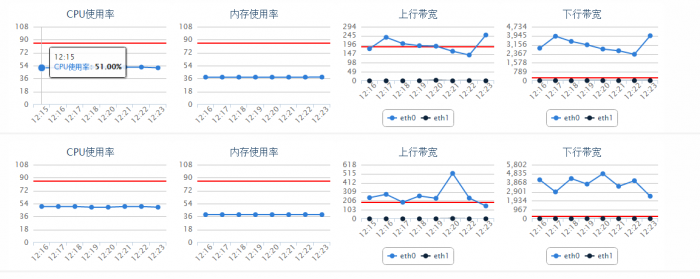
Next, let’s observe the current system load. Using Cloud Monitor, we check the ECS load before applying pressure. The CPU usage for both ECS instances is around 50%.
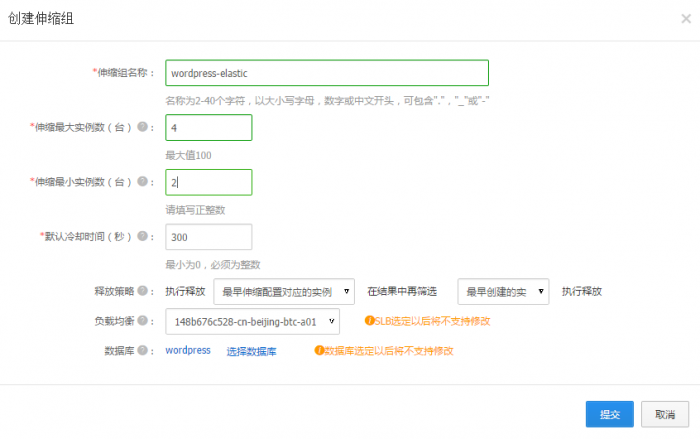
Step 2: Create your first ESS scaling group. Let’s name it “wordpress-elastic”. Select the SLB and RDS. A Scaling Group is a collection of ECS instances with the same application scenario. The scaling group defines the maximum and minimum number of ECS instances within the group, as well as associated attributes like SLB and RDS instances.
Immediately follow the prompts to create the scaling configuration.
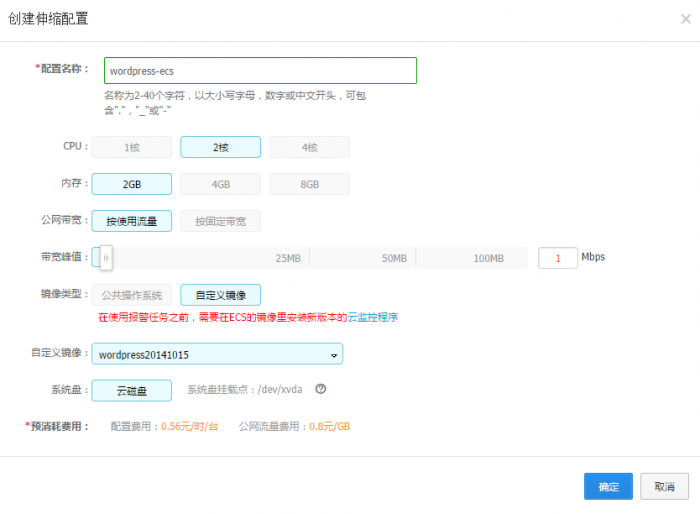
Tip: To successfully complete this step, please create a custom image in advance. My custom image has pre-installed a customized version of WordPress to ensure consistency in application server versions and configurations with the online wordpress01 and wordpress02.
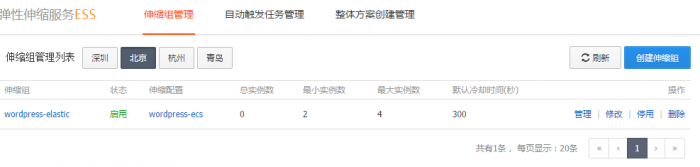
Now, let’s confirm the status of the ESS service. The WordPress-elatic scaling group is started, with no ECS scaling activities occurring yet.
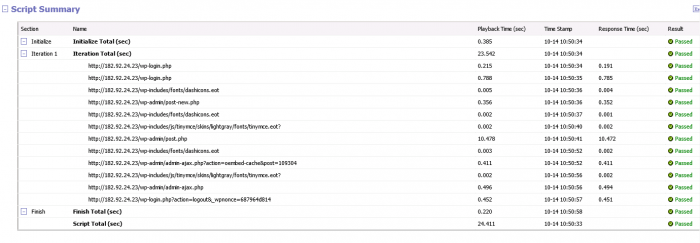
Step 3: Apply load to existing ECS instances.
The pre-recorded test script SLB02 is as follows:
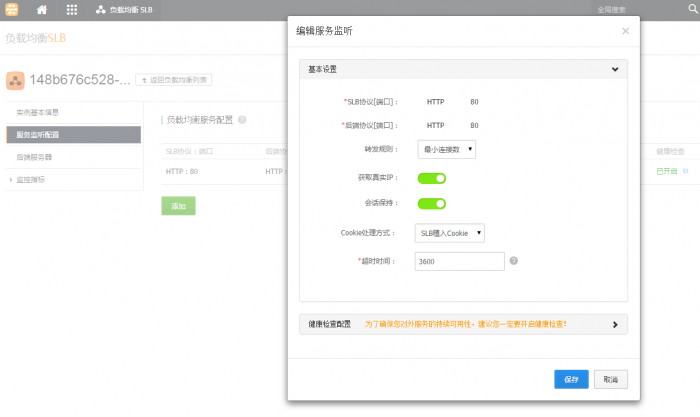
The stress system sends HTTP requests to the SLB.

The test scenario is as follows:

Everything is ready. Let’s start the stress test!
Expected results:
When the load on existing ECS servers wordpress01 and wordpress02 exceeds 85%, according to the ESS scaling policy, at least 2 new ECS instances will be added.
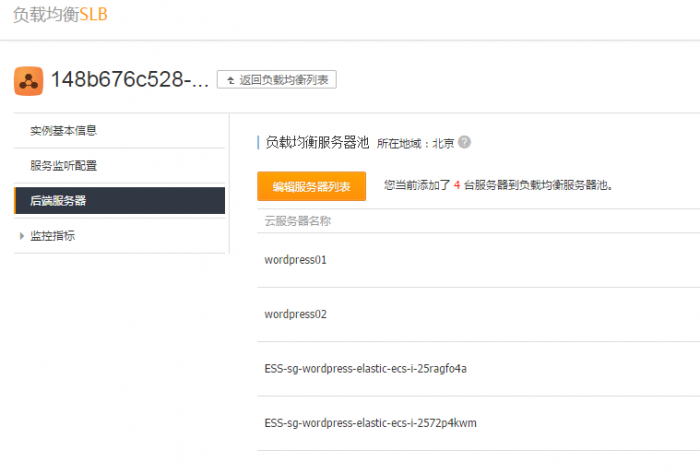
The two newly added ECS instances should be automatically configured into the backend server list of the previously defined SLB.
The two newly added ECS instances will begin accepting new requests under SLB load balancing, causing the load on wordpress01 and wordpress02 to decrease.
Step 4: Observe the auto-scaling results.
After the stress test begins, as the pressure increases, let’s see what happens:
“Add ‘2’ ECS ins…”
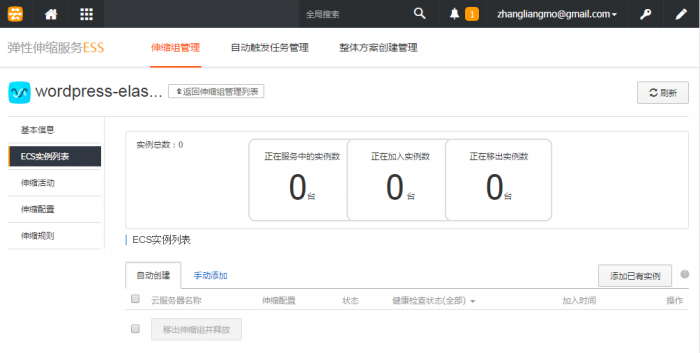
Observation results:
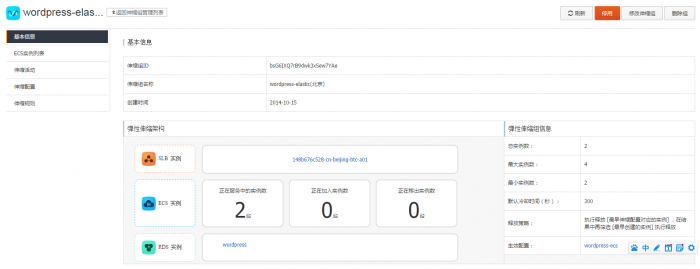
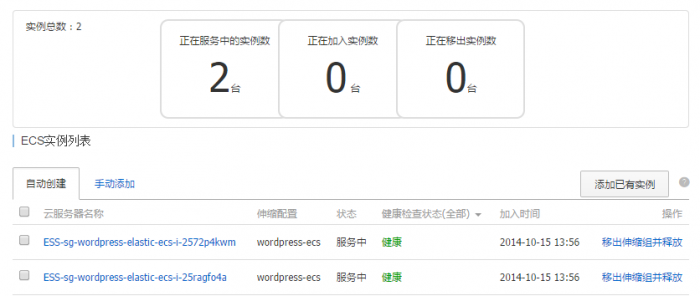
The two newly scaled ECS instances have been automatically added to the SLB backend server list:
Conclusion:
Within just one hour, Yunlang leveraged Alibaba Cloud’s advantages to quickly experience the auto-scaling features of the ESS Elastic Scaling Service, successfully testing the capacity expansion of the application side for the RDS database.
In addition to automatic SLB configuration and auto-scaling, ESS also offers other features such as auto-shrinking, scheduled scaling, fixed quantity mode, and automatic RDS configuration. We will explore these in future articles. Let’s review the changes in the system architecture that occurred without any manual intervention throughout this process:
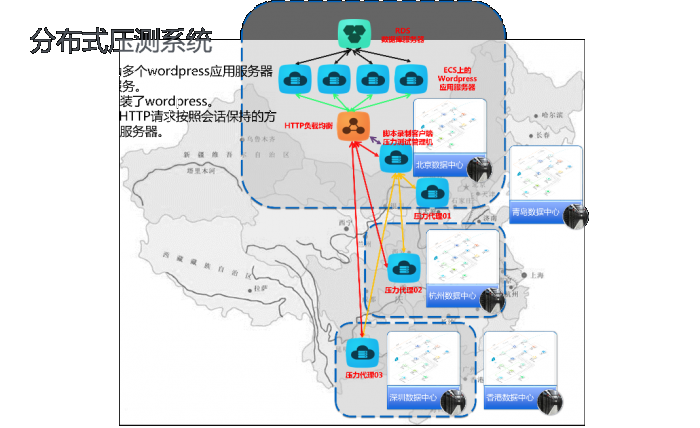
What remained unchanged:
The overall original architecture remained consistent; there were no changes to the locations of the load balancer, application servers, or database servers.
What changed:
The number of ECS instances increased from 2 to 4, doubling the processing capacity of the application servers.
Everything happened as expected. How scientific! As the saying goes:
“ESS plans wisely to secure the world, expanding ECS and configuring SLB. Elastic scaling resolves worries, adjusting on demand with wisdom.”