Building a Robust Hybrid Cloud Network — BJS DX
Background:
In recent years, with the widespread adoption of public clouds, users are increasingly leveraging the elasticity and flexibility advantages of the cloud to deploy new application systems. On the other hand, many enterprises have significant existing investments in local infrastructure. Therefore, the migration to the cloud is not instantaneous; it inevitably involves a coexistence of cloud applications and on-premises data center applications. To better integrate cloud and on-premises environments and ensure the stability and high availability of overall application systems, building a robust hybrid cloud network is crucial.
On AWS, there are three primary methods to connect AWS with on-premises data centers:
1. Pure VPN networking
2. Pure Direct Connect (DX) networking
3. Hybrid networking using both VPN and Direct Connect
For the AWS China region, since AWS’s native VPN service (VGW) has not yet been fully implemented, customers urgently need an alternative solution that provides redundancy and failover capabilities similar to VGW.
This article focuses on the second networking method, emphasizing how to achieve robustness and self-healing for the hybrid cloud network.
For high-availability implementations of the first and third networking methods, please refer to:
《Building a Robust Hybrid Cloud Network — BJS VPN》
《Building a Robust Hybrid Cloud Network — BJS DX+VPN》
For monitoring VPN traffic, fault alerts, and event log collection, please refer to:
《Building a Robust Hybrid Cloud Network — BJS DX+VPN》
Topology Diagram:
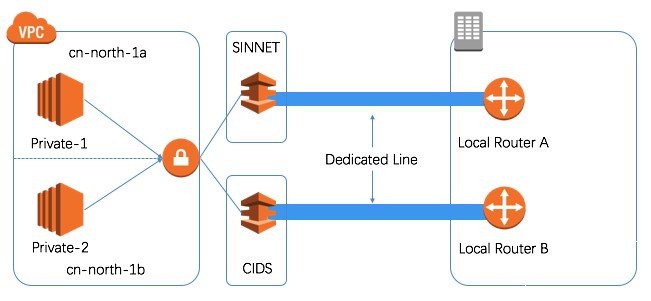
Establish two Direct Connect connections between AWS and the on-premises site. To ensure that the remaining connection can handle all business traffic in case one fails, an Active-Standby mode is recommended. For high availability, it is suggested to terminate the two connections at SINNET and CIDS DX Locations respectively, utilizing links from two different Direct Connect providers.
Configuration Steps:
1. Apply for Direct Connect
Direct Connects under 500M are provided by AWS APN Partners. This guide uses the APN Partner solution as an example. For Direct Connect access over 1G, please refer to the following documentation:
https://www.amazonaws.cn/en/documentation/directconnect/
Apply for the link through the APN Partner, providing required information such as your AWS account ID and bandwidth requirements.
2. Accept the Connection and Create a Virtual Interface
Once the APN Partner establishes the Direct Connect, log in to the management console, select the Direct Connect service, and you will see the relevant connections. You need to accept the connection.

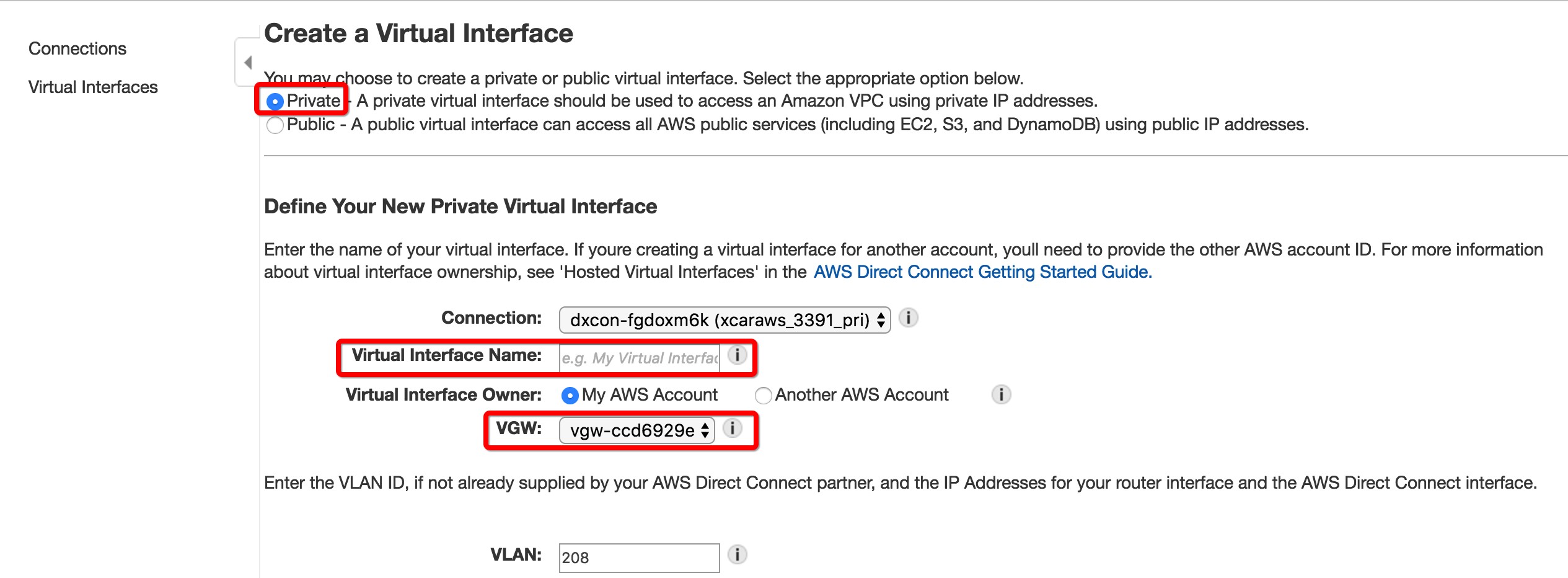
Create a Virtual Interface.

Select “Private Virtual Interface,” set the interface name, and associate it with the VGW of the relevant VPC.
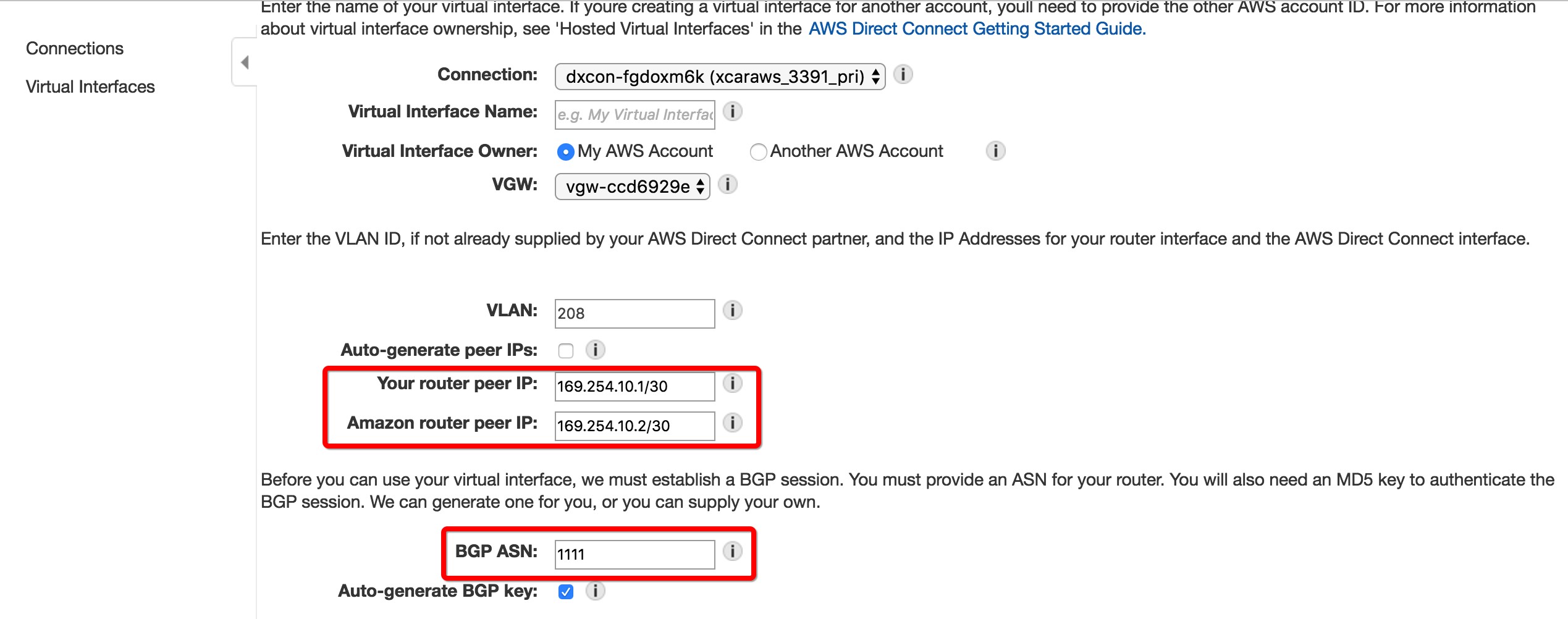
Set the interconnection addresses and the Local Site AS number according to your needs.
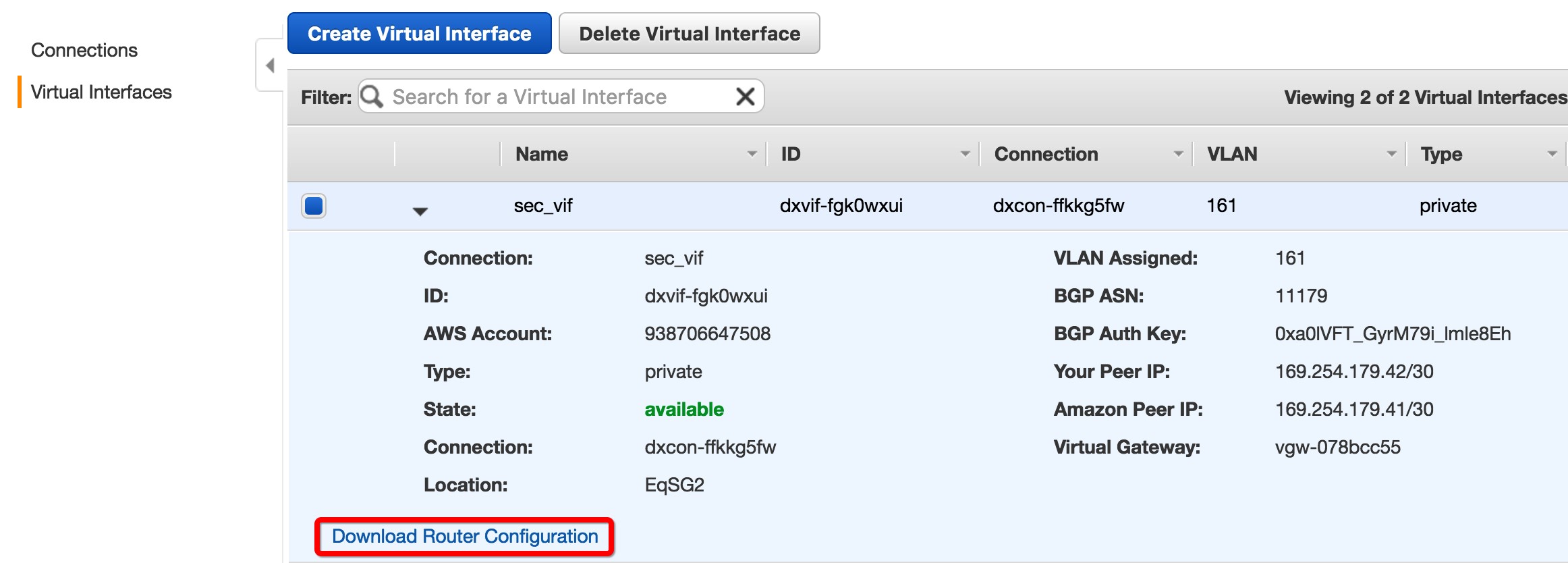
3. Download the Configuration for the On-Premises Router
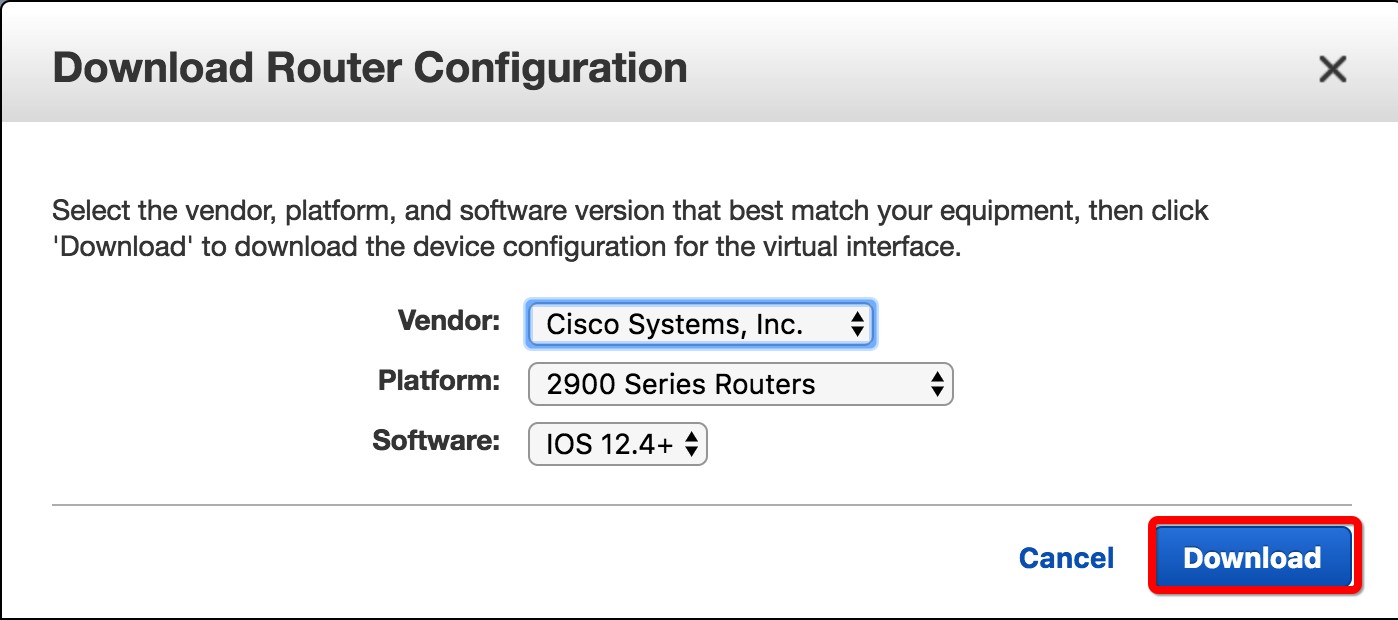
4. Modify the BGP Configuration on the Local Router to Achieve Active-Standby Redundancy
a. Outbound traffic from the AWS side achieves active-standby via the AS-PATH attribute.
b. Outbound traffic from the local site side achieves active-standby via the Local-Preference attribute.
Below is a reference configuration for the backup link router on the local site side:
route-map LOCAL-PRE permit 10
set local-preference 50
!
route-map PREPEND permit 10
set as-path prepend 1111 1111
!
router bgp 1111
network 0.0.0.0
neighbor 169.254.10.2 remote-as 17493
neighbor 169.254.10.2 route-map LOCAL-PRE in
neighbor 169.254.10.2 route-map PREPEND out
5. Confirm Interface Status is Up

6. Set the Next Hop for Routes Accessing the Local Site via Direct Connect to the VGW
Building a Robust Hybrid Cloud Network — BJS DX+VPN
Background:
In recent years, with the widespread adoption of public clouds, users are increasingly leveraging the elasticity and flexibility advantages of the cloud to deploy new application systems. On the other hand, many enterprises have significant existing investments in local infrastructure. Therefore, the migration to the cloud is not instantaneous; it inevitably involves a coexistence of cloud applications and on-premises data center applications. To better integrate cloud and on-premises environments and ensure the stability and high availability of overall application systems, building a robust hybrid cloud network is crucial.
On AWS, there are three primary methods to connect AWS with on-premises data centers:
1. Pure VPN networking
2. Pure Direct Connect (DX) networking
3. Hybrid networking using both VPN and Direct Connect
For the AWS China region, since AWS’s native VPN service (VGW) has not yet been fully implemented, customers urgently need an alternative solution that provides redundancy and failover capabilities similar to VGW.
This article focuses on the third networking method, emphasizing how to achieve robustness and self-healing for the hybrid cloud network.
Additionally, the author firmly believes that “Network is not just ping success.” Especially for large enterprises, features such as network traffic monitoring, fault event alerting, and log collection/search are not optional. Therefore, this article will also briefly introduce how to implement these functions on AWS.
For high-availability implementations of the first and second networking methods, please refer to:
《Building a Robust Hybrid Cloud Network — BJS VPN》
《Building a Robust Hybrid Cloud Network — BJS DX》
Note: This article assumes that the AWS China region VGW is not yet available. The VPN part is implemented using open-source software, but the application scenario is not limited to the AWS China region. If customers require features that VGW cannot currently provide, they can use the solution described here on AWS Global to build a solution tailored to their needs. Specific potential requirements include but are not limited to:
1. Need to use encryption algorithms not currently supported by VGW
2. Need to use hash algorithms not currently supported by VGW
3. Need to use certificate authentication
4. All-in-one solution: In addition to VPN functionality, the VPN device needs to provide firewall, NAT, etc.
Topology Diagram:
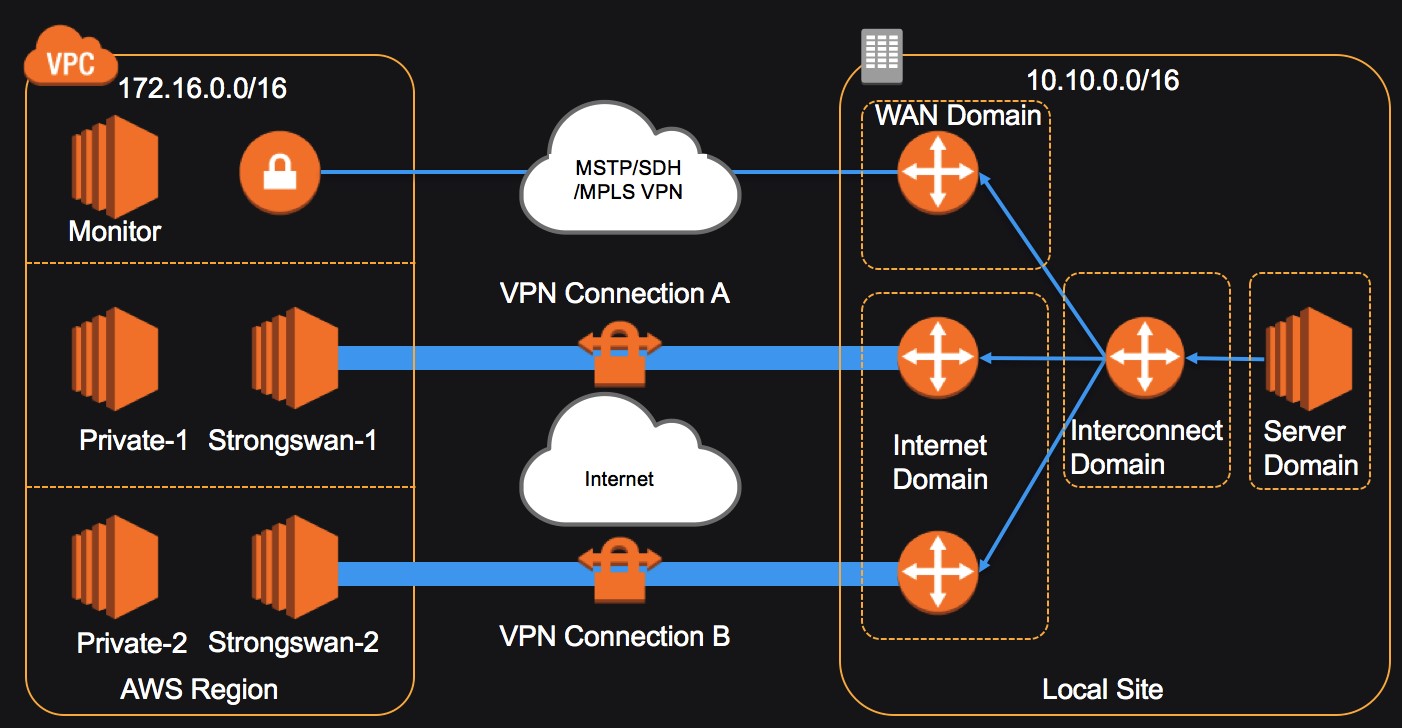
For scenarios where DX and VPN act as backups for each other, there are the following situations:
1. 1 DX + 1 VPN
2. 2 DX + 1 VPN
3. 1 DX + 2 VPN
4. 2 DX + 2 VPN
For scenarios 1 and 2, you can simply adjust the routing tables of Private-1 and Private-2 to achieve active-standby on the AWS side. That is: traffic prefers the DX direct connection, and switches to the VPN link when the direct connection fails.
Enable route propagation. A route for 10.10.0.0/16 with the target as VGW will appear in the routing table.
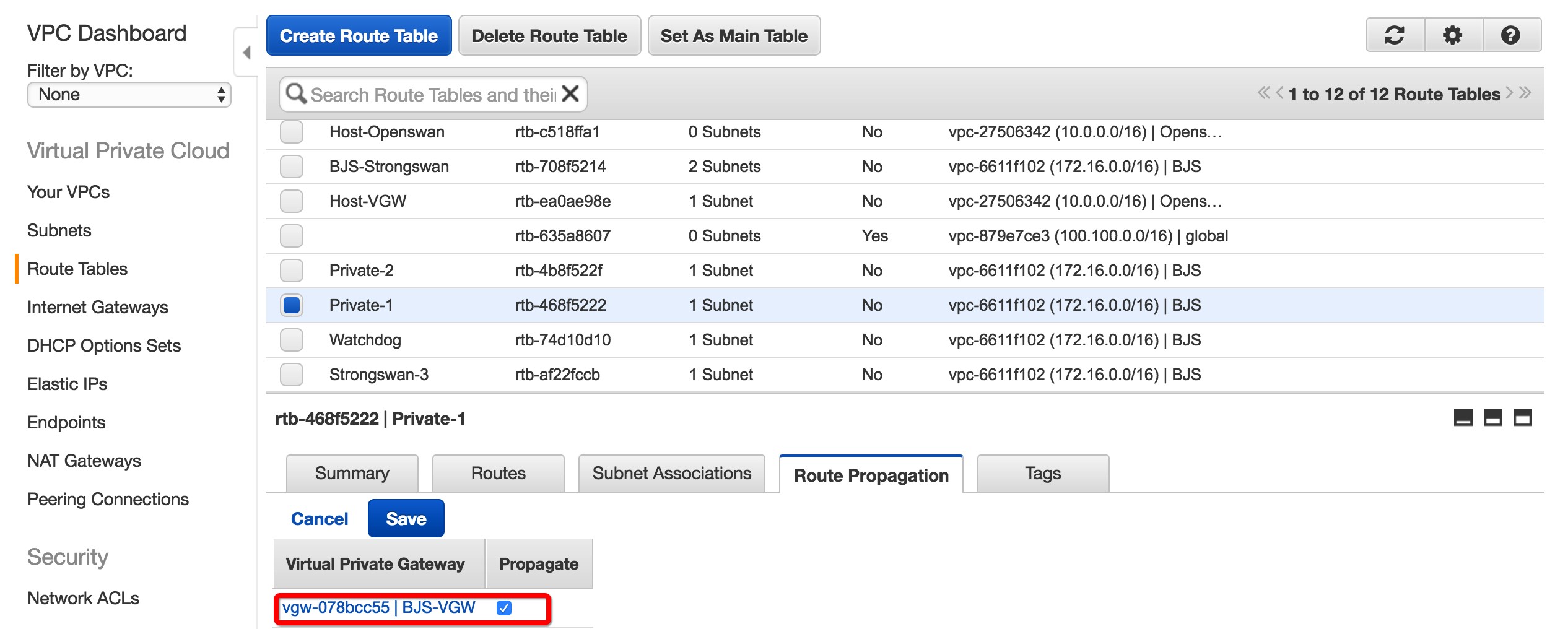
Set a static route for 10.0.0.0/8 with the target as the ENI of the VPN device.
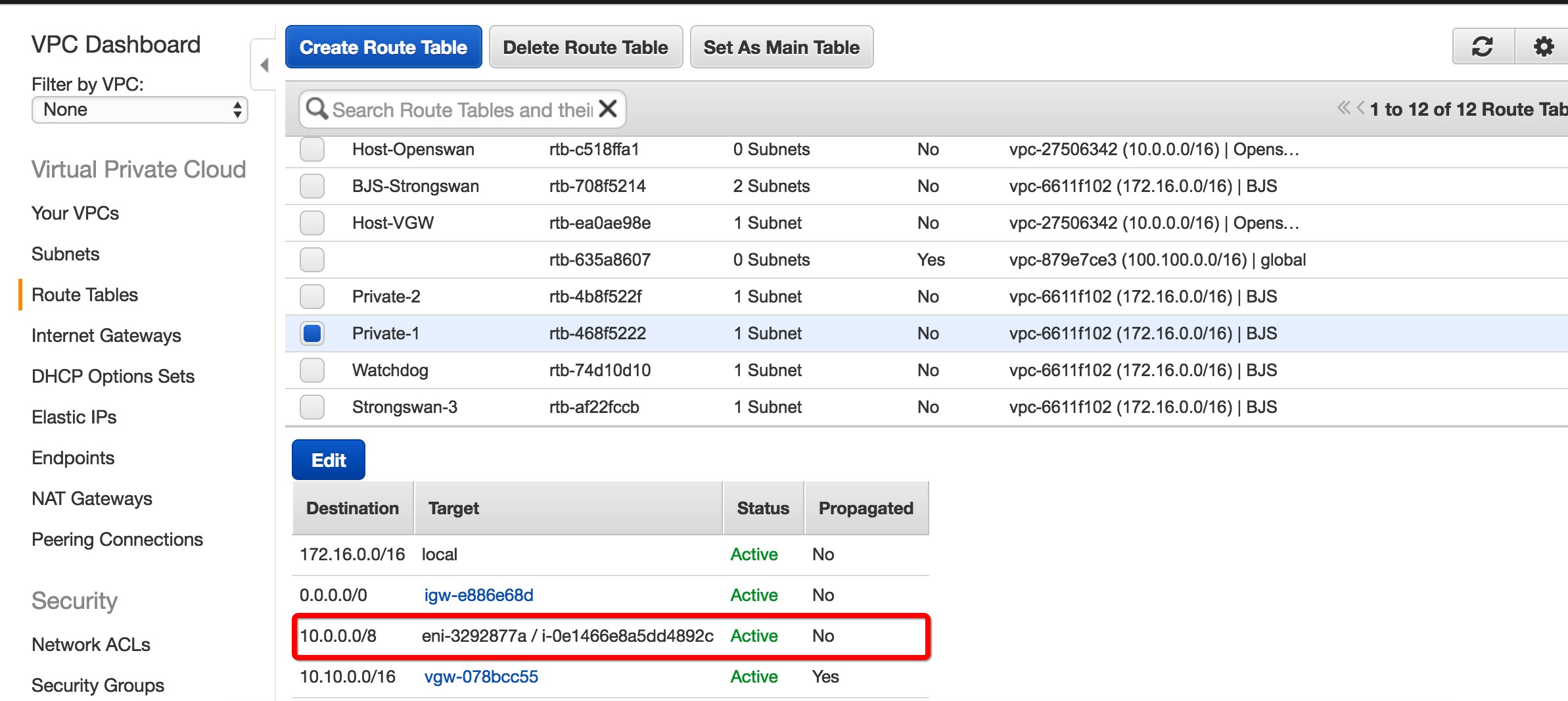
Due to the longest match rule for routes, default traffic destined for the local site 10.10.0.0/16 will go through the VGW via the direct connection. When the direct connection fails, the 10.10.0.0/16 route will not be propagated into the routing table. At this point, the 10.0.0.0/8 route takes effect, and traffic switches to the VPN link.
For scenarios 3 and 4, switching between the two VPN links cannot be achieved using the above method. It is necessary to deploy the monitor device shown in the topology diagram to monitor the health status of the DX and VPN links and the VPN device, and to implement link switching.
This example mainly introduces the script functions on the monitor and Strongswan devices and how to integrate them with monitoring and alerting.
For basic VPC configuration, basic DX configuration, Strongswan configuration, and on-premises site switching methods, please refer to:
《Building a Robust Hybrid Cloud Network — BJS VPN》
《Building a Robust Hybrid Cloud Network — BJS DX》
1. Link Switching Logic:
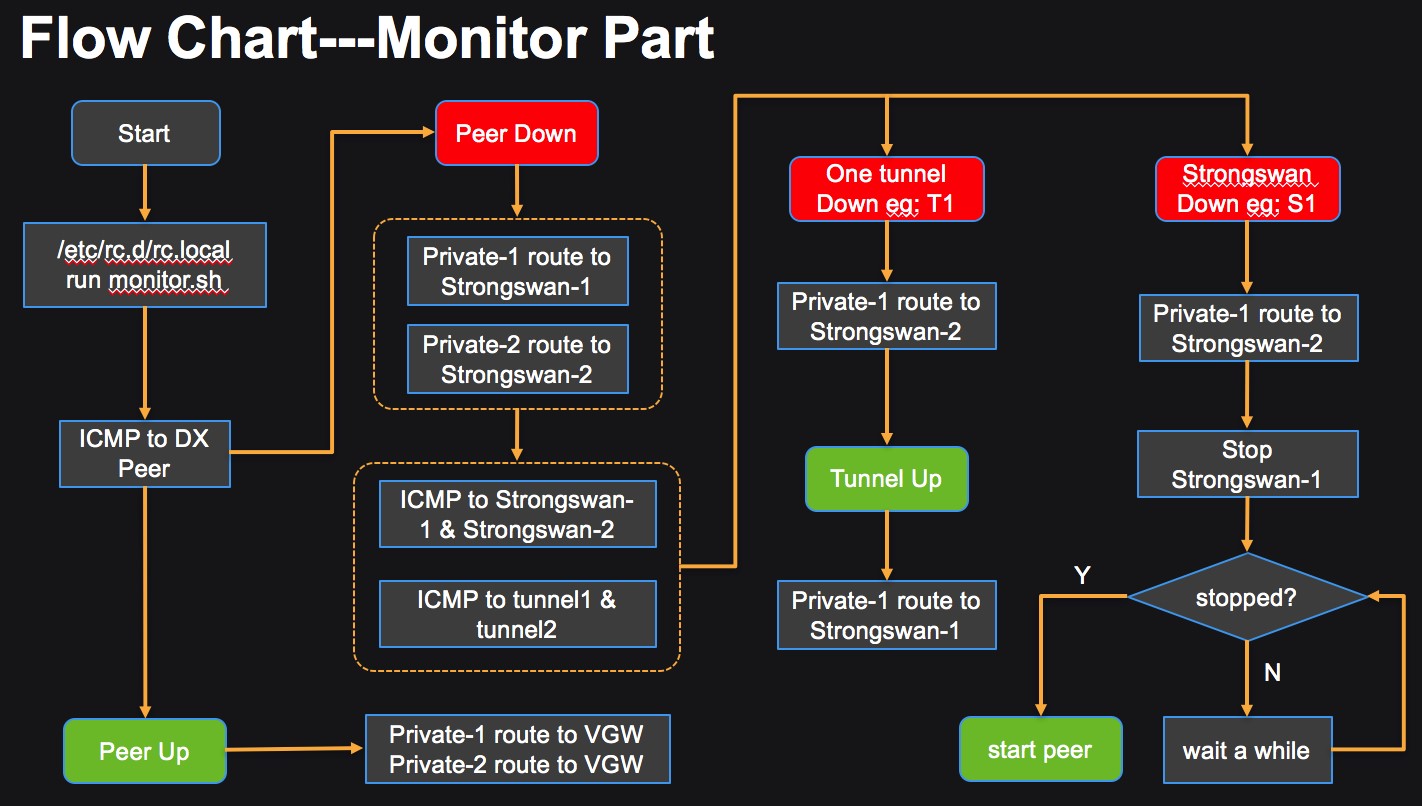
When the direct connection link is normal, set the server’s route to point to the VGW, and traffic is transmitted via the direct connection. When a direct connection failure is detected, change the server route to point to the Strongswan in the same AZ, and start monitoring the health status of the Strongswan instance and the VPN link. When a VPN link fails, switch the corresponding traffic to transmit across AZs to the Strongswan in another AZ. When the Strongswan in one AZ fails, switch the traffic and recover the instance by stopping and starting that Strongswan.
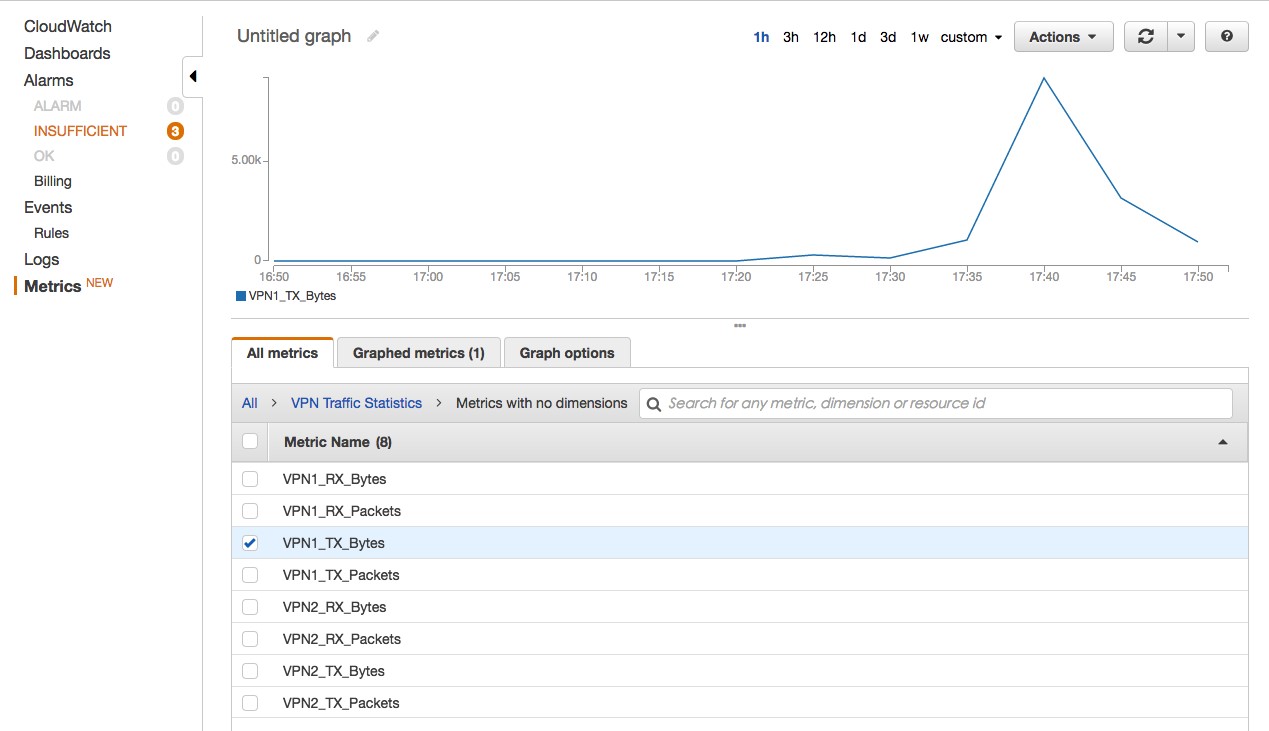
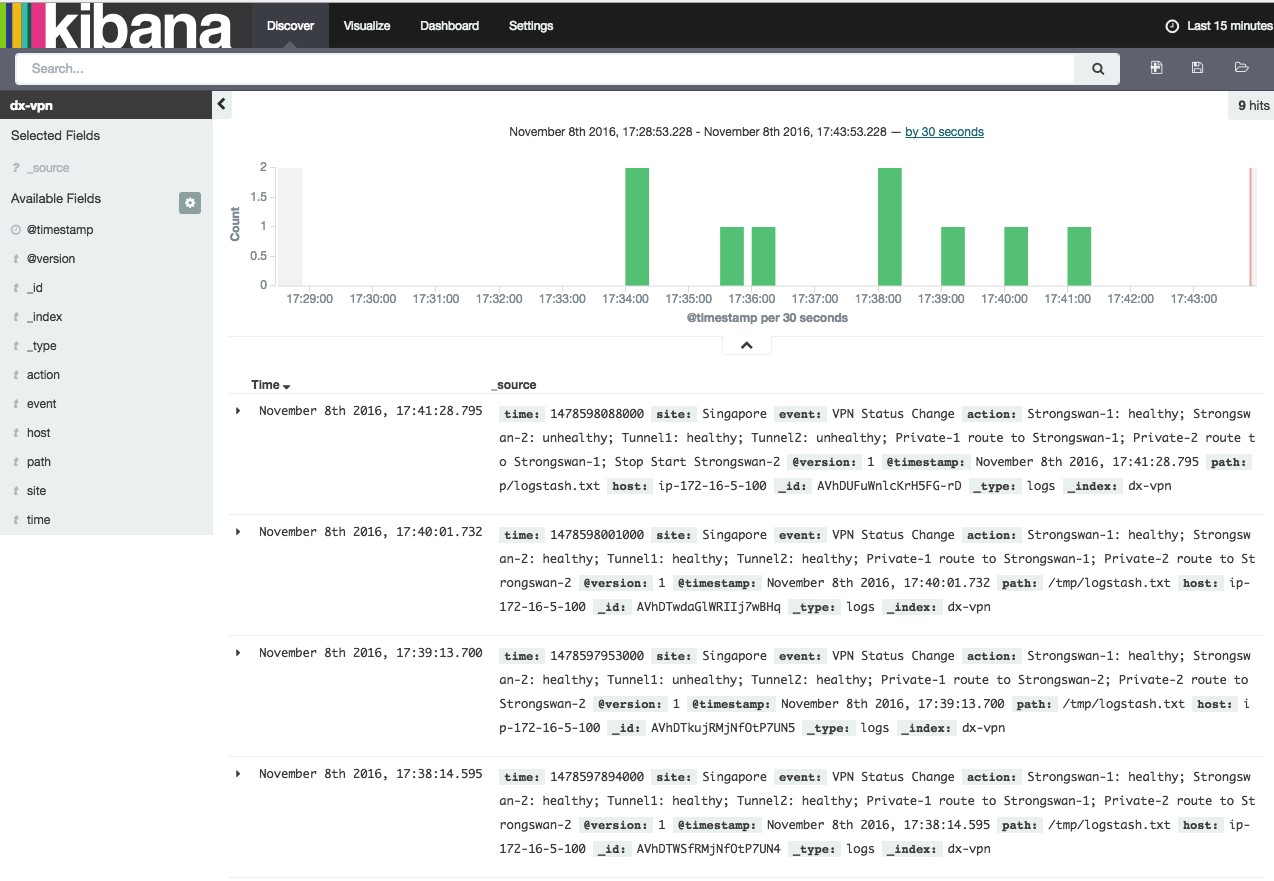
2. In addition to link switching, running scripts on the monitor and Strongswan can achieve fault alerting, VPN traffic statistics, and event log collection/search:
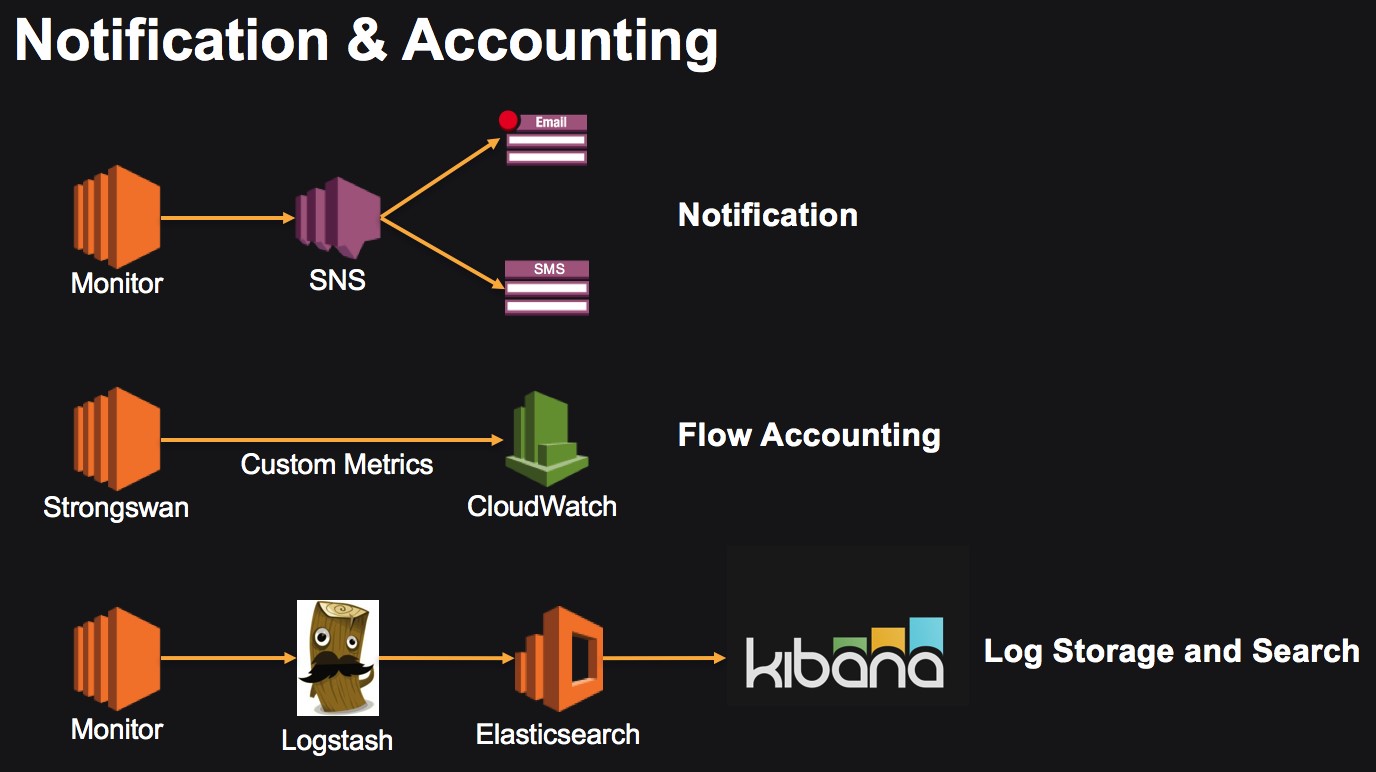
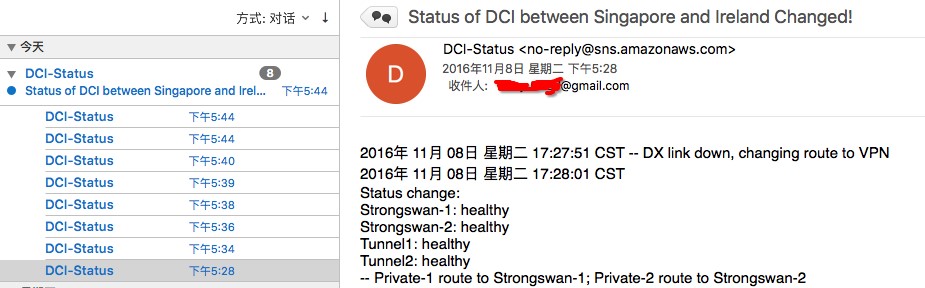
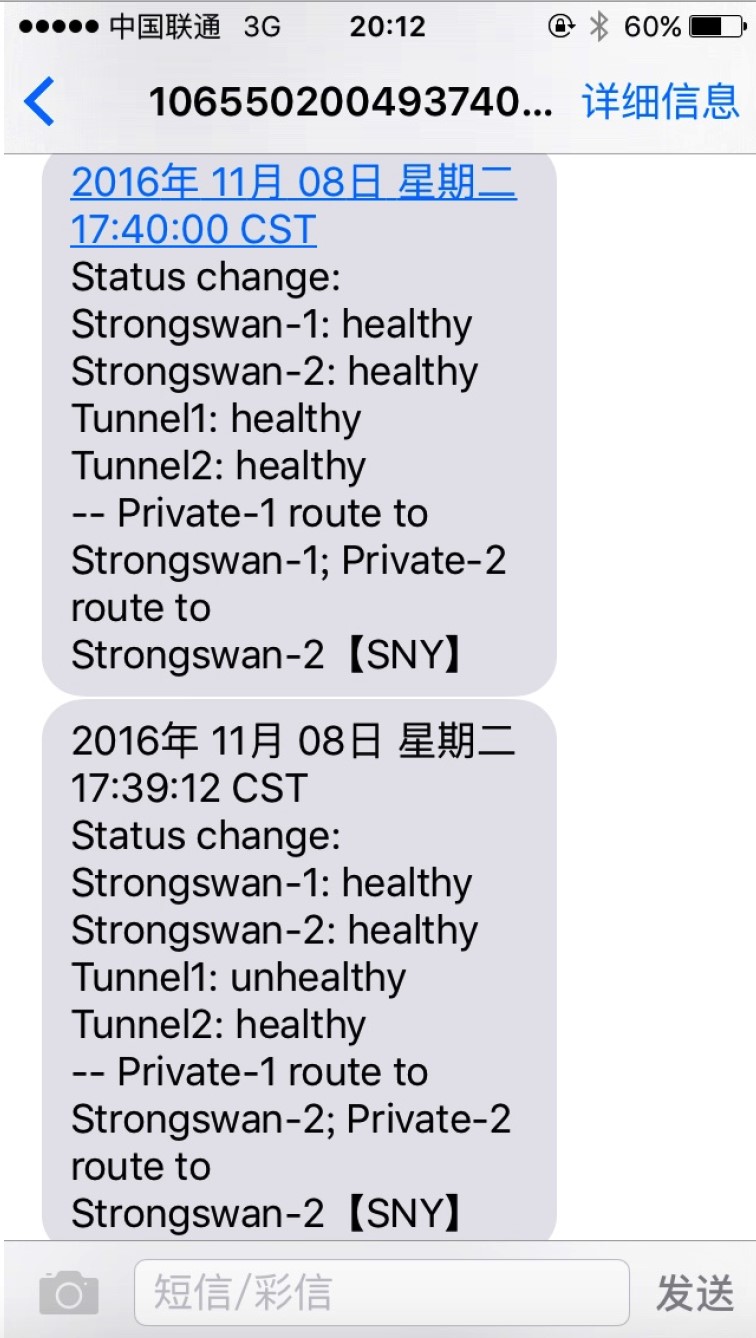
SNS Email and SMS Alerts:
CloudWatch Monitoring for VPN Traffic:
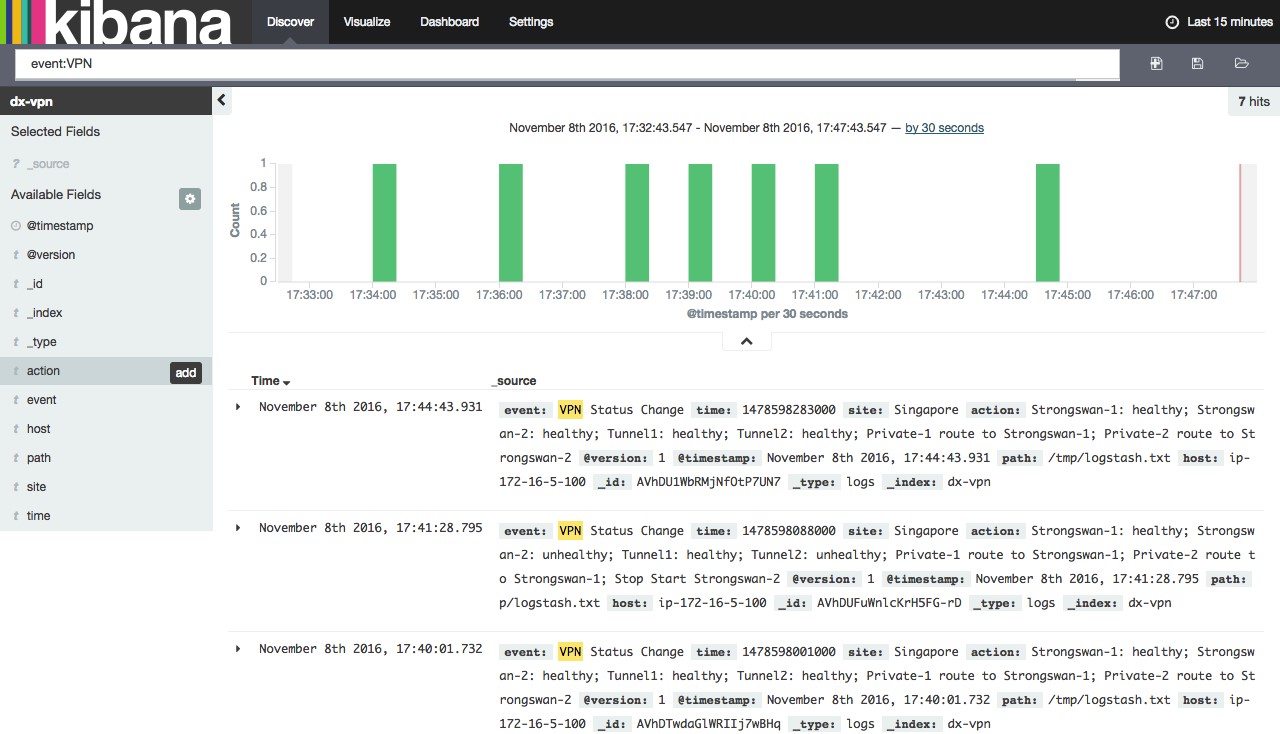
Elasticsearch & Kibana for Event Log Collection and Search:
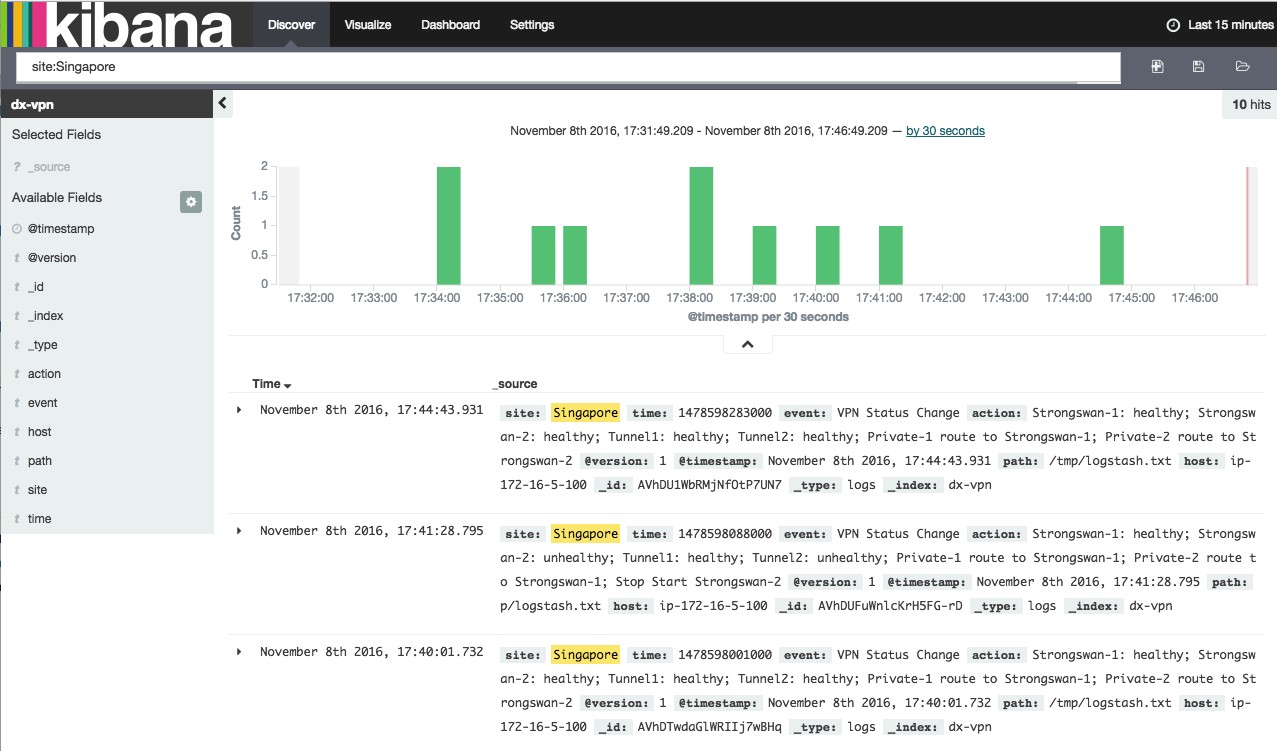
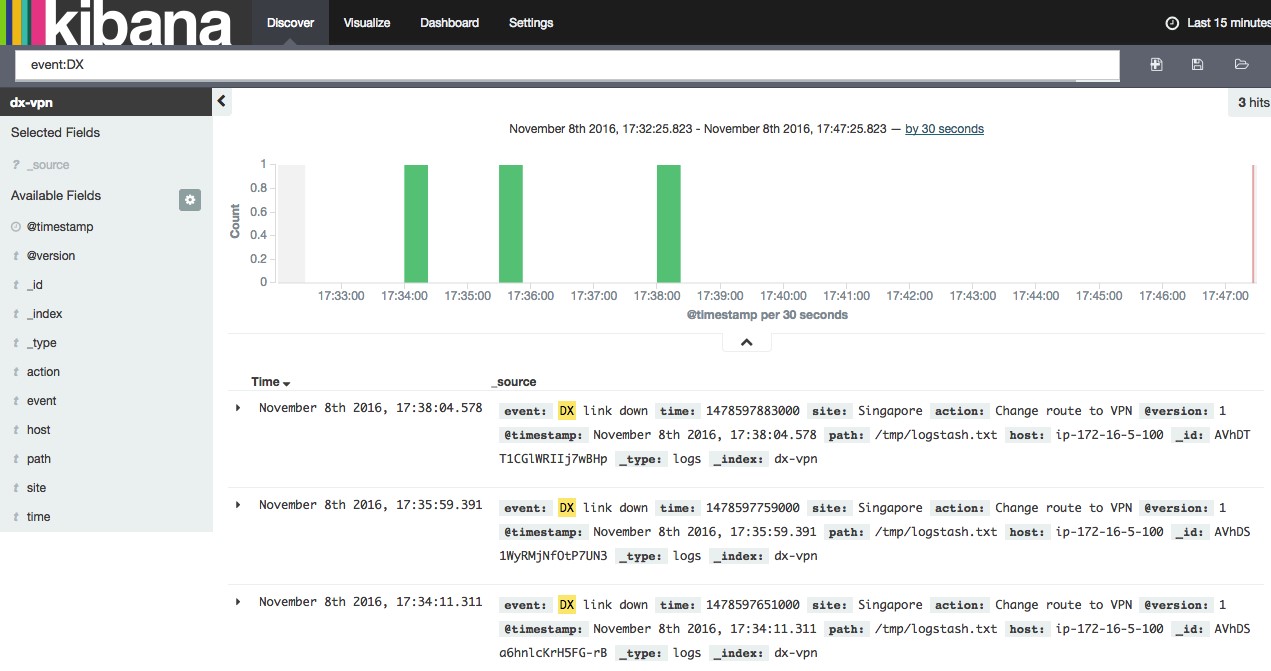
You can search by site, dx, and vpn:
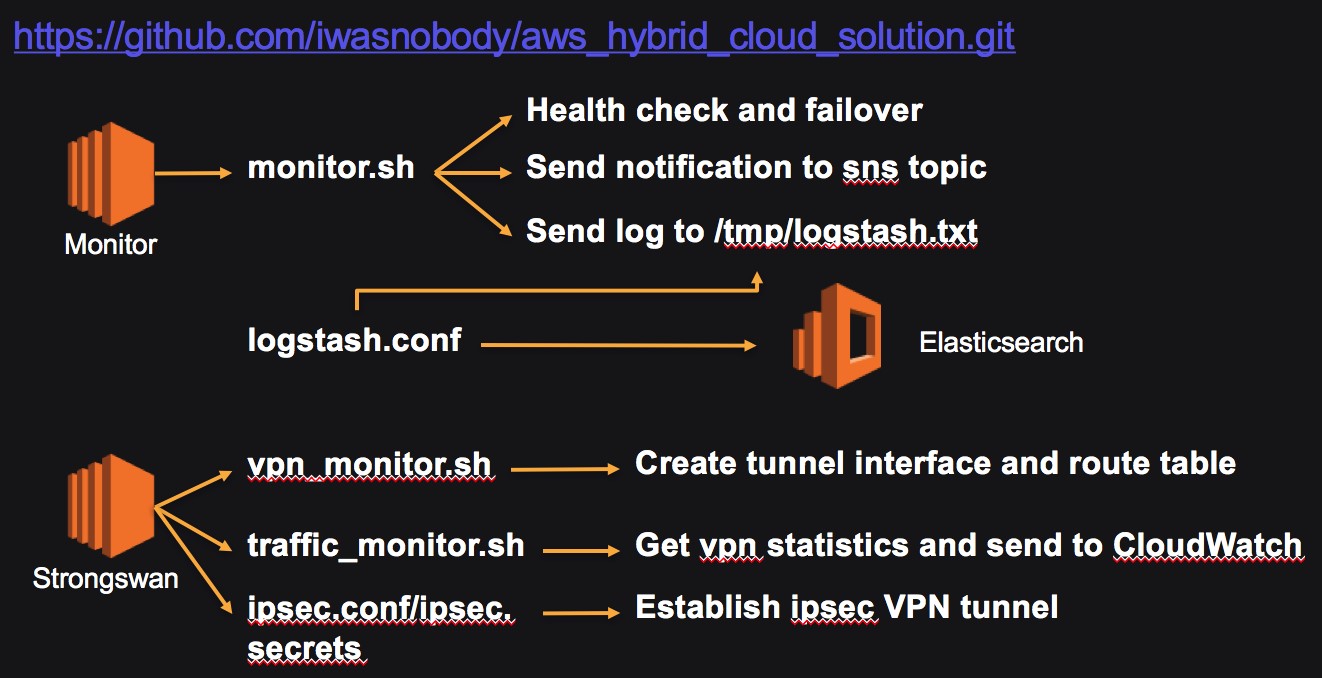
All scripts can be downloaded from GitHub:
3. Script Function Description:
3.1 Scripts running on the monitor instance:
monitor.sh:
1. Performs health checks on DX links, VPN links, and VPN devices, and modifies server routes to switch traffic.
2. Upon detecting a fault, generates alert notifications and notifies relevant operations personnel via email and SMS through the SNS service.
3. Generates local fault logs and outputs them to the Elasticsearch service for storage via Logstash.
Note: SNS SMS notifications are currently not supported in BJS. The Elasticsearch & Kibana services need to be self-hosted in BJS.
The monitor instance needs to operate on routing tables and interact with the SNS service, so relevant roles must be assigned.
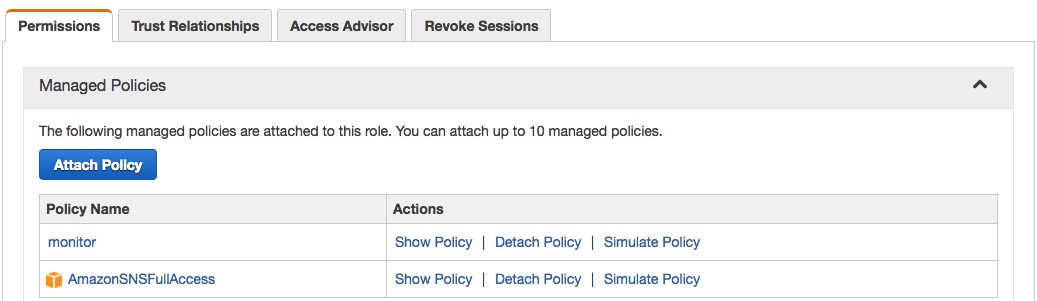
The configuration for the monitor policy is as follows:
{
"Version": "2012-10-17",
"Statement": [
{
"Action": [
"ec2:DescribeInstances",
"ec2:CreateRoute",
"ec2:ReplaceRoute",
"ec2:StartInstances",
"ec2:StopInstances"
],
"Effect": "Allow",
"Resource": "*"
}
]
}
3.2 Scripts running on the Strongswan instance:
tunnel_init.sh: Creates tunnel interfaces and routes related traffic to the tunnel interface.
traffic_monitor.sh: Collects VPN traffic statistics for incoming and outgoing traffic on the tunnel interface and sends custom metrics to CloudWatch to achieve VPN traffic monitoring.
ipsec.conf/ipsec.secrets configuration files: Strongswan configuration files used to establish IPsec VPN tunnels.
The Strongswan instance needs to collect VPN traffic information and interact with CloudWatch, so relevant roles must be assigned.
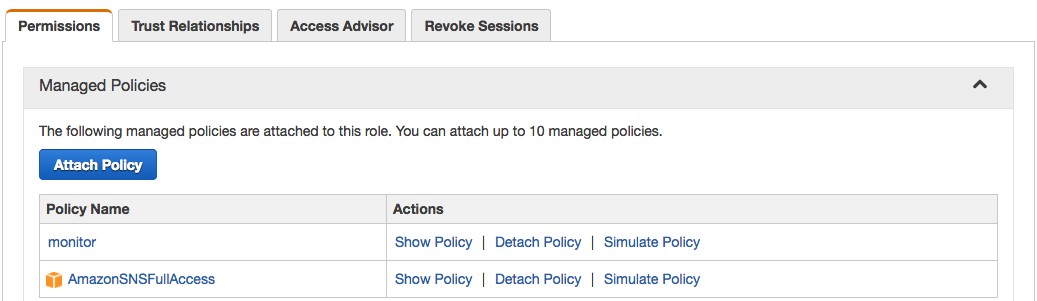
4. Script Usage Instructions:
monitor.sh: Runs on the monitor instance. The monitor instance needs permissions to control routing tables, SNS, etc.
The following script statements in monitor.sh need to be modified accordingly:
VPN_ID1="i-0e1466e8a5dd4892c"
VPN_ID2="i-0430fe110cdec5835"
VGW_ID="vgw-078bcc55"
VPN_RT_ID1="rtb-468f5222"
VPN_RT_ID2="rtb-4b8f522f"
DX_IP="10.10.3.100"
Remote_IP1="169.254.100.1"
Remote_IP2="169.254.200.1"
logstash_site="Singapore"
litterbin=$(aws sns publish --region ap-southeast-1 --topic-arn "arn:aws:sns:ap-southeast-1:93870664XXXX:DCI-Status" --subject "Status of DCI between Singapore and Ireland Changed!" --message file://logfile)
litterbin=$(aws sns publish --region ap-southeast-1 --phone-number "+861860135XXXX" --message file://logfile)
Among these, VPN_ID1 and VPN_ID2 are the instance IDs for Strongswan-1 and Strongswan-2 respectively. VGW_ID is the ID of the VGW. VPN_RT_ID1 and VPN_RT_ID2 are the routing table IDs associated with Private-1 and Private-2 respectively. DX_IP is the detection IP for the DX link, typically the PE device of the Direct Connect provider’s MPLS VPN network or the public IP of the on-premises site’s exit router. Remote_IP1 and Remote_IP2 are the tunnel interface IPs for the two VPNs at the local site. logstash_site is the AWS site identifier, which will appear in alerts and logs to distinguish between multiple AWS sites.
Modify –region, –topic-arn, and –phone-number as needed. The SNS topic must be created in advance and subscribed to via relevant email addresses to receive messages.
All event logs are first written to the local /tmp/logstash.txt file and uploaded to Elasticsearch via Logstash.
Modify /etc/logstash/conf.d/logstash.conf
input {
file {
path => "/tmp/logstash.txt"
codec => json
}
}
output {
elasticsearch {
hosts => "http://search-test-cfwkwatg5unnpsgvbd5lyruquy.ap-southeast-1.es.amazonaws.com"
index => "XXXX"
}
}
You can set the /etc/rc.d/rc.local file to make the monitor instance run the monitor.sh script on boot.
vpn_monitor.sh: Runs on the Strongswan instance to create VPN tunnel interfaces and related routes.
traffic_monitor.sh: Runs on the Strongswan instance to collect traffic information from the tunnel interface and transmit it to the CloudWatch service as custom metrics.
You can set the /etc/rc.d/rc.local file to make the Strongswan instance run the vpn_monitor.sh and traffic_monitor scripts on boot.