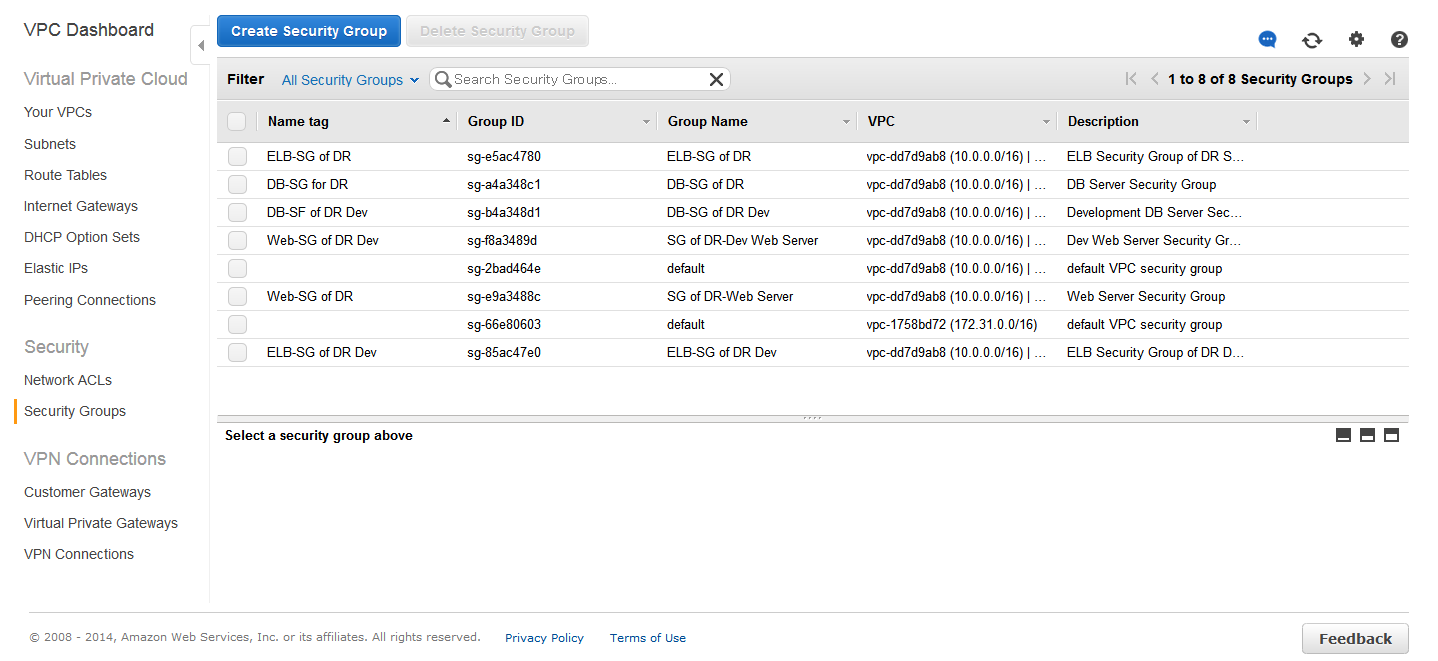
One of the key features of EC2 is that it allows users to update instance states at any time. Users can add or remove instances at will, and this dynamic change in instance status facilitates user operations but complicates firewall configuration.
To address this limitation of EC2, AWS introduced the concept of Security Groups.
A security group essentially consists of a set of rules that determine which network traffic is accepted by an instance and which is denied. A user can currently create up to 100 security groups. When an instance is created without specifying a security group, the system automatically assigns it to a default group (Default Group).
Security Group Configuration for Web Servers
1. Select “Security Groups” in EC2 and click “Create Security Group”;
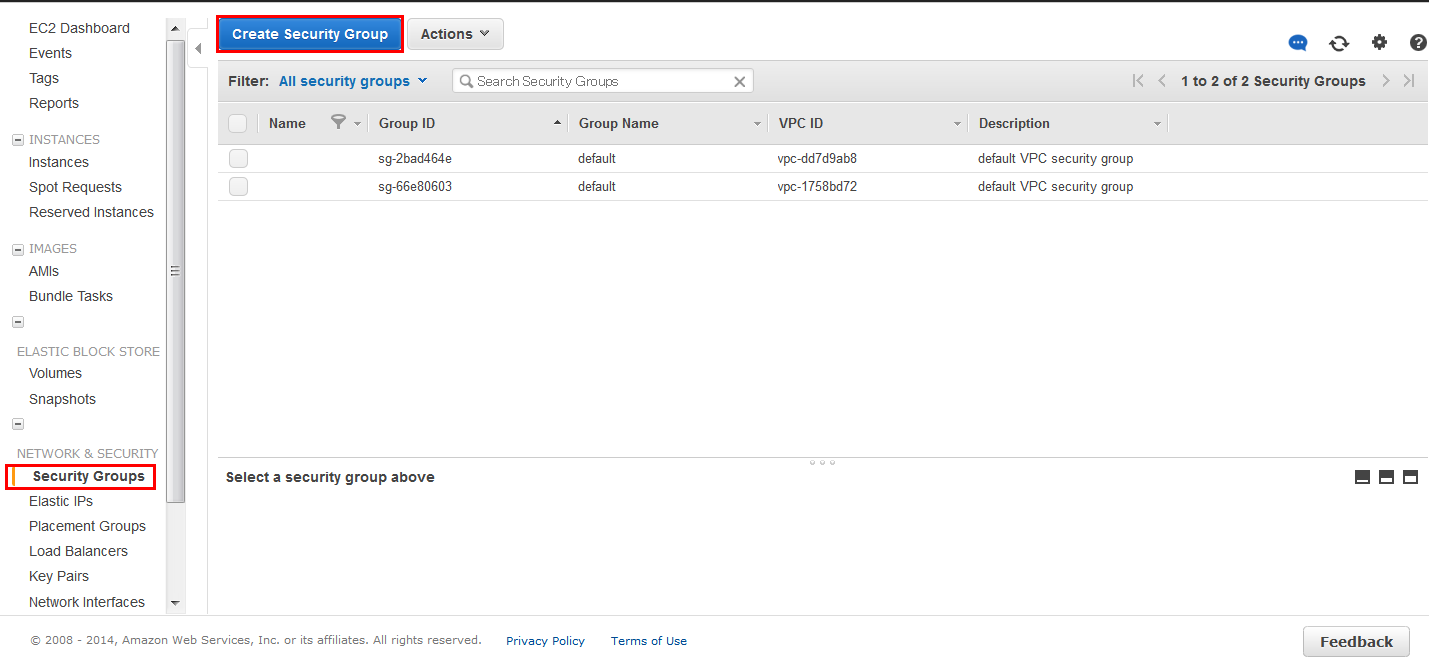
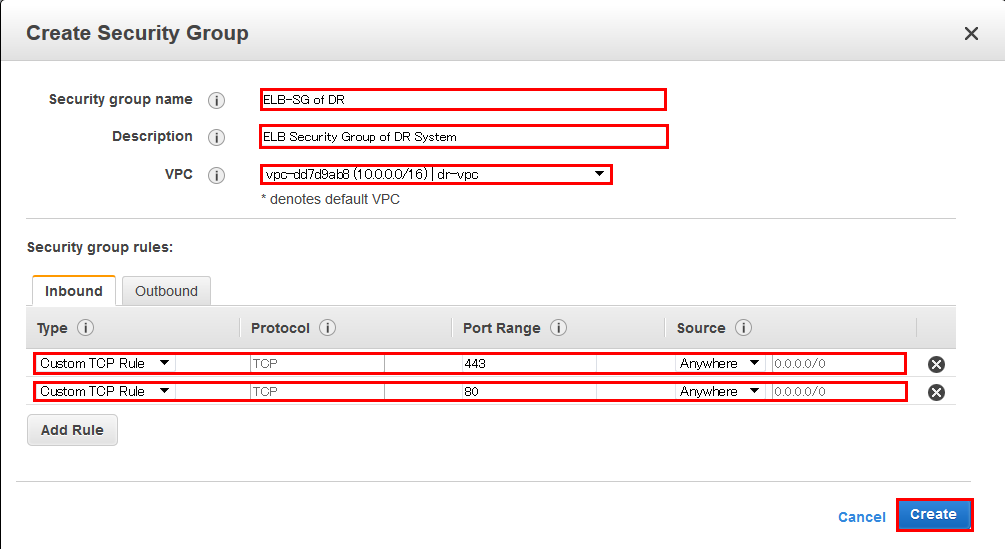
2. Fill in the corresponding content within the red box and click “Create”;
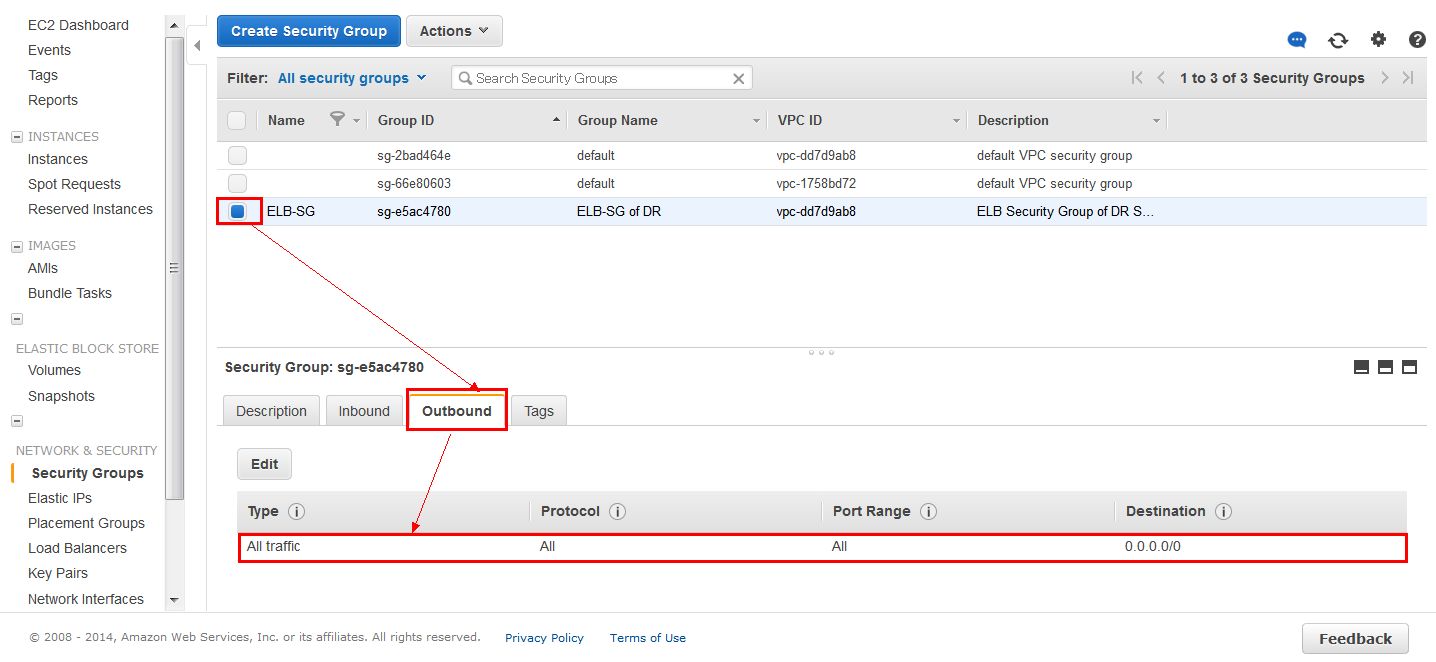
3. The name of the security group is “ELB-SG”;
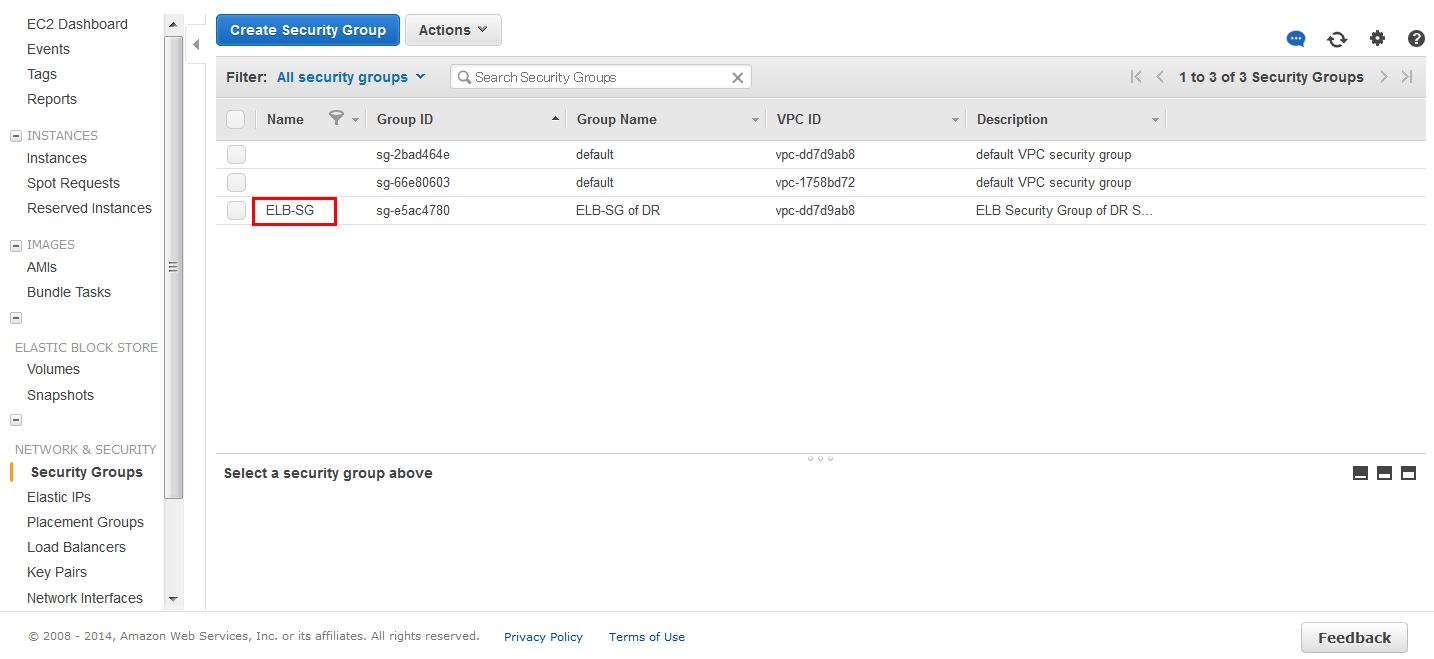
4. Select this security group (ELB-SG) and configure “Outbound” to allow all traffic;
Check the status of the following 6 security groups in EC2 “Security Groups”;
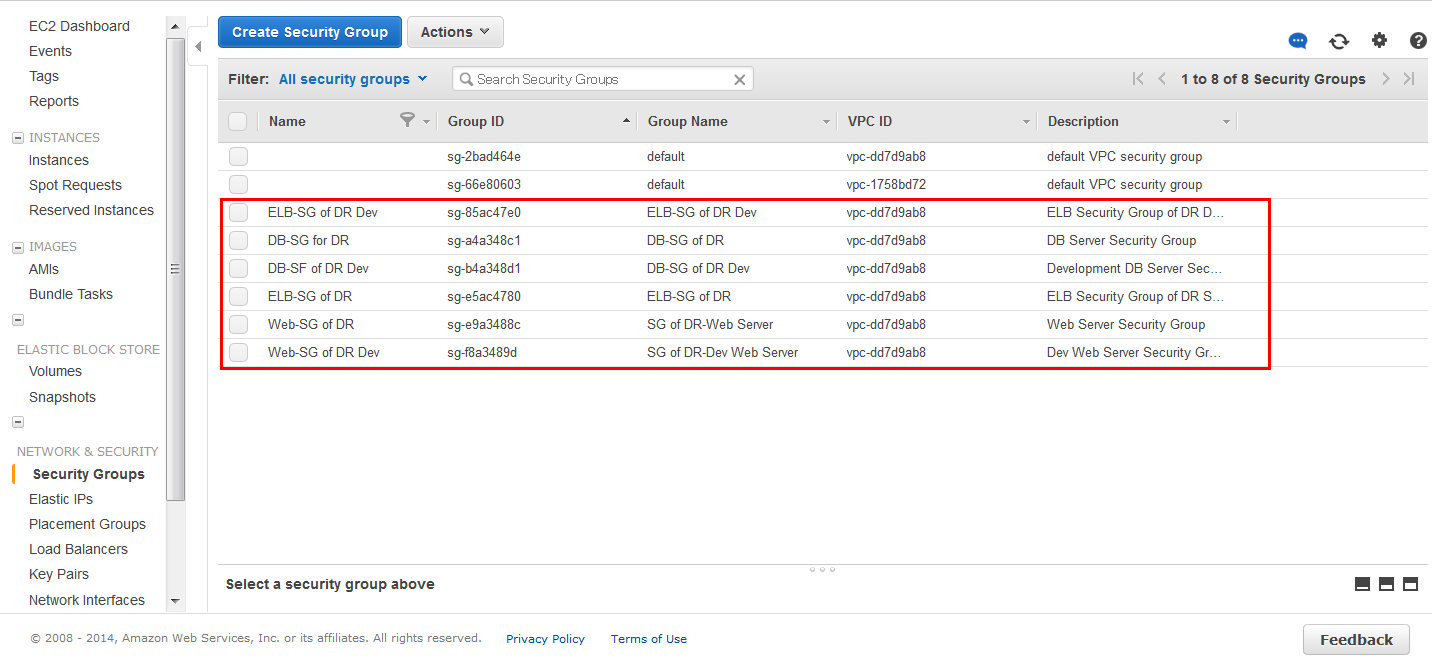
Check the status of the following 6 security groups in VPC “Security Groups”;